How to format External Links in a Map component's Layer Extension?

I am trying to add dynamic hyperlinks to the Result List and/or Result Details for a layer within a Map component. Since we can't use html links configured in the underlying Web Map (this causes an error in VGS Web), I'm assuming the only way to add dynamic links is to go to Components > Map > Layer Extension > (layer name) > External Link.
There is minimal documentation for this, and no examples, so I'm trying through trial & error to figure out the formatting. Here is the only snippet I found in the VertiGIS Studio Web docs (https://docs.vertigisstudio.com/webviewer/latest/admin-help/settings-map.html):
External Links
You can configure external links in a layer to open websites or apps outside of Web.
It is possible to add parameters to the URL, display text, and tooltip that represent information from Web, such as a user's location, the location of a feature, or the visible map area.
These parameters are defined through replacement tokens, which are placeholders that represent either a layer field, relationship field, or an arcade expression.
A replacement token is surrounded by curly braces {} and is case-sensitive. For example, {OBJECTID}.
I'm assuming that in the URL Template input for the External Link, I would add something like:
https://www.snoco.org/proptax/search.aspx?parcel_number={parcel_id}where {parcel_id} is the attribute field in the layer used as a replacement token. However since there are no specific examples provided anywhere, I'm not sure how to format this.
Single quotes? Double quotes? Equal sign / no equal sign? Is this the entirely wrong format?
Any feedback would be greatly appreciated!
-

I added it as an External Link within the map component / layer, and works just as you have it above.
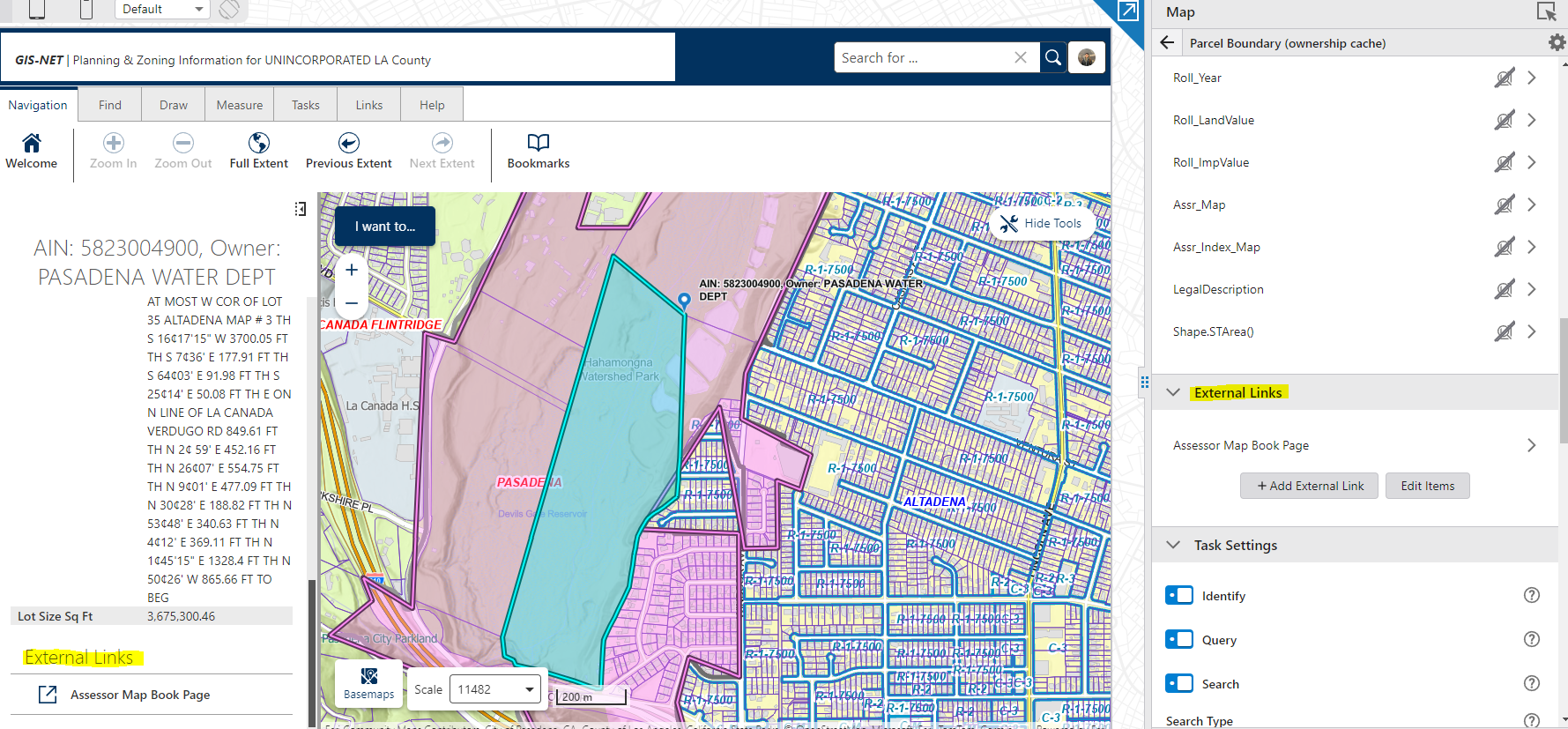
Although, also playing with the configuration in the web map adding a text component with an attribute expression (Concatenate Arcade) as the linkage.
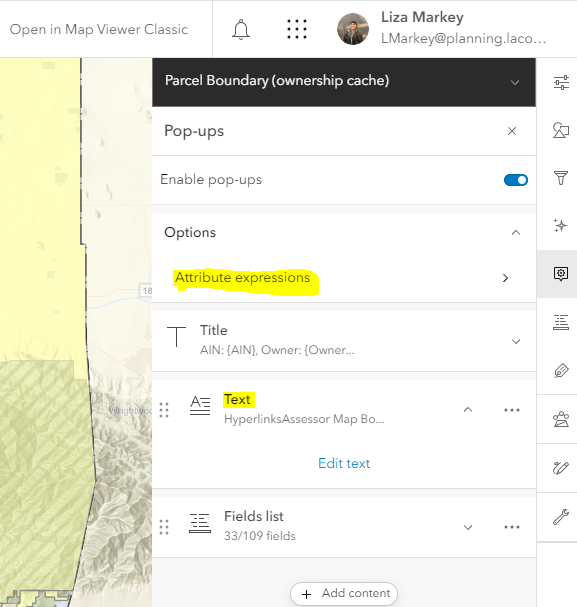

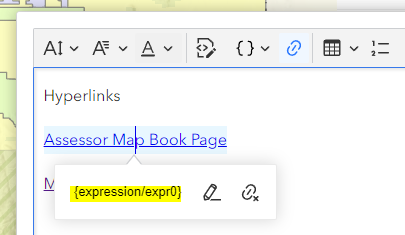
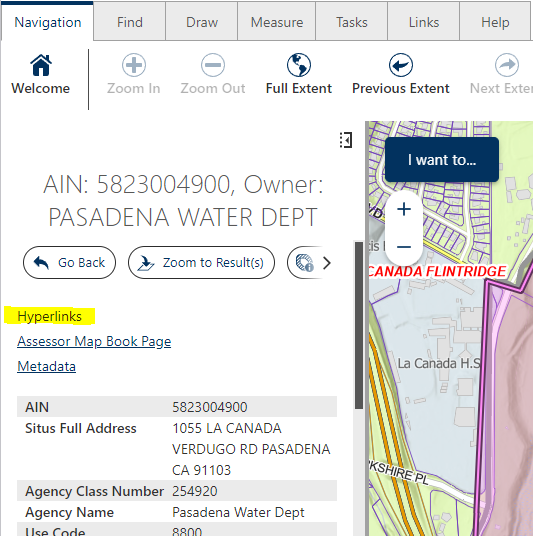
Both work for me, but I like the web map version right now.
 1
1 -
Thanks Liza! I like both of those options, but how exactly did you format the URL for the URL Template input?
Did you use:
or
No matter how I format the URL, nothing shows up in the Results List or Detail…
0 -
Ya the first one, just the direct link is working for me: https://maps.assessor.lacounty.gov/Geocortex/Essentials/PAIS/REST/sites/PAIS/VirtualDirectory/AssessorMaps/ViewMap.html?val={Assr_Map}
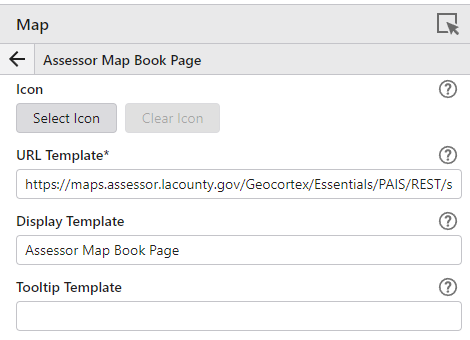
I wonder if its the way the layer is configured, or something why it's not working for you? Not sure on that one… good luck!
1 -
Thanks Liza. I just checked some other web apps in Studio, and the External Links are showing up as expected. So something is wrong specifically with this specific app.
0 -

Jesse Langdon I'm having the same issue where I'm not able to display the external links in the VertiGIS web app after configuration. Were you able to figure out the reason behind the external links not displaying?
0 -

The External links are great, They would be even better if you could control where they appear in the Results details (similar to the popup elements) and the ability to change the Heading to something other that ‘External Links’
0 -

Ben Jarlett You can modify the heading by following this article:
https://support.vertigis.com/hc/en-us/articles/16347749144338-How-to-change-built-in-text-from-Web-s-UI
Modify this one:
"language-feature-details-popup-hyperlinks-title": "External Links",0 -
Sindre Sellæg thanks for the tip, that is great to know.
cheers
0
Bitte melden Sie sich an, um einen Kommentar zu hinterlassen.
Kommentare
8 Kommentare