Error: This application's portal location does not match the one registered by the licensed organization.

Does anyone know how to solve this error? I have followed the installation guide but when trying to deploy across different Portals, I get this error.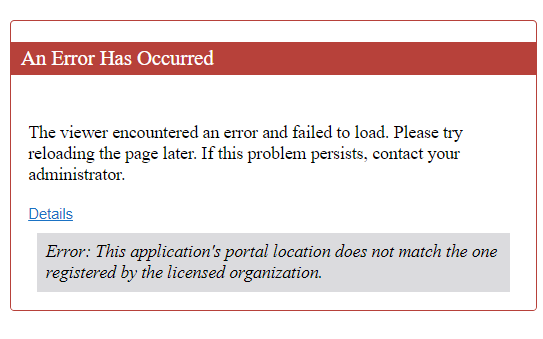
-

I just started getting this out of the blue today. Haven't run the post-installer or done any upgrades for a couple of weeks either. Anyone know of a fix or what exactly it's complaining about?
0 -
In our specific case we needed to provide an Account ID in the Advanced section of the Change Deployment Strategy. VertiGIS support supplied us with the correct Account ID because we have multiple.
0 -
Thanks for the quick reply Ryan! I redeployed mine (without changing anything) and it's working now... so strange...
1 -

Hi, I'm running into the same issue. Deploying from one to a second Portal environment worked flawlessly before, but now I get the error This application's portal location does not match the one registered by the licensed organization.
I tried setting the account ID with the ID that I found on this URL: {PortalRootURL}/portal/sharing/rest/community/users/{username} , where the username is of the user that owns the PortalItem with which the Vertigis Apps are configured/authorized. I also tried to use my personel account ID, and I tried using the ID we use to get our license key. All without luck.
Previously this deployment strategie worked fine, without us setting up an account ID, so I am wondering if that is actually the issue here. Does anyone have any other ideas what could cause this error message?
0 -
In the end, I got this working by making sure that the exact same license was used in both environments - setting the account ID was not necessary.
0 -
Yannick we had the same issue. We have mutliple account IDs for different licenses we had that were conflicted in the deployment environments. Using one license key then replaces the account ID.
2 -

Yannick Mijnheer could you provide me more details to explain what you mean by “making sure that the exact same license was used in both environments”? We're getting the same warning when trying to open a VS Web app via AGOL. We have VS Web installed on-prem.
Thank you,
Vanessa
0 -
Vanessa Pocock ; in our case, we deploy from one Portal environment to another Portal environment ; so from one on-prem installation to another. We didn't have the exact same license active in both on-prem installations. Setting this straight, by rerunning the post-install and setting the same license key, got rid of the issue for us.
However, this week we ran into the same errormessage, and this time it had to do with the printing engine in a specific viewer. Resetting the printing engine settings got it back working.
So I'm afraid the errormessage is quite broad, and there's not one go-to solution.
0 -
10 months later this error happened on one of my viewers again. Redeploying the site after closing out of everything and restarting my computer fixed it. It seems like the issue for me is that wires get crossed when deploying my site and I'm also signed into various portals and other VertiGIS instances in my browser. I think the portals get confused somehow as normally I have to sign in during the deployment process for all the various components.
0 -

A workaround to fix this error can be open the app in the designer and save it.
The license ID in the app.json is updated then.
2
Bitte melden Sie sich an, um einen Kommentar zu hinterlassen.
Kommentare
10 Kommentare