Workflow Panel Display Form text bug?

All of my workflow panel display form text (description) is returning as italicized even though there is no markup assigned to them.
It happens for different workflows in the same app.
I created a new, blank app and a new workflow with nothing but text in a form and it happens in there too.
I'm on Web 5.29 on prem.
* I just checked, and it's doing the same thing on apps.vertigisstudio.com/web/designer/
** It's also happening to text area and text box descriptions
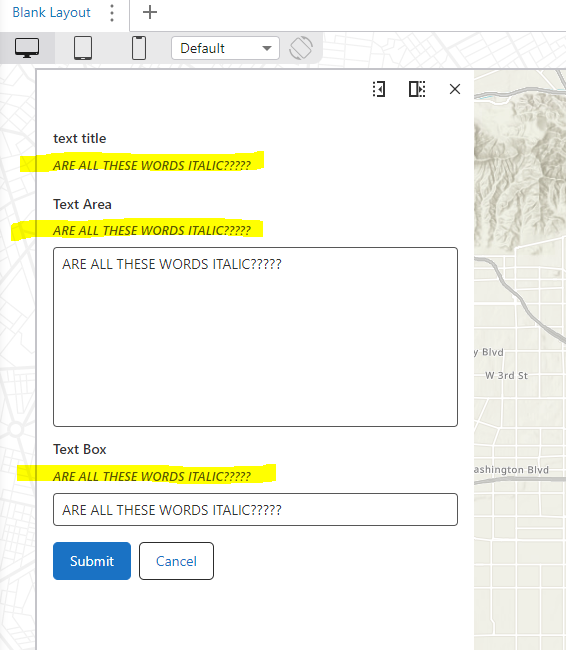
anyone else seeing this?
-

Hey Eric, I am not seeing this. Do you see this across browsers, e.g. in Chrome and Firefox?
0 -
yes, all three….chrome, ff, edge
and yesterday before I posted, I had a coworker create an app to confirm it would happen to him too.
0 -
I can see it's getting assigned somewhere/how and ‘undo’ it in the devcon, but in my test app(s) there is no markdown assigned anywhere…
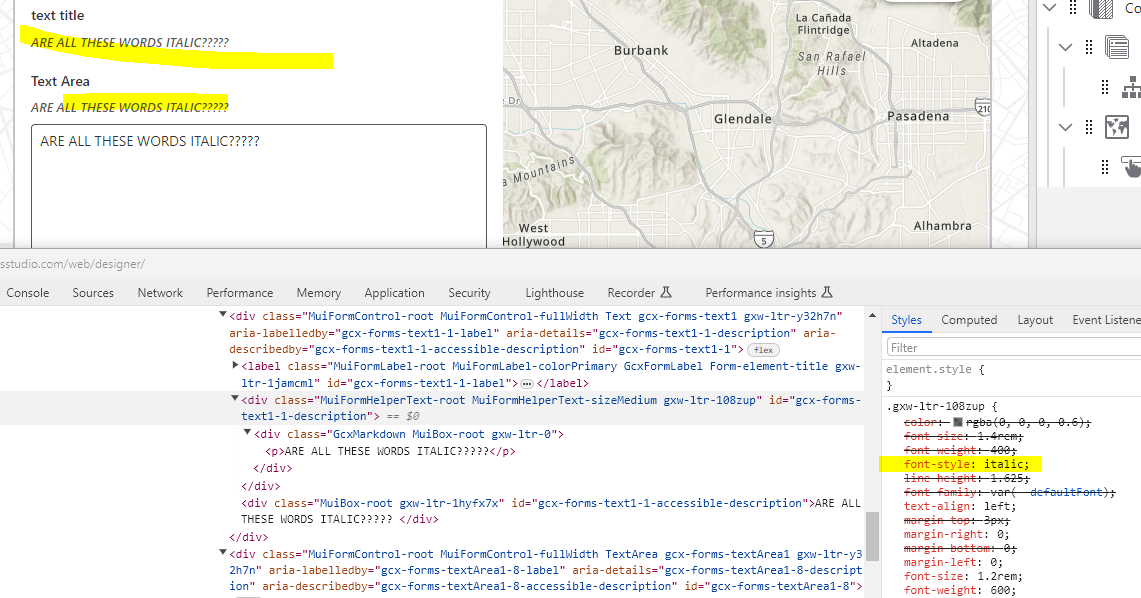
and if I uncheck it…
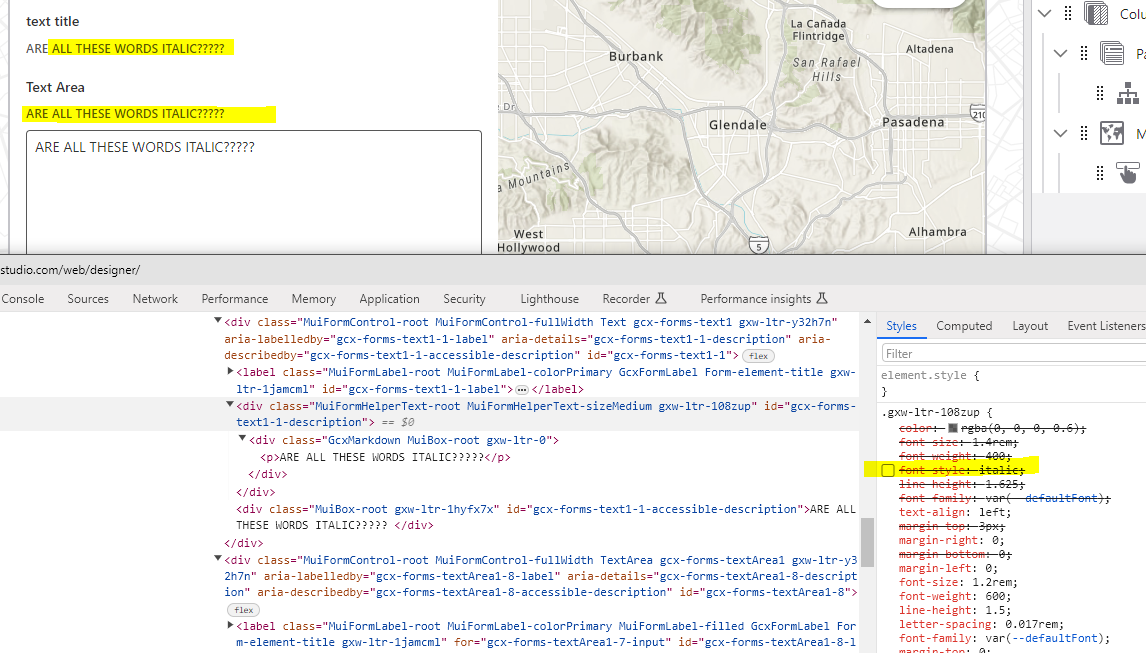 0
0 -
Hi Eric
I found that this has been identified as an issue by our Support team. We have bug item 275438 - "Form elements and markdown elements items are using italicized text" which occurred with VSWF 5.38.1 and affects VSW 5.29 (which uses VSWF 5.38.1).There is a provided CSS workaround:
.GcxMarkdown p, .GcxMarkdown h1, .GcxMarkdown h2, .GcxMarkdown h3, .GcxMarkdown h4, .GcxMarkdown h5, .GcxMarkdown h6 {
font-style: normal;
}
1 -
how do I implement that, please and thanks?
and does that also fix text that's not a header?
0 -
Hi Eric Kriener I believe it will. I have not reproduced the issue you are seeing directly.
You could implement the workaround in an Inject CSS activity at the startup of your Workflow.
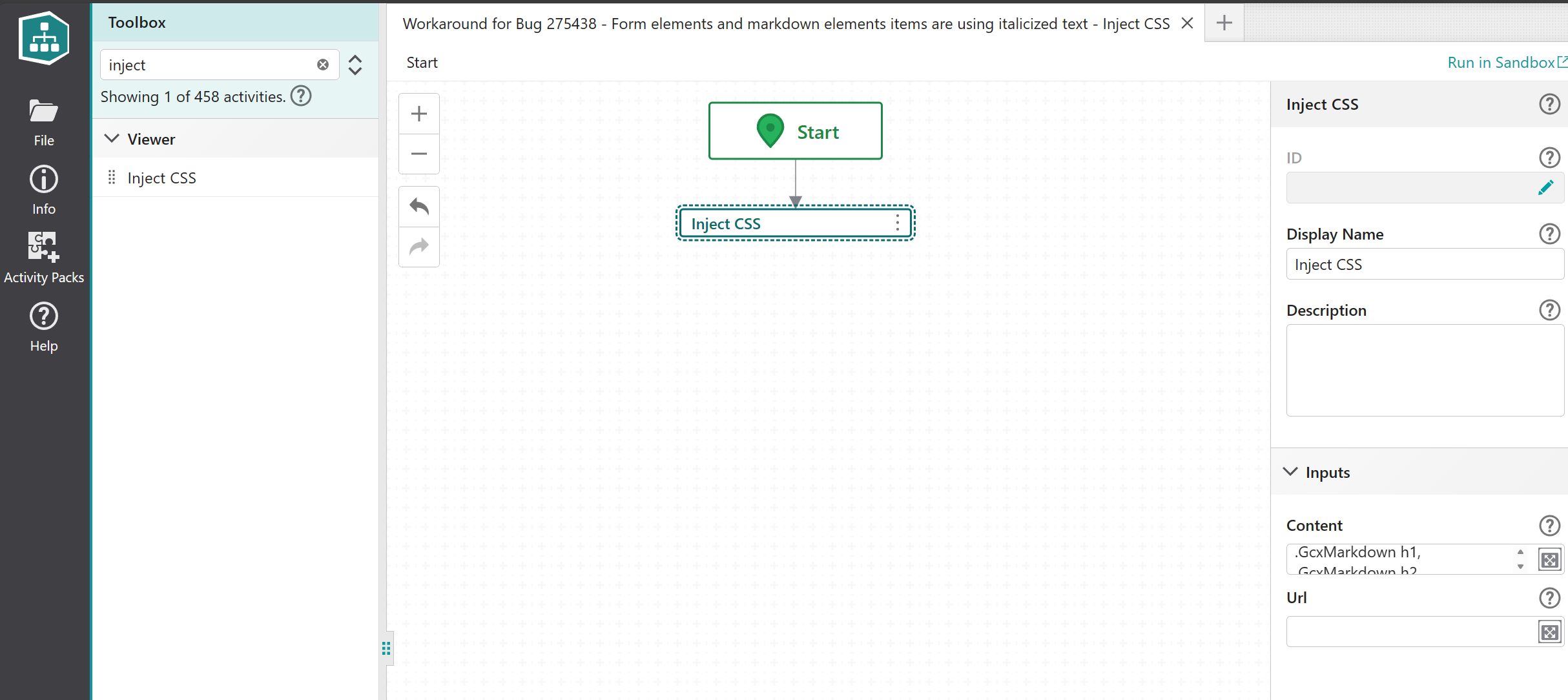
I threw together a quick reference example: https://apps.vertigisstudio.com/workflow/designer/#workflow=6c6eae593f1549b485ae0c6f41188cc5Please copy this into your own workflow and let me know what you see!
0 -
like this?
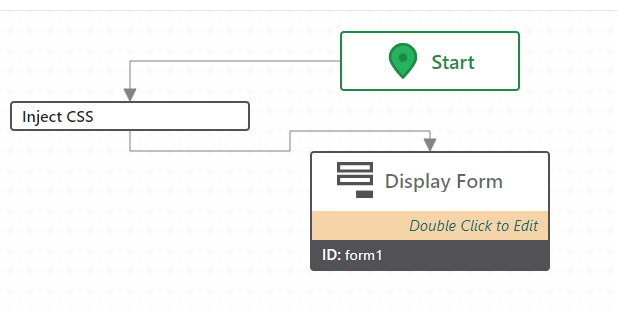
if that's correct, it had no effect. (on prem, or SaaS)
0 -
will this be fixed in the May, 5.39 update?
0 -

I'm surprised that didn't work just based on the screencaps you provided Eric… do you see the rule in the styles for that .GcxMarkdown div? Did you try using the “!important” CSS property?
0 -
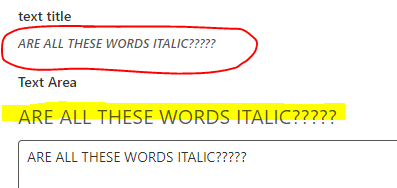
ok…. Zack Robison …. !important didn't seem to matter, then it dawned on me that those are all regular text with no markdown applied, so I made one of them an H4 and voila… guess that answers that question @... ….your css fixes the headers (yellow), but not the regular text (red)
 0
0 -
Hey guys
I reproduced and noted, as you found, that the provided CSS workaround does not select the p class that regular text might be in. The trick with CSS selectors is not being too broad, we do not want to force only normal styling and break the ability to italicize text.
Try this workaround content instead, note the additional selector:
.GcxMarkdown p, .GcxMarkdown h1, .GcxMarkdown h2, .GcxMarkdown h3, .GcxMarkdown h4, .GcxMarkdown h5, .GcxMarkdown h6 {
font-style: normal;
}
I also updated my workaround example and added a little test form.
To answer the “will this be fixed in the May, 5.39 update?” question - yes. Though, I should note that this VSWF 5.39 would then need to be implemented in a following VSW release. I am not clear if VSW 5.30 will implement VSWF 5.39.1 -
Thanks @...
that worked.
while I have you, can you explain why everything smaller than H4 is almost impossible to discern the difference between bold (yellow) and not bold?
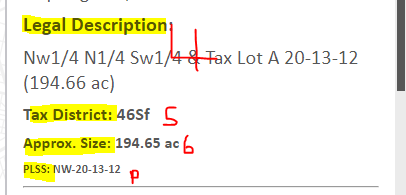
and just to note, adding this inject css to the workflow will affect the whole site's text areas…
I was wondering if the above bold ‘problem’ was due to the font, so I added a font-family tag and noticed it changed my title (and I went and checked some text areas in another panel and they were different too)
title, pre workflow inject:

title, post workflow inject:
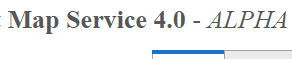
but this does also confirm that you can still make headers italic after the inject…
and for completeness, the ‘everything looks bold under H4’ applies to this font too…
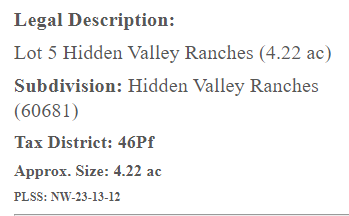
and re: this getting fixed, you're saying it'll be fixed in workflow itself, but might be a few versions of web away?
thanks.
1 -
Hey Eric
Glad the workaround works, though yes, I think the problem from this CSS selector is the knock-on effect of affecting other elements inheriting from that GcxMarkdown p class. There may be a more specific one we can apply, though I have not been able to identify it. Another approach would be to target the specific elements using their specific identifiers, but that could be time consuming.
Re: VSWF and VSW releases - I do not have much detail / visibility into which release of VSWF that the VSW 5.30 release will incoprorate. If I get more insight, I will share.
In terms of that <H4 formatting… good question, I am not certain. I can see in Inspector styling is applied, so there may be some typographic context here that I do not fully understand.
1 -
cool, sounds good.
thanks again.
0 -
Hey Eric Kriener quick update here: I've just heard internal confirmation that the forthcoming VSW 5.30 release will incorporate the VSWF 5.39 implementation and benefit from the fix for this specific issue. VSW 5.30 is currently going through QA review and slated for a June release.
0 -
Awesome.
thanks @... !
0
Bitte melden Sie sich an, um einen Kommentar zu hinterlassen.
Kommentare
16 Kommentare