Layer Style not displaying correct symbology

We have experienced issues with the Layer Style component where, the symbol preview is not the correct symbology for when you then draw.
Below are examples from different geometry types. We found you have a symbology different from solid on the outline the spaces are not transparent as would expect out black. Further, a transparent outline displays a grey outline when drawn. The last can be worked around with changing the thickness to 0.
However, this must be a bug.
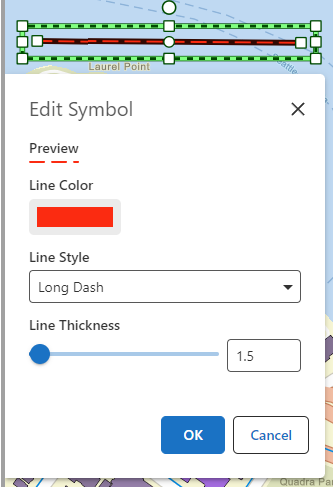
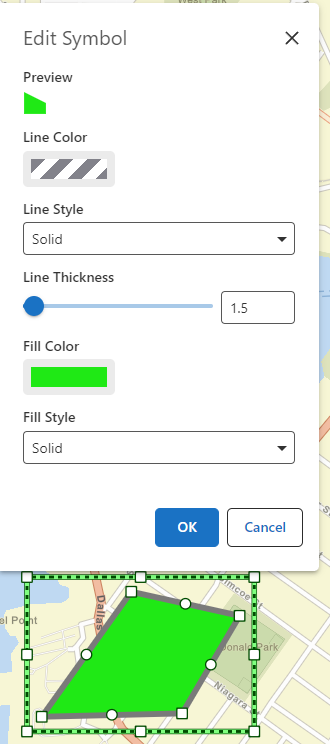
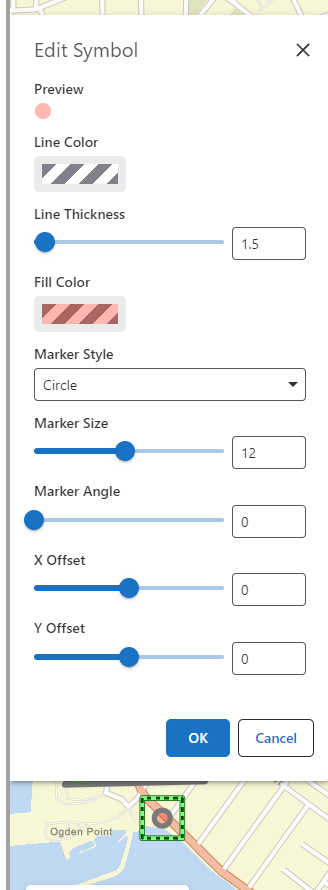
-
Any news on this? We had another customer today reporting this to our support-team wondering why the symbol they had set up was different from the one they were drawing with
I have earlier gotten development bugs tickets 282264 and 282265 tickets for this but couldn ot see them in the changelog1 -

Hi Olivia Bang Brinck , please upvote/comment in this thread too: https://support.vertigis.com/hc/en-us/community/posts/21404361782802-Turn-off-Drawing-Outline VertiGIS is pondering allowing us to turn off accessibility compliance
0
Bitte melden Sie sich an, um einen Kommentar zu hinterlassen.
Kommentare
2 Kommentare