Feature Details view?

Hi all, next challenge for VSW!
In Essentials/GVH we had the ability to quickly report a mix of Data, and Images in a pseudo type report out of the box.
You essentially identify/select a bunch of image points on the map - it returns the list of points found, and then you can go into the panel further and it presents a really quick way of determining what photo is best to look at, or what detail there is on that point.
Identify by Poly → returns count of data found
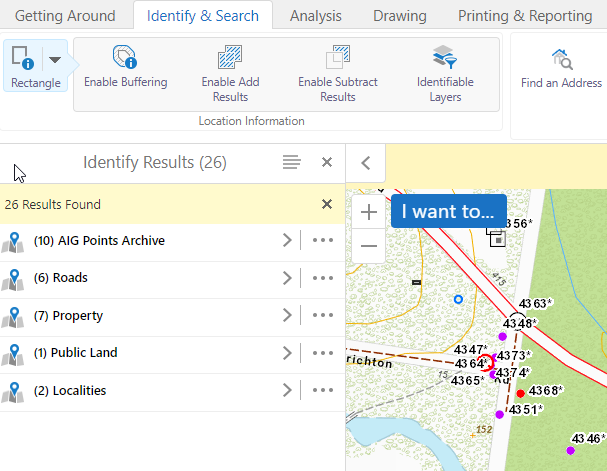
and then you can drill down into the data itself..
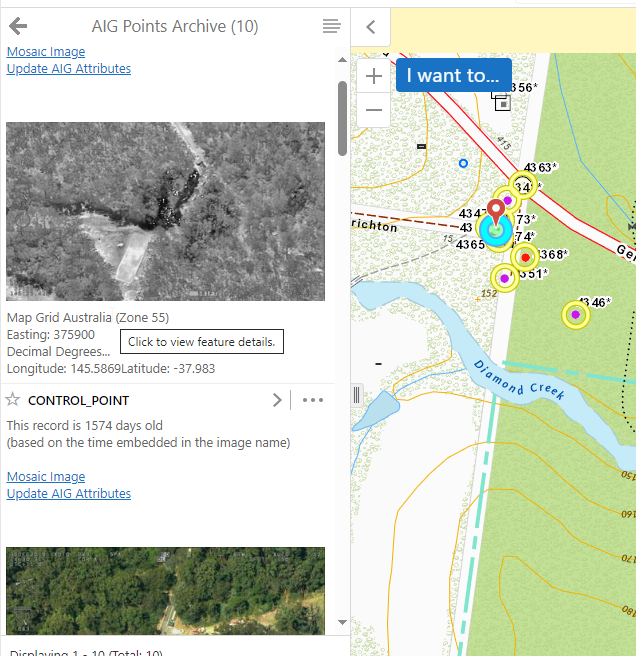
I can quickly view the information as defined in the Feature Description config in the viewer.
I cannot see any way of doing this in the VSW options. The Result Summary, List or Result Detail just do not seem to be able to do this.
I c an identify by poly and it returns the item counts fine…

but that's where the similarity ends as far as I can tell. The drill down returns just this … and I then need to drill down into each item in turn to see if the photo link is any good.
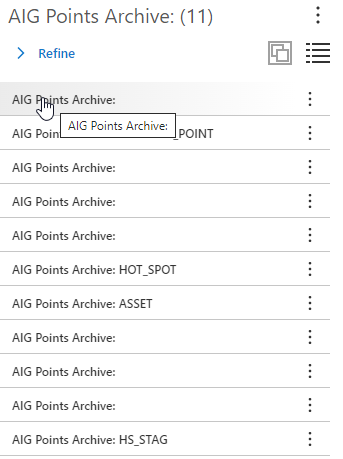
Am I doing something wrong, or is this by design? I've tweaked the maptip config in the webmap a number of ways, but I suspect the results options just aren't configured to present the detail the way it was previously??
thanks as always
-

I've been trying to achieve the same thing Gareth and never got it to display information the same way. The closest I got is the below example for 2 layers but that is going to straight to the results table view and not the nice summary option you get for Essentials.

The other issue is that the card height is not dynamic. So even if you get some key information to display for 1 layer that is only 3 rows yet another layer has only 1 row etc there is a lot of empty space because you have to set the card height to what is needed for all layers otherwise the information gets cut off. The whole results window needs a lot of work for better display options that is more flexible and dynamic.
0 -
So it looks like you get a mish-mash of layers in the results? Looks like you have Flood layer and Property layer in the mix there? This is not ideal either. I agree, the Result views needs some work. This is a massive regression for us here. We have thousands of image points come in during a fire campaign and we need a simple way of viewing them. I'm about to post something up on ArcGIS Server attachments also, as we were able to view these in Essentials/GVH also, This I feel is missing also :(
0 -

You can set a results list component to be grouped by layer, not sure whether you can configure this by default in VS Web but you can force is by executing the command results.set-list-view-mode. If you wanted more control you could use results groups & a workflow but it doesn't sound like that's what you're after.
Attachments should be visible in feature details, I can't speak to the summary view though.
1
Bitte melden Sie sich an, um einen Kommentar zu hinterlassen.
Kommentare
3 Kommentare