Remove layers that have been added via the Add Layers tool/component

Hi folks,
Is there any way you can remove any ‘added’ layers after using the “Add Layers from an Esri portal” tool?
All I seem to be able to do is change the Layer Transparency. it's be nice if the user can actually remove the layer, as you can do in essentials (amongst other things like dynamic labelling)
thanks
Gareth
-

Hi Gareth,
What do you have configured in the Layer Actions menu for the Layer List component? Here's an example screenshot from a Web GIS Default VSW app with a layer I added from my Portal:
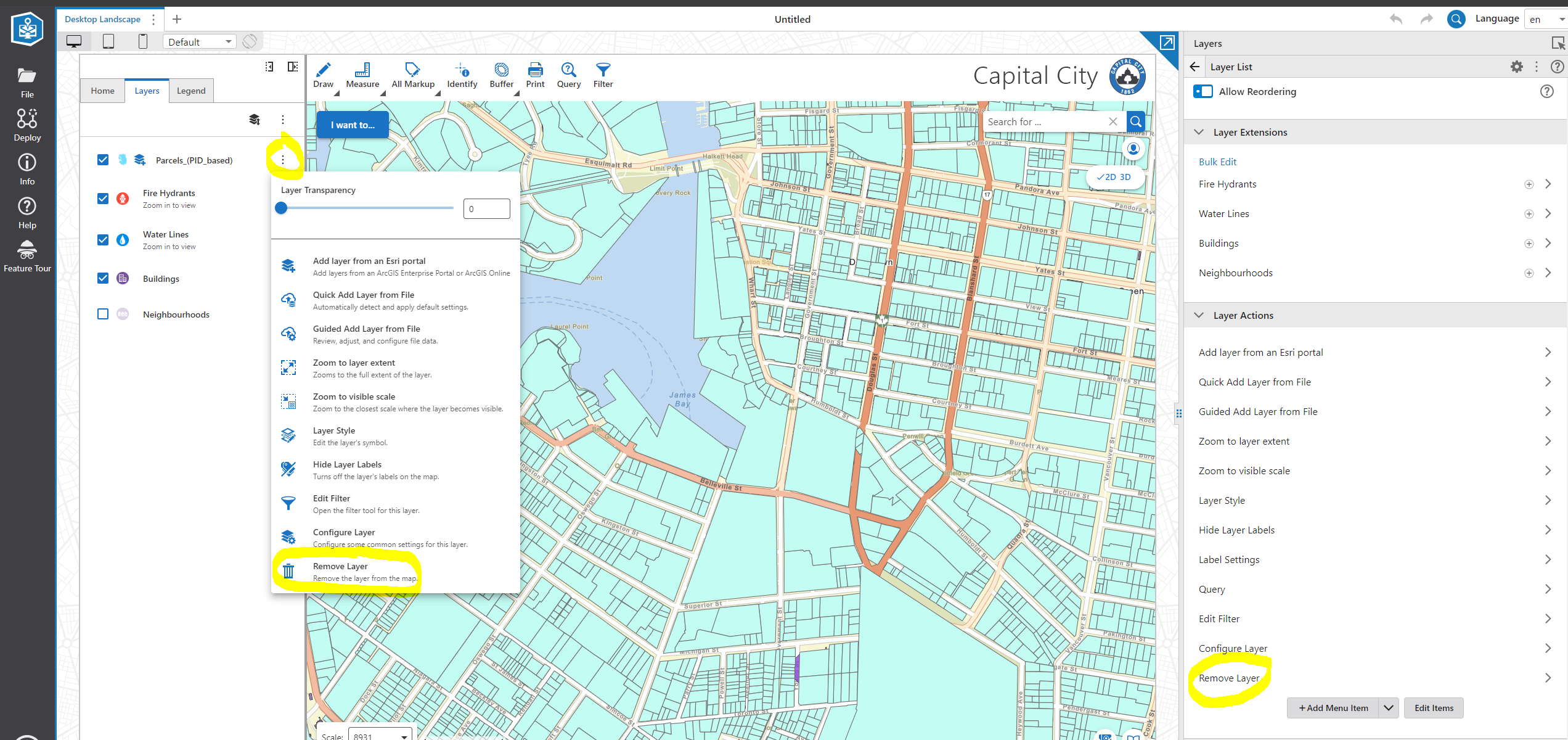 1
1 -
Well that was easy! Thank for the tip @... - much appreciated
1 -

Hi, is there a way to control a layer’s delete and reorder behavior through a workflow? I have a workflow that allow the user to dynamically adds a layer from either a WMS service or MapService, but I haven’t been able to find a way to allow the web user the ability to delete or reordering that layer. Any help appreciated. Thanks
0
Bitte melden Sie sich an, um einen Kommentar zu hinterlassen.
Kommentare
3 Kommentare