Scrollbar in drawing style command

I have an issue with the layer style command when it opens up in a panel. There is no scrollbar in the tool so if you have many symbol presets and/or work on a small screen it is not possible to see the entire open tool and thus not see the “ok” in the bottom where you choose a specific preset. This the tool cannot be used at all. below is a screenshot where this issue can be seen. Thus, having a scrollbar in this tool would be very useful and avoid this issue
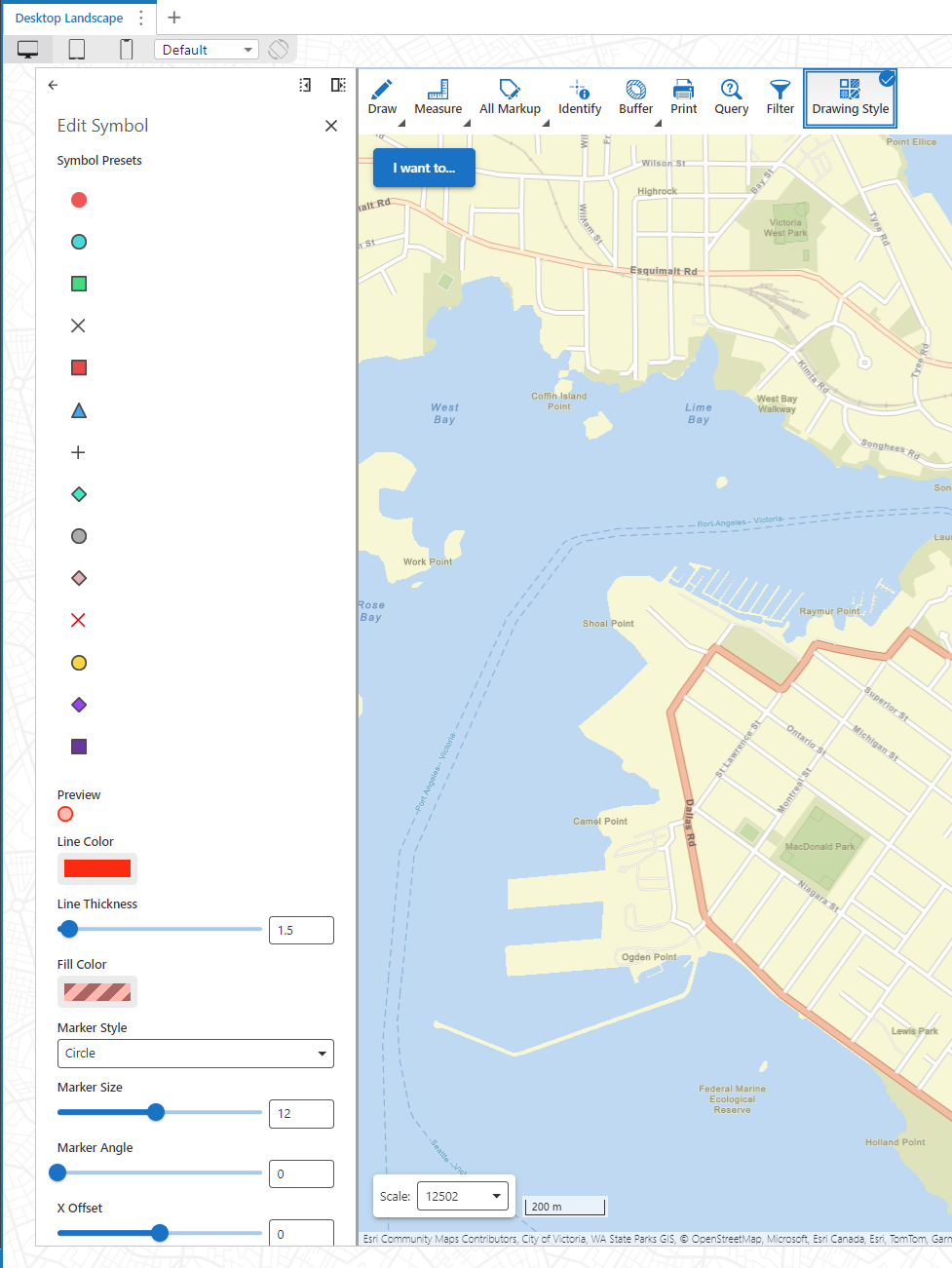
Additionally, it is possible to not place the symbol presets after each other vertical but place them in a grid or something? When you have many, the list can become very long. This is of course primarily a solution if there are no names with the symbol presets, but the possibility would be very useful.
Bitte melden Sie sich an, um einen Kommentar zu hinterlassen.
Kommentare
0 Kommentare