html in Text component, especially for formatting image size

Playing around with the default text in the Web GIS - Default template and am running into issues with what I can and can't do with the Text component in the Home panel. Couple of specific questions:
- Is it possible to set image widths? The VertiGIS Studio logo is 225x65 pixels, and I know I could resize my image to match the width, but it'd be nice to be able to set the width for any image within the component config
- Does markdown support html tags? My Googling suggests it should, but when I try it in the Text component it doesn't seem like it's working.
-

2. No (security reasons)
0 -
Wow, thanks for the super fast reply, Nico!
@VertiGIS, that's unfortunately very limiting. Hoping future releases can improve the Text component to support more enriched formatting. Is it possible to at least add more capability in markdown? It seems like there should be options with certain version for doing stuff like formatting image widths?
0 -

I also hope VertiGIS can enhance the Text component. With the current formatting options, I am not able to format the Home panel of my VSW apps the same as the one in my GVH apps.
0 -

Hey John, if you place the image in a panel, row, or column component - you can adjust the width like so:
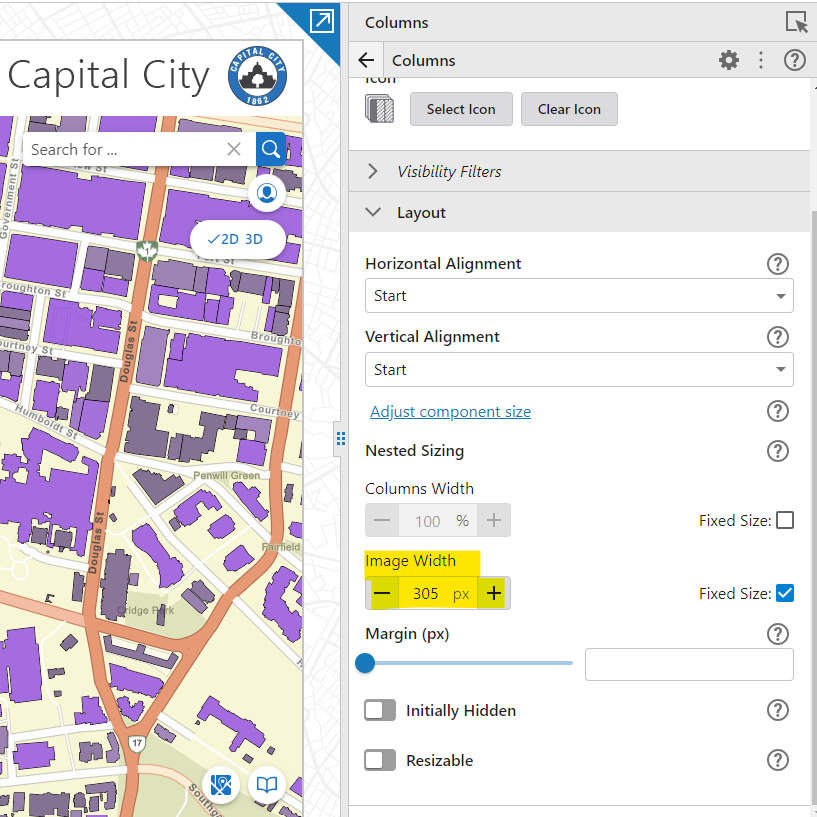
Within the Web GIS - Default template, you can access these settings for the Capital City logo here: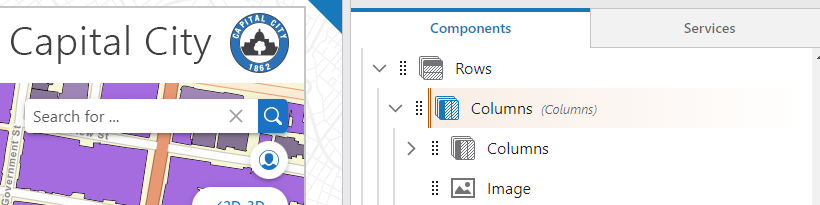
For a list of available Markdown syntax options check out the Workflow documentation here: https://docs.vertigisstudio.com/workflow/latest/help/Default.htm#wf5/help/form-elements.htm#markdown1 -
Michelle agreed, def important to have parity between the two in order to move stuff over and keep users happy and supported.
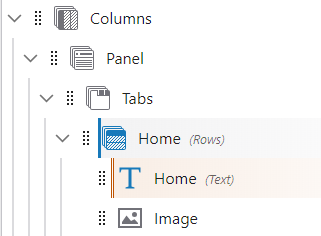
Lucas, that markdown link is VERY helpful information, thank you! I don't think the first part quite works, though? In this case I'm trying to put our logo below the text in the Home panel. I see that I can adjust the height since it's in a row, but that doesn't seem to achieve the desired affect of resizing the image width.
 0
0 -
Hey John, place your image within a Column component like so:
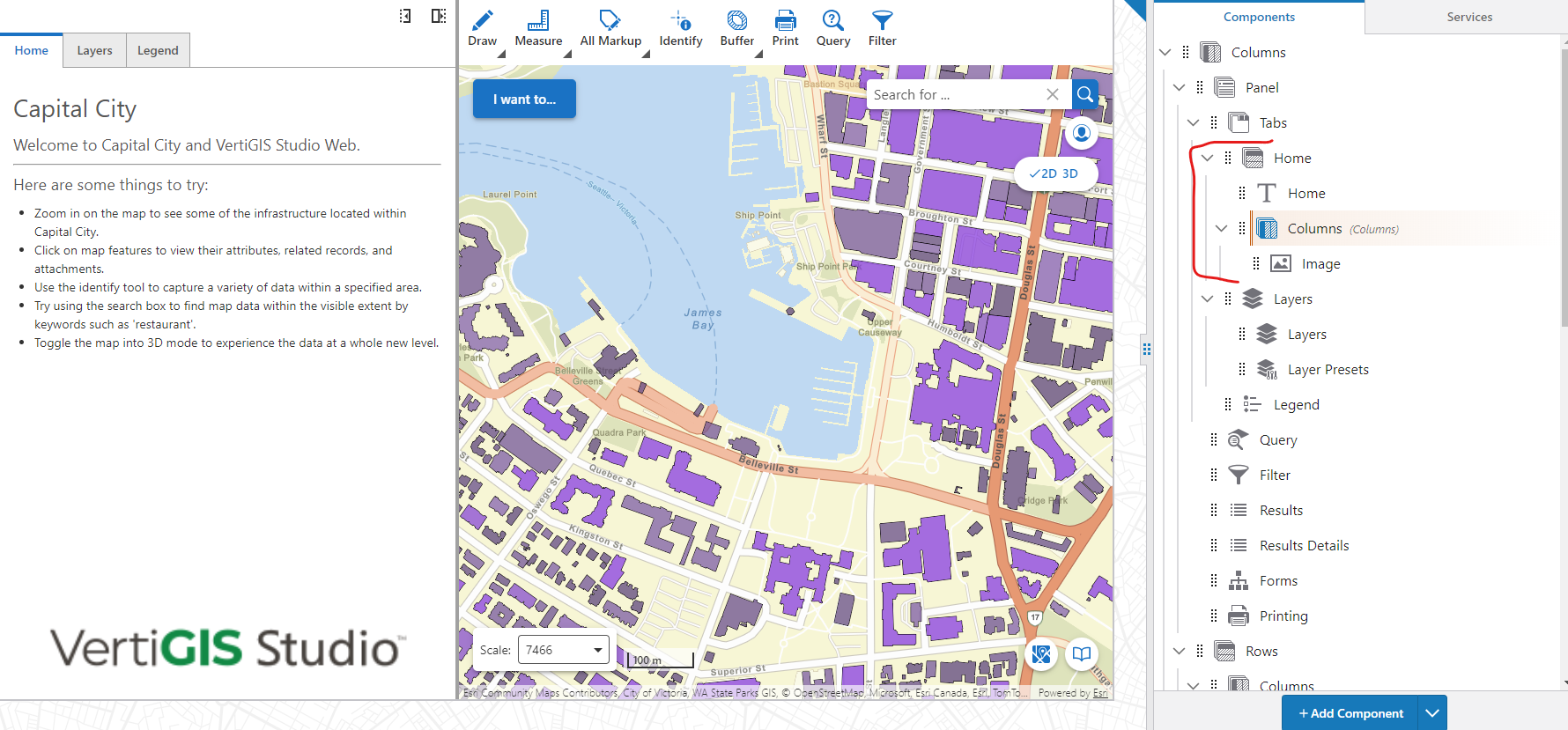
Then within the Column component, you can alter the alignment and width settings:
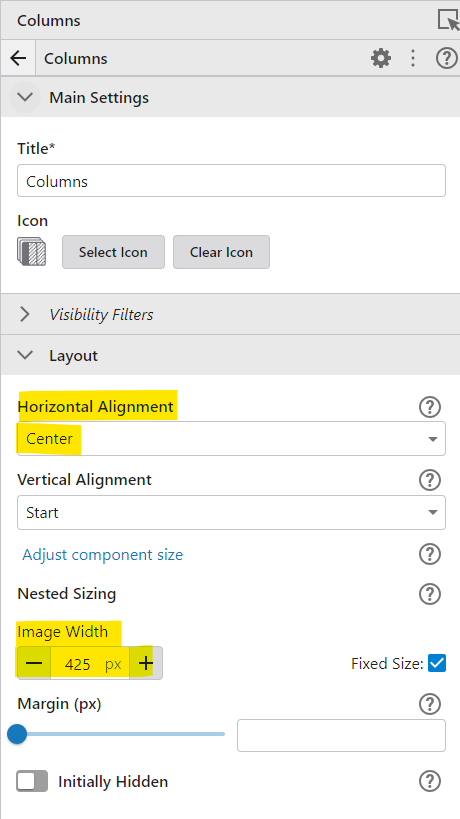
This is how the Capital City logo is structured on the toolbar.1 -
Got it working, thanks!
0 -
Source of my reaction on HTML not allowed:
https://support.vertigis.com/hc/en-us/community/posts/17516940721810/comments/17530935670418HTML is not supported in the Display Form activity for basically the same reasons. Simply running some HTML crafted by a workflow would be dangerous unless the source of that HTML is trusted. Instead, workflow forms support Markdown because it is safe while allowing a reasonable level of formatting control.
0 -
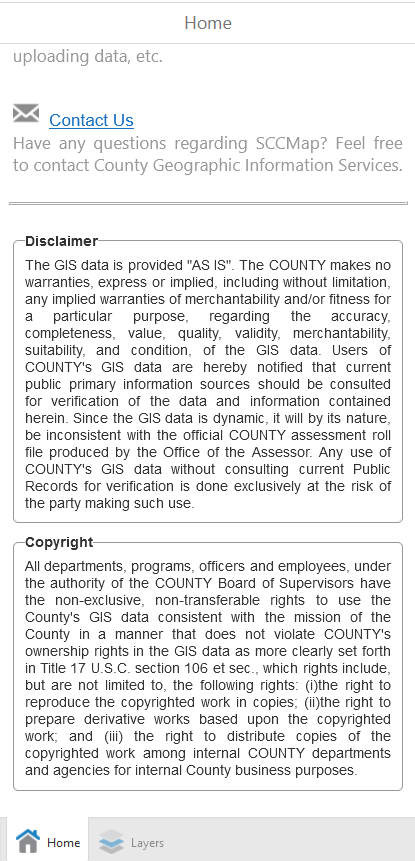
We used groupbox to format our disclaimer and copyright of our GIS data in GVH Home panel. Any way to achieve similar format in VSW?
 0
0
Bitte melden Sie sich an, um einen Kommentar zu hinterlassen.
Kommentare
9 Kommentare