Pop-ups cut off atributes when list goes beyond the dialog's size.

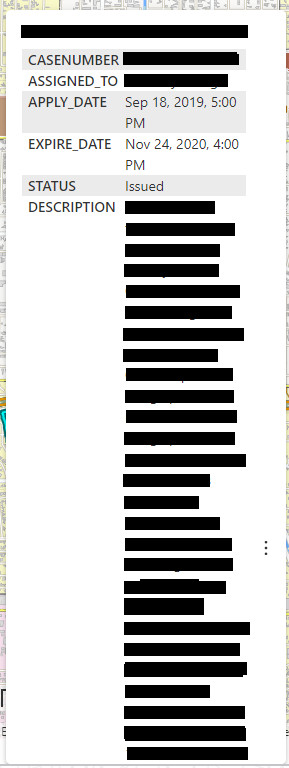
I am working on a Viewer in VertiGIS Studio Web and one of my data layers has a description field with very long text strings. This is, I think, making the attribute list extend past the limits of the pop up and cutting off the information that is visible. This includes part of the Description fields text string and also other fields further down the list. Please see the screen shot below (my apologies for the redacted text but this information is for internal use only).
My question is whether there is a way to configure the dimensions or the functions of the popup to address this problem. For example, can the pop-up dialog width be changed to so that all the information fits properly? Or, is there is a way to add a scroll bar to the pop up so that the user can move the attributes list and see the information that has been cut off. I assume this would have to be done in the VertiGIS side of the application but is there a way to address this on the AGOL webmap side?
I know that a user can click on the popup and then have the feature results page show all this information and that rearranging the field order would help aleviate some of this problem but I want to know if there is a way to change the pop up dialog to get it all visible in the pop up.
Thank you.
-

Any update on this?
0 -
Not really, sorry. I just had to rearrange my popup on the webmap side to better fit the information.
0
Bitte melden Sie sich an, um einen Kommentar zu hinterlassen.
Kommentare
2 Kommentare