Single WebMap considerations

Hi all,
I'm seeking advice, and or ideas around a pretty significant issue for us moving forward with VSW, and the concept of a single WebMap!
Right now, in Essentials, we have upward of 400 map layers - sourced from over 60 ArcGIS Server REST map services. Essentials did a fantastic job in enabling you to 'mashup' a site map based on some fairly simple XML site config. Now, however, with VSW, this concept has been replaced with the WebMap, and for what it's worth, only a SINGLE webmap at that.
So, given I somehow need to make the same layers available in the application, what are people's suggestion as to bringing this many layers together? I'm loathe to create a single ArcPro webmap with that many layers in it. We are new to Pro also, and are yet to really dig deep in that space as yet. We'd love to keep our old-fashioned Rest services, as they seem far more flexible, and efficient when compared to a single pro project and webmap instance perhaps?
I'm scratching my head somewhat as to a way forward here. Sure, we could probably look at culling some of the layers, but we have such a broad number of users in our particular sites spanning environmental planning, to emergency service response (fire, flood, planned burning etc.) It seems restrictive to move to a single webmap model?
I guess I can mashup a 'large' webmap from the Rest Services in Portal. I've done this so far with testing VSW, but again, which ever way I look at it - mashup in Pro, or mashup in Portal - I'm still having to put all my eggs in the one basket here - am I not? and each of these two options probably have their own quirks, benefits, and restrictions also, I'd gather with my limited knowledge on Pro, and Webmaps. It's a whole new world.
I'd love to know what others are doing in the space, when transitioning from Essentials to VSW.
I'm all ears.
Thanks in advance
Gareth
-

Basically I would say, create a webmap for each site. The webmap is the equivalent of the site in Essentials.
Use the Add Layer functionality to let your users dynamically add layers from the portal.
1 -
Thanks Nico for the reply. Much appreciated.
I guess I'm just trying to get my head around how this all fits together. We have many sites that essentially use the same map services at the backend, as is normal in Essentials. This is where the site.xml is so flexible and 'deployable' also - allowing us to store one master site.xml and then deploy to many sites based on derivatives of this single configuration.
So basically it looks like I have to have a webmap that's mashed up via Portal (adding each layer in turn via AGS based REST URL), or via a massive ArcPro project? - and - one webmap for each site. I'm just not seeing any similar efficiencies with this whole thing to be honest.
It seems we need to load our 'core' layers into our single webmap to start with, and then using portal to register all other 'non-core' layers perhaps, that can be added (optionally) via the Add Layer tool. I can hear our users screaming already!
thanks again
Gareth
0 -

This is a concern for us as well. We have been attempting to use VSW for over a year and still haven't deployed what I would call a solid, usable, production level application due to various limitations. In fact, at least once we rolled back to essentials for a new app because VSW was so limiting.
I would disagree with Nico Burgerhart, the webmap is NOT the equivalent of a site in Essentials. Many of our sites would have data from 10+ mapservices and 100s of layers. Sites also contain all the guts of the application (workflows, print layouts, layer lists, customizable results (VSW really sucks at this), permissions, and much more. A couple of our services are generic in nature and we use for a variety of tasks across multiple applications (Geocortex and custom JSAPI apps) - webmaps are just different.
Maybe others have found a workaround or hopefully we can figure out something as a group. I sure plan to follow this thread!!
Bryan1 -

We went around in circles about this and finally came up with a solution that worked.
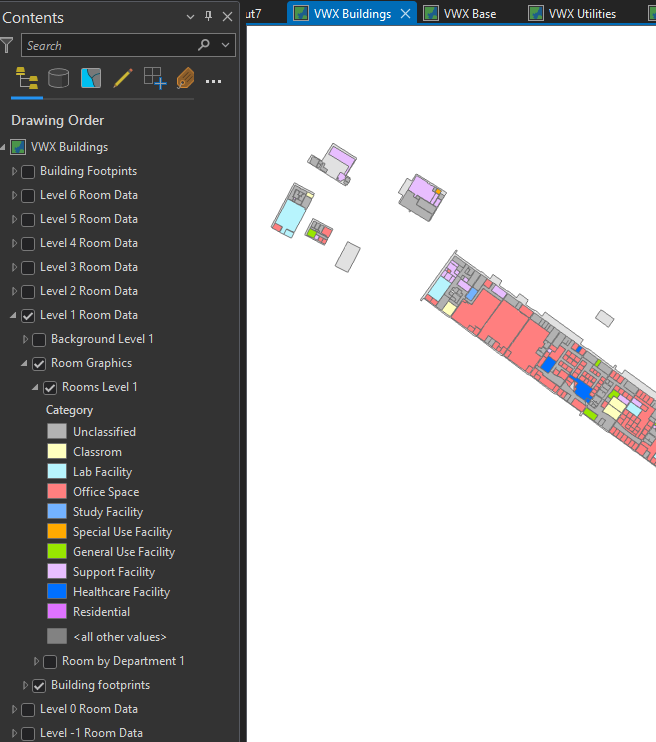
In Essentials we had around 10 web services and over120 layers for one HTML5 viewer. All of the layers were grouped into different categories with subgroups. What we ended up doing was publish one web layer for each group from ArcGIS Pro with the groups and sub-groups in place. Once those were published, in Portal we created a new web map and added all of those web layers (which brought in all the groups and sub-groups). This kept the groups and sub-groups in place and gave it a more polished look and better management of the different categories. If we needed to change or add a layer in one group, we only had to overwrite that one web layer in Pro, check it in the webmap and refresh it in Web Designer. All pop-ups and configuration for each web layer was done in ArcGIS Pro as well so we didn't have to worry about overwrites messing up and settings or pop-up configurations done in Portal.
We DO still have issues with the drawing order of layers since they are grouped in different web layers and you can't move one layer from one web layer to another or outside of its group/sub-group but you can reorder the web layers themselves.
 1
1 -

Greg Anspach, you try publishing as Feature Services instead of Map Image Services? You can pull layers into the map one-by-one and their drawing order should reflect their order in the layer list. Unfortunately, feature layers have a substantially restricted symbology set (seriously Esri, still?) so the solution is imperfect, but this should work for those buildings at least.
Gareth Finney, I wouldn't recommend forcing users to load important layers into the map manually (as you know!). Create your "base" map as described, you can consume a given map in as many apps as you like. When you want to extend the map for a given app, make a copy of it in Portal (open in Map Viewer > Save As) then add the additional layers you desire in the new map and consume this one in the relevant apps.
If you want an über-VSWeb app that essentially exposes multiple maps to users, you can try basically, building your own Essentials theme switcher in WF. Either make multiple maps in Portal and try setting the .map property of the map view (I think I've done this once, might've dreamt it) or create one large Portal map and have your switcher chug through a config that shows/hides layers.
You can also hook up an array of layers.add commands to a button in the app itself, but I think it's easier to maintain a WF for this than trying to do it all in the app. The most straightforward approach is to make a map with everything needed in a given app (again, you can reuse these across apps).
It's super unfortunate that we lost the parent-child relationship that we had with Essentials sites, I totally agree that we lost something great there. I also found the Geocortex front-end designer for the ArcGIS JS 3.x web map constructor was way better than the Esri one, and unsurprisingly the new Map Viewer from ArcGIS is hardly better. Again, much of the available functionality in the 4.x API is unavailable through the UI in the new Map Viewer and I don't see it coming any time soon. I'd publish services in Pro, then consume them in another Pro map and publish that as a Portal map.
0 -

From an 'organizing my map services and how they will be displayed' point of view; I agree with Nico that an Essentials site is conceptually equivalent to a webmap. (@ Bryan not saying they are identical, but it is a good conceptual model).
In Essentials you had an .XML blob (a site) that referenced all these layers and how they were organized. In Web you have a webmap JSON blob that references all these layers and how they are organized.
In Essentials you could use the site in multiple apps. In Web you can use the webmap in multiple apps.
Having to do part of the configuration in Pro, part in the webmap, and part in Web Designer is not as straightforward as it was when most of it was done in Essentials Manager (but for now we don't see a clear path around that).
Let me add to this the new Layer Presets functionality in Web (similar to Layer Themes in Essentials). Layer Presets allow you to create unique 'windows' into your webmap. You can turn layers off and on, set the basemap, adjust transparency, even change scale visibility range. You can also decide which layers should show up in the layer list, whether sublayers should be expanded or collapsed etc.
If your core webmap had 400 layers in it but most of the time folks only need to see a subset on startup you make that your default layer preset and set it on app initialization. Then you can have dedicated presets for the key use cases, and you can add a 'kitchen sink' preset as well if you want to be able to see everything in the layer list at the same time.
2 -
Also Gareth Finney ... a quick skim of this community post will help you connect configuration dots about organizing map services and layers between GE/GVH and VSW.
https://support.vertigis.com/hc/en-us/community/posts/11497756414738-A-configuration-cookbook-for-VSW-layer-list-referencing-existing-capabilities-of-GE-GVH4 -
Thanks all for the replies, and thanks Cam for that useful link.
It's an interesting discussion so far that's for sure. I'm glad to hear (sort of), that I'm not the only one that is struggling with this whole one webmap concept. I do tend to agree with Bryan Lynn that the webmap is not the same as the site.xml - it's not that flexible, well at first glance anyway.
I'd be interested to hear if anyone has actually 'coded' the config of a webmap (json). ie. Built a DEV version, and then deployed multiple versions of this to differing applications/sites in UAT, and Production environments, as this is what we currently do now with the mxd's to arcgis server, and site.xmls to the various sites. We are hoping beyond all hope that this is a potential way forward here, as we've invested a significant amount of time and resources in getting to this level of automation, and importantly - risk aversion.
From the responses so far, it looks like we still potentially need to configure one almighty webmap to cater for our users here.
Greg Anspach - I like the suggestions you've made with your solution. Would you entertain the thought though of ramping this up to 300-400 layers, as this is where we sit right now. Keen to hear your thoughts around this.
I'm also concerned that this presents a single point of failure in the application itself. The webmap fails, the whole site comes crashing down. Also, what does this look like from a resource perspective. Having a webmap built on rest service entries, that in turn rely on dedicated and appropriately 'pooled' instances/socs versus a single resource hungry arcpro generated webmap? How does that play out? Our whole system is built around redundancy, and HA, and it scares me somewhat to think of single map models. Anyone else concerned here?
I'd also interested to hear if VertiGIS are actually considering allowing the use of multiple webmaps in the VSW - has this been discussed? Cam Barnard , any comments around this please?
I hope I haven't opened a can of worms here, but I think a robust and honest discussion is valid here, as this is an important concept that needs to be worked through I feel.
thanks again guys
Gareth
1 -

Gareth - we used to do the same with altering the site.xml's for our different sites on GE. We spoke to ESRI and managed to get hold of a new app (still in beta phase I think?) called ArcGIS Assistant - it works for both AGOL and Enterprise platforms Home | ArcGIS Assistant User Guide (esri-ps.com). It allows you to easily edit the json of a webmap, make multiple copies and move them between linked portals. It's what we've found works best for us.
0 -
Thanks Helen Dornan - appreciate the response. I had downloaded this and have played around with it a little so far. It seems to fill the void to a point of manual editing. I've also been looking at the offerings from Geo Jobe (Admin), and trying to get VertiGIS Item Manager up and running off-prem (Ideally this would be better on-prem also). Both of these seem to be similar in nature to ArcGIS Assistant, but potentially offer more? Again, too early to tell for me. But ideally, we'd be looking at ways of scripting this end to end, without any manual interventions if possible..
0 -

Can anyone tell me how you are keeping up with all the unique layer IDs especially if you are pulling in multiple map image layers into a single web map to keep your layers into groups? Newbie here but is that not super important to keep all those IDs unique in the web map and in VS Web Designer? I am in the beginning stages of trying to figure this out and I run into a new challenge at every turn.
Thanks for any insight,
Michael
0 -

Cam Barnard commented this: If your core webmap had 400 layers in it but most of the time folks only need to see a subset on startup you make that your default layer preset and set it on app initialization.
Any tips on how to do this step in a workflow?
i.e. on app initialization, use Layer Preset X
0
Bitte melden Sie sich an, um einen Kommentar zu hinterlassen.
Kommentare
12 Kommentare