scroll bar on Autocomplete

Hi there,
I am using an autocomplete on a workflow on an ipad. Using GVH and workflow 5.
The autocomplete searches through a large amount of values and when the user starts typing, a lot of possible values appear.
When testing on pc, there is a scrollbar with the autocomplete results, so the user can type values, and then scroll through results.

On an ipad, there is no scroll bar with the autocomplete results, so it is not possible to do this. If the user tries to scroll through the results, the first item the user touches becomes selected. Is there a way we can get the scroll bar to show up on the ipad?
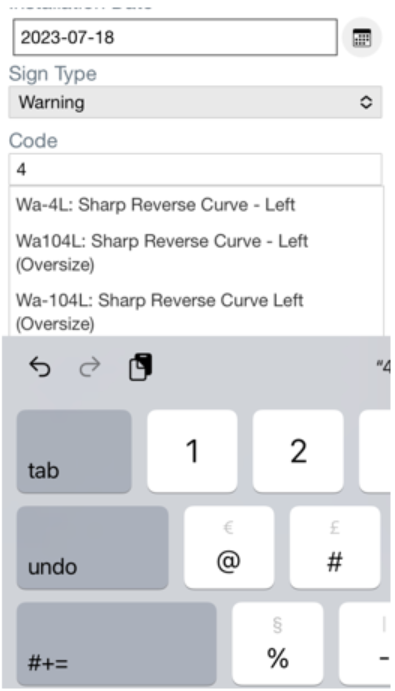
I've been testing using Chrome and Safari.
Thanks,
Marion.
-

Hi Marion,
Thank you for your report. Unfortunately, due to the imminent deprecation of ESRI's 3.x JavaScript API we are only planning to implement critical security fixes for GVH at this time, so it is unlikely that we'll be able to address this.
0
Bitte melden Sie sich an, um einen Kommentar zu hinterlassen.
Kommentare
1 Kommentar