Accessing VertiGIS Web site outside of network when the Site is Subject to User Authentication

We have an issue where user authenticated sites created in VertiGIS Studio Web, work inside of our network, but receives a 404 error when outside of the network. If a sites privileges are set to public, such sites work fine both inside and outside of the network. ArcGIS Portal authentication by itself is also working fine inside and outside of the network.
This issue with VertiGIS Web outside of the network happens for both static user accounts and SAML based accounts. Something seems to be stopping the redirect back to VertiGIS after ArcGIS Portal Authentication, but only when outside of the network. Can anyone think of a likely reason for this? I've been through things with our IT systems engineer and we're running out of ideas on what it could be...
-

Is there more info/errors in the browser console? Which request gives the 404 error?
1 -
Hi Nico,
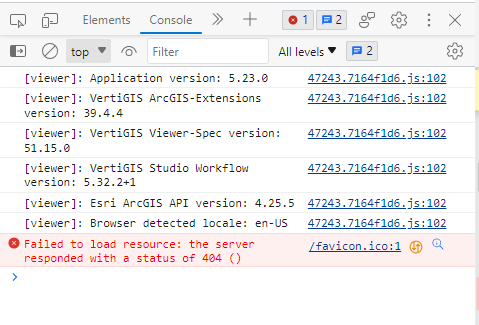
Below is what shows in the developer tools console. The > arrow at the end doesn't expand to show any more detail. We get the 404 error after sign-in via ArcGIS Enterprise Portal, when it should redirect back to the site constructed in VertiGIS Web. Within our network it does continue back to the VertiGIS site.
The sites constructed in VertiGIS Web that we have set to public access (i.e. doesn't go through ArcGIS authentication) work fine outside the network. So does ArcGIS Authenticated external portal access...
 0
0 -
I think the 404 error is unrelated here, it seems a favicon cannot be loaded here.
I can reproduce this on the following app, the app loads correctly.
https://gis.provincie-utrecht.nl/Geocortex/WebViewer/?app=e691e7d6b6d348b1a331dd5d298ac85c
 0
0 -
Yeah, the 404 error is what displays in the browser. In terms of the site load steps, it seems like the redirect from ArcGIS Authentication back to the VertiGIS app is where the issue is happening. From outside of the network, it can't seem to hit the app URL even though the authentication process has occurred, hence the 404 error?
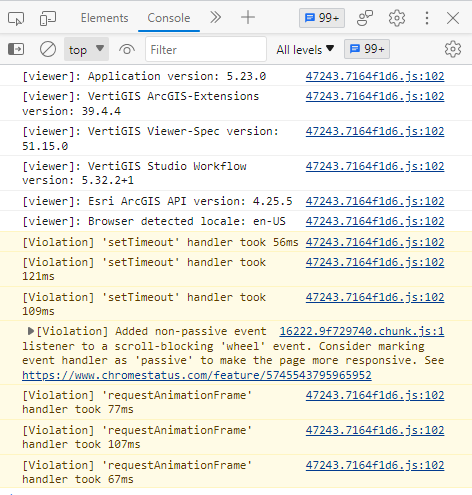
This happens even with a blank test app when ArcGIS authentication applies. I've pasted what shows in the developer tools console below, when the app is accessed inside the network and works. The apps that are set to public work outside the network and have generally the same developer tools console output as below when accessed externally.

 0
0 -
Do you get more relevant info in the console when you add &debug=true to the app URL?
0 -
Thanks. I just added that to the URL (shown below).

The 404 window looks like this (our portal details removed in the highlighted sections):

I'm not sure if the additional console information is giving any clues though?
0 -
So I think we've identified the issue, but not sure of the solution. When inside the network the token url, after login, uses the domain of our VertiGIS application server and works as expected. If outside of the network, the VertiGIS application server domain is replaced with our ArcGIS enterprise portal domain in the token URL instead.
As far as we can tell, we don't have any network redirects or anything in place that would force this url change. We've tested this by using a different reverse proxy etc. We then tried adding redirects at our DMZ and local server levels, but the URL isn't changing.... Anyone know what might be going on or have a solution they recommend?
0
Bitte melden Sie sich an, um einen Kommentar zu hinterlassen.
Kommentare
7 Kommentare