Trouble after upgrading to HTML5 2.5 viewer

After upgrading viewer from 2.4 to 2.5 of the HTML5 viewer, I find that several configuration options in the viewer are not available for editing in Essentials Manager. When I click the appropriate tab to edit it in Essentials, all I see is a blank form. These include the Home Panel, Instant Search, Layer List and Toolbar. This occurs in all major browsers so it's not browser-related. It must be an issue relating to upgrading the viewer since a newly-created 2.5 viewer does not show these problems.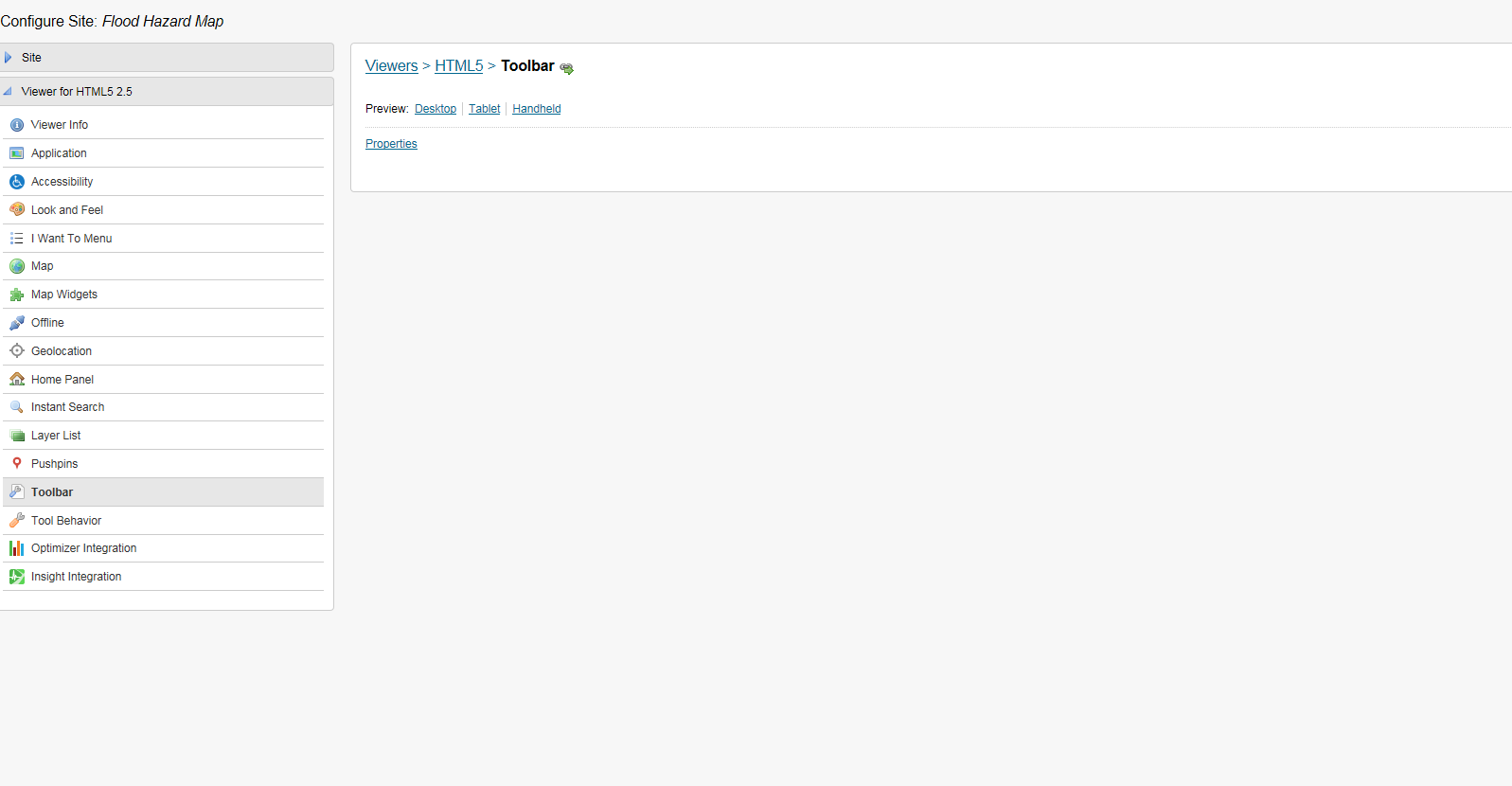
Anyone else had this problem after upgrading to the 2.5 viewer? I'm Using GE 4.3 with the HTML5 2.5 viewer.
0
-
Erick, we have also seen this happen to a few of our sites. We upgraded to 4.4/2.5. Since we upgraded we understand there are maintenance releases 4.4.2/2.5.1 available. 0 -
I saw that 2.5.1 was recently released but the bug fixes did not list this specific issue. I suppose that I will go ahead and upgrade the viewers. I was hoping for a simpler fix since over the last few versions of the HTML5 viewer I'm stuck in a cycle of chasing bug fixes with a new version of the viewer which then causes something else to not work right.... 0 -
Hi Erick,
You might be experiencing an issue that a couple other customers have run into. It is specifically regarding upgrade on sites that have the offline module turned off in 2.4, which results in some missing content in the management pack.
There is more explanation on this problem and how to fix it here: https://support.geocortex.com/customer/essentialsGSCForum?sub-nav=forum&main-nav=essentials&#!/feedtype=SINGLE_QUESTION_DETAIL&id=9066000000009INAAY
If you have any questions about the issue or the work-around, let me know.
Cory Purnell
Latitude Geographics Quality Assurance Team0 -
Thank you for the link, Cory. Following the instructions in that post has fixed my HTML2.5 viewer. 0 -

Fixed ours, too 0
Bitte melden Sie sich an, um einen Kommentar zu hinterlassen.
Kommentare
5 Kommentare