Change Highlight Border Line Thickness

I've been able to change the highlight border colour and fill but not the line thickness. Does anyone know how to do this? I tried adding a width property to the code bloack in the json file with no luck. I'm using GE 4.4 and GVH 2.5.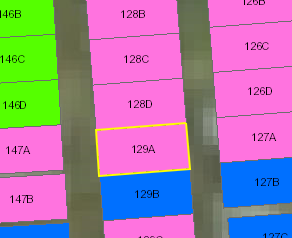

0
-
Hi Rebecca,
I'm not sure if you can do what you are looking for via the Desktop.json file, fill and border colour are the only properties listed. I have had success using custom CSS to do what you want. In the Desktop.css file in -
C:\Program Files (x86)\Latitude Geographics\Geocortex Essentials\Default\REST Elements\Sites\{SiteName}\Viewers\{ViewerName}\VirtualDirectory\Resources\Styles\Custom
you can add something like -
/* Put custom desktop styling in this file. Put custom images in the Custom subfolder of the Images directory. */
g#graphicsLayer0_layer path {
fill: rgb(0, 0, 0);
stroke: rgb(255, 0, 0);
stroke-width: 5px;
}
and adjust the values for stroke colour and width to your liking. The danger here is if you don't get the selector right (g#graphicsLayer0_layer path) you could be applying that style to other things as well.
I hope this helps.
Regards,
Wayne Richard
Latitude Geographics Group Ltd.
Head Office: 300 – 1117 Wharf Street Victoria, BC Canada V8W 1T7
Tel: (250) 381-8130 | Fax: (250) 381-8132 | wrichard@latitudegeo.com
Developers of Geocortex web-based mapping software | www.geocortex.com
An Esri Platinum Business Partner0 -

Wayne, I've been able to get the outline on an identified parcel to be highlighted with the parameters in your post, so thank you for that. I need, however, to get the same highlight symbol on results of a parcel query. What selector must be specified for that, or alternatively, where can I find a list of valid selectors that would include the one that covers query results? I find the API reference hard to properly take advantage of because I can't find a way to run a search within it. I would appreciate your help.
Thanks,
Justin0 -
I have found my own answer, because in the UpdateGraphicsLayer task of my parcel search workflow, I'm specifying this Renderer New ESRI.ArcGIS.Client.SimpleRenderer() With { .Symbol = new ESRI.ArcGIS.Client.Symbols.SimpleFillSymbol() With { .BorderBrush = new System.Windows.Media.SolidColorBrush(System.Windows.Media.Colors.Red), .BorderThickness = 1.5, .Fill = new System.Windows.Media.SolidColorBrush(System.Windows.Media.Colors.Red) With { .Opacity = 0.0 } } }By changing .BorderThickness value from 1.5 to 5 I achieve my goal.0
Bitte melden Sie sich an, um einen Kommentar zu hinterlassen.
Kommentare
3 Kommentare