Remove Facebook, Twitter, etc., but keep Email in Share Tool

I would like to remove Facebook, Twitter, Linkedin, and Google+ from the "Share" tool. I am only interested in keeping E-mail as a choice. I'm not sure if we're allowed to alter this tool. If this is not possible may I please add this as an enhancement request? Perhaps allow the admin. in Manager to choose from the five choices which ones you'd like to show. Regards, John
0
-
Good morning John,
I believe this can be done for each viewer by editing each of the json.js files located in the folder {instancename}\REST Elements\Sites\{SiteName}\Viewers\{ViewerName}\VirtualDirectory\Resources\Config\Default
Open each of the json files (Desktop.json.js, Handheld.json.js, Tablet.json.js) and search for "moduleName": "Share" which will look like this:{ "moduleName": "Share", "moduleType": "geocortex.essentialsHtmlViewer.mapping.modules.share.ShareModule", "configuration": { "shareOptions": [ { "id": "facebook", "displayName": "Facebook", "url": "https://www.facebook.com/sharer/sharer.php?u={ViewerUrl}", "iconUri": "Resources/Images/Icons/facebook-24.png" }, { "id": "twitter", "displayName": "Twitter", "url": "https://twitter.com/intent/tweet?text={ViewerUrl}", "iconUri": "Resources/Images/Icons/twitter-24.png" }, { "id": "linkedin", "displayName": "Linkedin", "url": "https://www.linkedin.com/shareArticle?ro=false&mini=true&url={ViewerUrl}", "iconUri": "Resources/Images/Icons/linkedin-24.png" }, { "id": "googleplus", "displayName": "Google+", "url": "https://plus.google.com/up/?continue=https://plus.google.com/share?url={ViewerUrl}", "iconUri": "Resources/Images/Icons/google-plus-24.png" }, { "id": "email", "displayName": "Email", "url": "mailto:?body={ViewerUrl}", "iconUri": "Resources/Images/Icons/Toolbar/contact-24.png" } ] }
All you will need to do is delete each of the objects in the shareOptions array that you don't want. Using your request, it should look like this:{ "moduleName": "Share", "moduleType": "geocortex.essentialsHtmlViewer.mapping.modules.share.ShareModule", "configuration": { "shareOptions": [ { "id": "email", "displayName": "Email", "url": "mailto:?body={ViewerUrl}", "iconUri": "Resources/Images/Icons/Toolbar/contact-24.png" } ] }
Hope this helps0 -
Thank you so much Marshall. It worked!
Thanks for the route to access it that you suggested. Once there, it was a breeze in Notepad++ to remove those.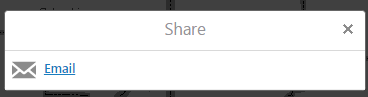 0
0 -
I ran into a problem with the fix outlined above of deleting the share options.
Every time I modified and saved the toolbar in essentials manager, the twitter, facebook, etc. options came back.
To stop that from happening I figured out with the help of another post here (https://support.geocortex.com/customer/apex/essentialsGSCForum?sub-nav=forum&main-nav=essentials&#!/feedtype=SINGLE_QUESTION_DETAIL&criteria=ALLQUESTIONS&id=906600000004IPwAAM) that the trick is to use the ShareOn command.0 -
This has worked great for me. Thank you for posting. I'd like to go a bit further and open the link in a new tab rather than in email (ie not use the mailto).
Does anyone have any ideas how to edit the command?0
Bitte melden Sie sich an, um einen Kommentar zu hinterlassen.
Kommentare
4 Kommentare