Can't create Arcgis server connection with https protocol in Geocortex Essentials Manager

We are using Geocortex Essentials 4.4. I am trying to create a service connection to our ArcGIS server with HTTPS protocol in Geocortex Essentials Manager but keep getting connection failed error. However, when i switch to use http, the connection works. Our ArcIGS server supports both HTTP and HTTPS access. 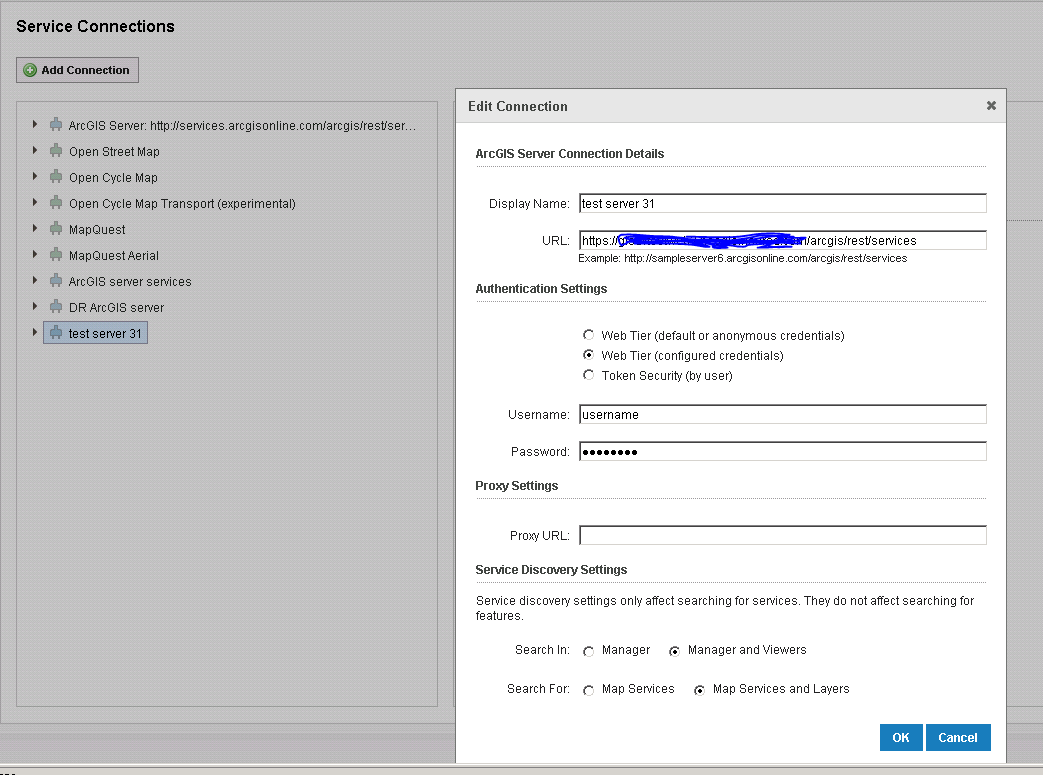
Does someone know how to resolve this issue?
Thanks,
0
-

Hello Jin,
Since you are able to access the service also over http, the issue may be with the credentials provided. The 'Username' may require the domain to be included, using this form: DOMAIN\username
You'll also need to include the port number if not using the web adaptor.
Also, if your service is using Token Security, then you'll need to use the option below the one you've currently selected.
Let me know if you have any further issues.Thanks, Stefan
0 -
Stefan,
Thank you for taking time to answer my question. I opened a support case and found out that I had to use the host name of the server, not the IP address to make HTTPS connection to our arcgis server. As our wild card certificate is bound to our host names and not IPs.
Thanks again.
Regards,
Jin0
Bitte melden Sie sich an, um einen Kommentar zu hinterlassen.
Kommentare
2 Kommentare