Change Open Legend Image

I'm trying to change the image that opens the Layer list so that some of our clients have an easier time finding it. 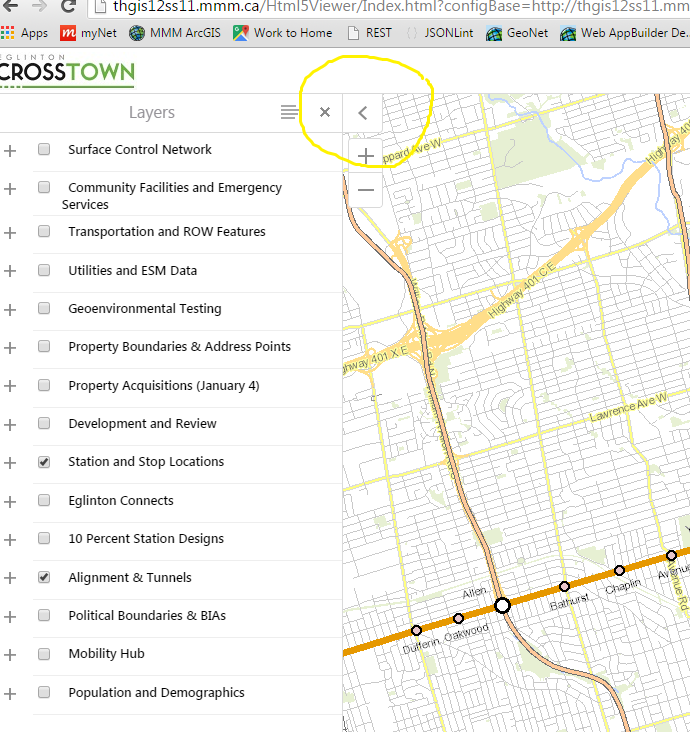
I want to repoint in the code instead of renaming the image, but am having a hard time finding where this actually resides in the json. any tips?
0
-

You could do this with CSS.
.data-frame-button.tab-closed {
background: #FFFFFF url("<path to image for closed data frame>") no-repeat center center;
}
.data-frame-button.tab-open {
background: #FFFFFF url("<path to image for open data frame>") no-repeat center center;
}0 -
Hi Dan,
Thank you, where would I put this, in the inetpub/wwwroot/HTML5Viewer/Resources/Styles/Desktop.css ?
I don't see .data-frame-button-tab anywhere in the code currently....
I'm new to css, thanks0 -
That snippet actually comes from the common.css file for the deployed viewer template.
(You can right-click on anything in a web browser to see it's source HTML and CSS; 'Inspect' for Chrome and 'Inspect Element' for Firefox.)
Changing anything in the inetpub/wwwroot/HTML5Viewer will affect every viewer using that template.
If you want to change it for specific sites, you'll have to add it to the CSS files in Sites\<site name>\Viewers\<viewer name>\VirtualDirectory\Resources\Styles\Custom
Anything in a site's custom CSS files will override the defaults.
Changing the CSS can get tricky with these viewers, as you don't really know all the elements using a particular CSS style.0
Bitte melden Sie sich an, um einen Kommentar zu hinterlassen.
Kommentare
3 Kommentare