Latest Update to Google Chrome Increases Web API Security: What You Need to Know

Google's release of (http://googlechromereleases.blogspot.com/2016/04/stable-channel-update_13.html) version 50 of their Chrome browser last Wednesday (April 13, 2016) increases security by requiring that so-called "powerful features" (such as web APIs that request information about a device's orientation or motion, the ability to use fullscreen, or geolocation) use secure origins (trusted sources over HTTPS). This change will have implications for some Geocortex Viewer for HTML5 applications using geolocation.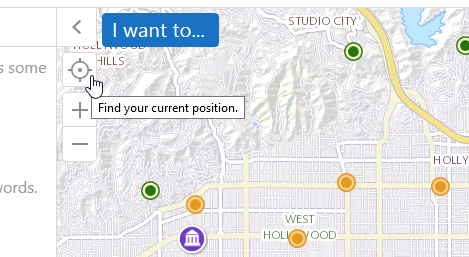
This will affect you if:
- You have users of your Geocortex Viewer for HTML5 applications that use the Google Chrome browser; and
- Your Geocortex Viewer for HTML5 applications are not secured using HTTPS; and
- Your Geocortex Viewer for HTML5 applications or their workflows use the geolocation feature, or your Geocortex Viewer for HTML5 applications have custom modules that use geolocation.
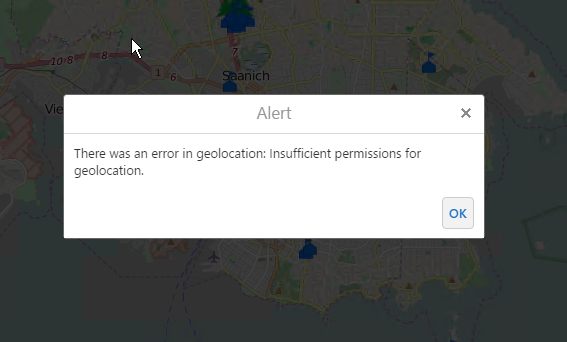
If you rely on geolocation features enabled in HTML5 viewer applications, our recommendation is that you ensure that those applications are secured using HTTPS. Users who attempt to interact with geolocation features in an HTML5 viewer application that is not secure will see an error message like this:
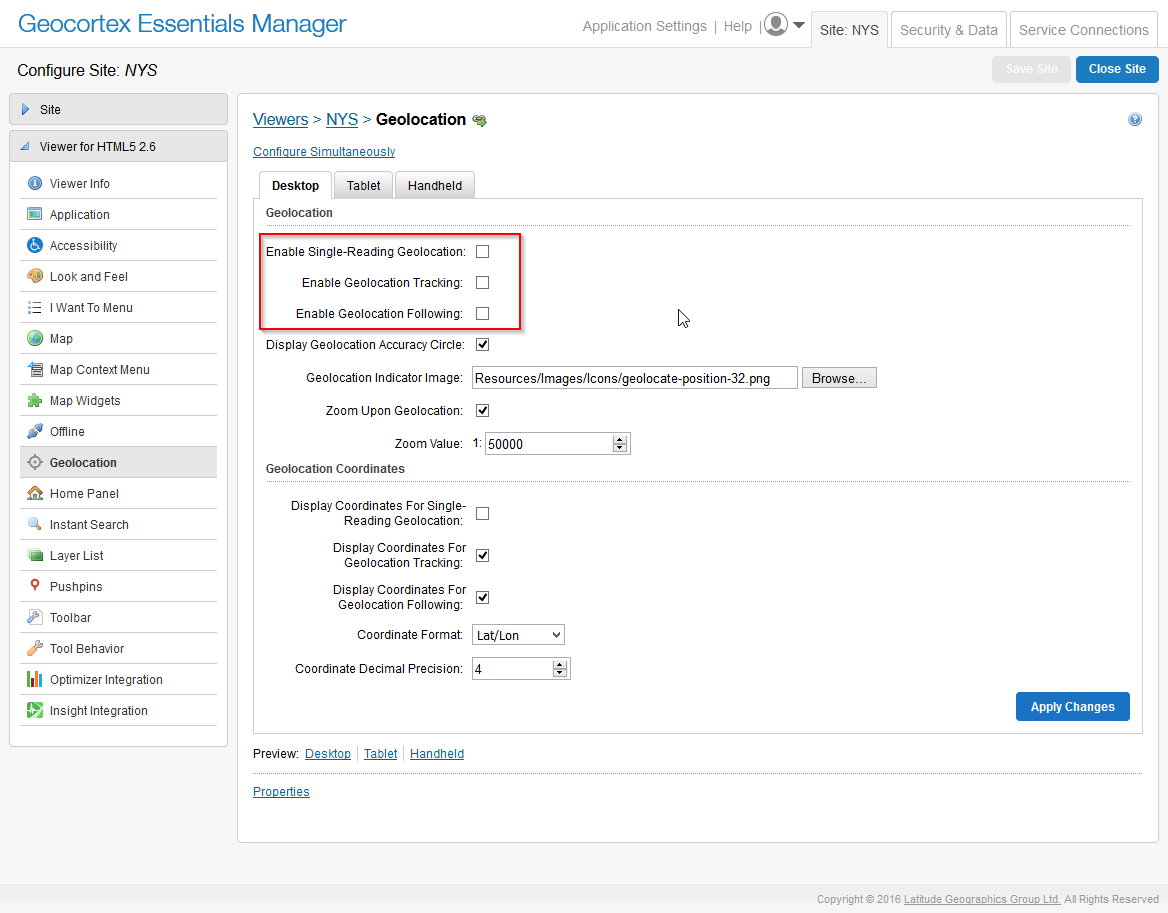
If you do not rely on geolocation, or you cannot secure your application with HTTPS, we recommend removing geolocation from the user interface in your Geocortex Viewer for HTML5 applications. You can disable geolocation in the management section of HTML5 viewer within Geocortex Essentials Manager. Make sure that the ‘Enable Single-Reading Geolocation’, ‘Enable Geolocation Tracking’, and ‘Enable Geolocation Following’ are turned off:
Esri has posted more information about this change (https://blogs.esri.com/esri/arcgis/2016/04/14/increased-web-api-security-in-google-chrome/) on their blog , including links to Google's blog.
0
-
"If you rely on geolocation features enabled in HTML5 viewer applications, our recommendation is that you ensure that those applications are secured using HTTPS."
I'm in this camp ^^. How do I fix this? Will it affect all my sites and require that I notify users?0 -
(https://support.geocortex.com/essentialsGSCkba?sub-nav=kba&main-nav=essentials&id=kA360000000CiWJ) There's a knowledge base article on securing your sites here . You'll also need to secure your map services and other data, if they aren't already, in order to prevent mixed content warnings caused by your site having both secure and non-secure content. By default, most browsers now warn the user and prevent the site from loading if a website has mixed content, so switching over to HTTPS is kind of an all-or-nothing process.
If your certificate is from a recognized certificate authority and your server redirects requests from HTTP to HTTPS, your users shouldn't notice any changes. Old links will continue to work (with a redirect) and the apps should continue to behave as they do now.0
Bitte melden Sie sich an, um einen Kommentar zu hinterlassen.
Kommentare
2 Kommentare