Toolbar Scroll?

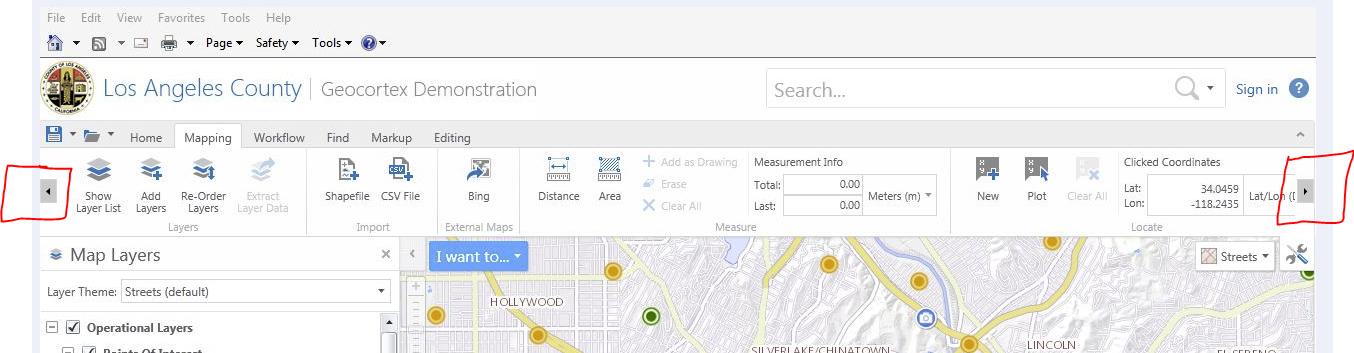
Are any plans in the works to allow the tool bars to scroll horizontally like in Silverlight?
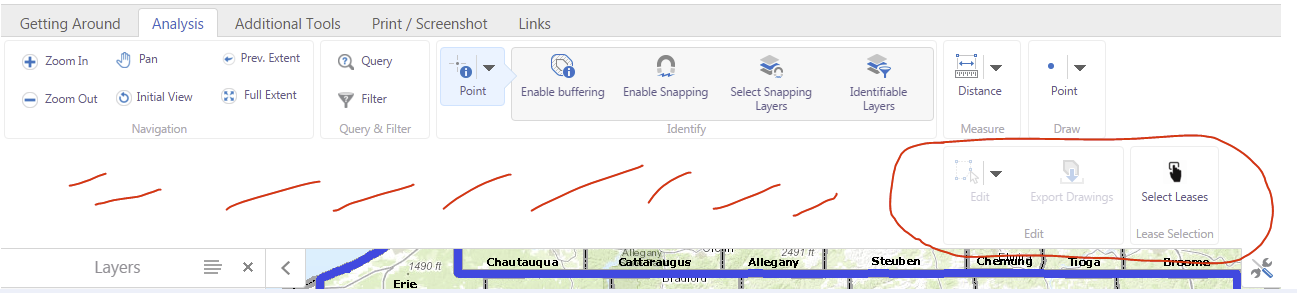
For our clients who have the standard 19" screen monitor, the tool bar ends up being two rows in HTML5 because it does not scroll left/right. Instead it creates an entire new row of tools even if it's just one tool in the row. This takes up valuable screen space.
Has anyone found a way around this?
Thank you,
John
Our current HTML5 map where the tools that extend beyond the width of the screen get bumped to a new row wasting lots of screen space:
GeoCortex LA County Silverlight Demo site with scrolling toolbar. A second row of tools never gets created, you just click the arrow left or right to show tools beyond screen width:
0
-
Hi John, which version of the HTML viewer and Essentials are you currently using? I know with 2.6.1 the drop down arrow allows for the tools to display on top of the map. 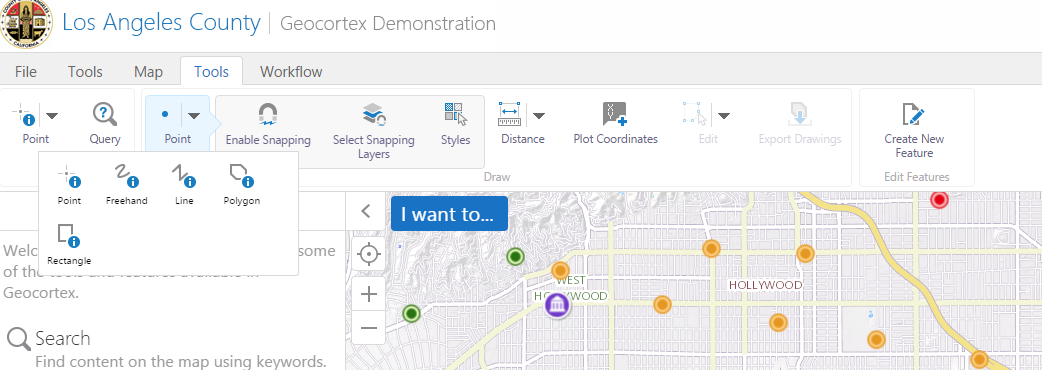
Cheers
Jason0 -
Hi Jason,
I'm using HTML5 2.6.1. I have some of the tools set-up as drop downs but sometimes even they expand horizontally and activate a second row (as in my original example). I'm hoping they'll develop the scroll left to right so even if your tab has lots of tools, it does not take up extra row.
Regards,
John0
Bitte melden Sie sich an, um einen Kommentar zu hinterlassen.
Kommentare
2 Kommentare