Print scale not accurate

I am trying to set up a workflow so that our engineers can print maps at a scale that they choose (i.e. 1 inch = 50 feet). When I did this the workflow worked fine. I just have them enter the scale they want and then convert to a scale that can be entered into the PrintMap command (i.e. 1:600). However when the map prints, the actual scale is off by a considerable amount. When I test by measuring the width of a known object, in this case a parking lot, it measured bigger than it actually is by 1/3. I was thinking that there might be a problem with the workflow so I just used the standard PrintMap command and printed maps from a few of the standard scales (1:500, 1:1,000, and 1:2,000), but each time I got the same exact result. So then I thought maybe there was a problem with my print template so I used one of the demo templates and still I got the same exact result. Has anyone else experienced this or have any ideas on how to fix this? I have attached the latest printout for reference the parking lot should measure 240' x 190' but does not. It measures 330' x 263'. 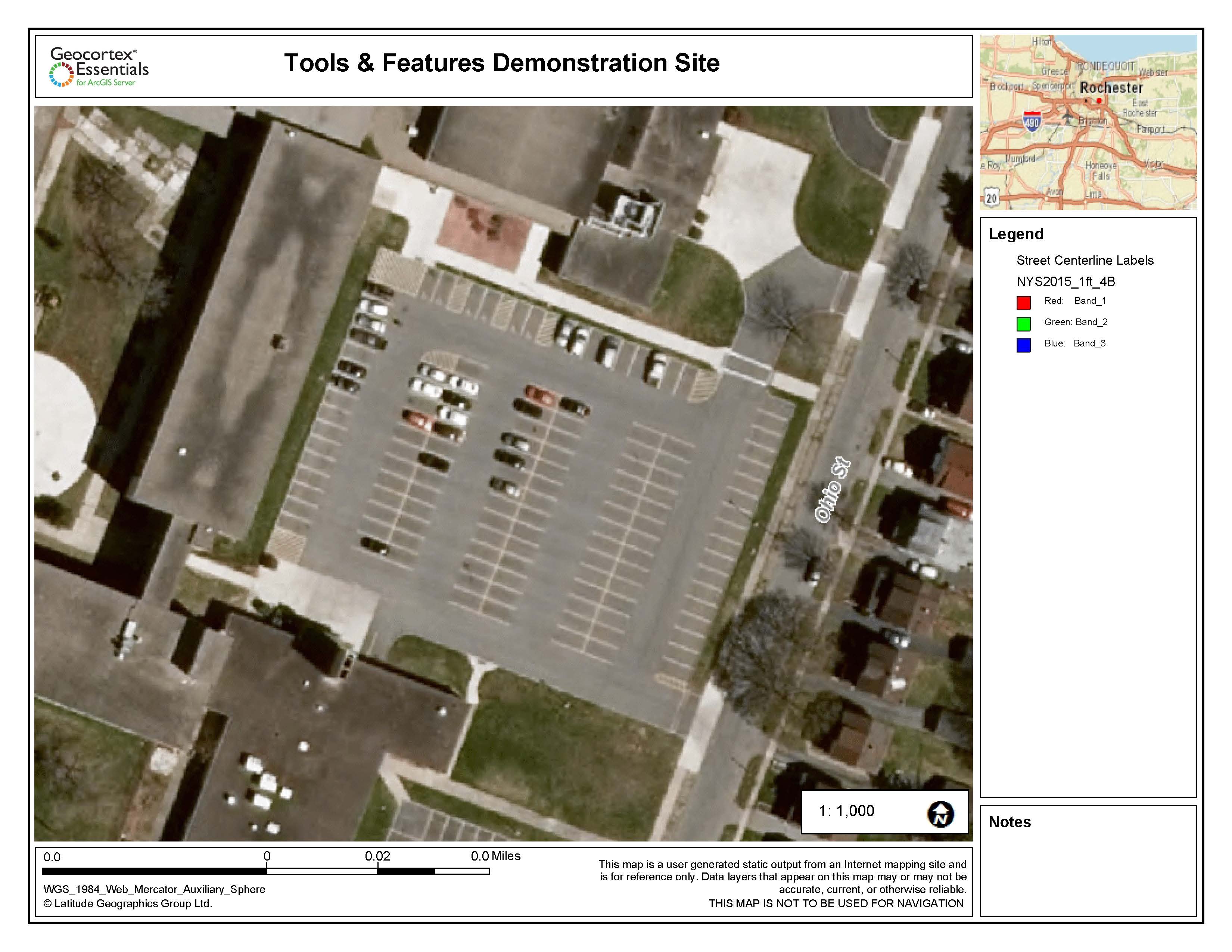
Thanks,
Mike
0
-

Have you made the adjustment for web mercator?
Look in the code gallery for "Print Template with Web Mercator distance and scale correction"0 -
Ah, no I have not. Thanks Dan. I will try that. 0 -
I found another way to do this, but it requires changing a line of code in the Essentials.js file in the {location of html5 in wwwroot}\Resources\Compiled\
BEFORE MAKING CHANGES...ALWAYS DO A BACKUP!
In Essentials.js do a search for ‘_getPrintingObjectForEssentials()', and inside of that method I find 'l.targetSpatialReference && (n.mapOptions.spatialReference = l.targetSpatialReference);' (which you can do a search on that too). and I replace it with the following code using our spatial reference (2253 - NAD_1983_StatePlane_Michigan_South_FIPS_2113_Feet_Intl) as the output spatial reference when exporting a map image for printing:new esri.SpatialReference({wkid:2253})&&(n.mapOptions.spatialReference=new esri.SpatialReference({wkid:2253}));You can change this wkid to whatever is more accurate for your region.
The only issue I run into is graphics are offset by a slight margin: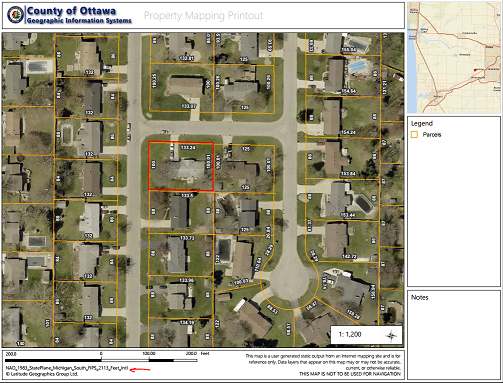
You can test it out here: https://gis.miottawa.org/ottawa/geocortex/propertymapping.
I wish this option could be added to the Essentials Manager when setting up your print templates. Just enter what output spatial reference you would like it to be instead of edit the code.
Hope this helps,
Marshall0
Bitte melden Sie sich an, um einen Kommentar zu hinterlassen.
Kommentare
3 Kommentare