Upload photo to feature service

I have created a web map from a feature service that allows ours inspectors to drop a point on the map and add attributes to that point. I'd like the inspectors to also have the ability to take and upload a photo to go along with the point they've dropped. I tried adding a 'Photo' field in the attribute table as a 'Raster' data type, but that doesn't seem to work. Is the ability to add a photo from the viewer and upload it to a feature service even possible? Any help is greatly appreciated!
0
-

Assuming you are using ESRI products, you need to enable attachments before publishing the featutre service:
http://desktop.arcgis.com/en/arcmap/10.3/manage-data/editing-attributes/enabling-attachments-on-a-feature-class.htm0 -
Hi Dan, thank you for the response! However, I've already enabled attachments in ArcMap before publishing the service. When click on the point in the viewer, selecting 'Edit Feature' from the pop-up, there doesn't seem to be anywhere in the View/Edit Attributes panel to upload a photo...Am I missing a step? 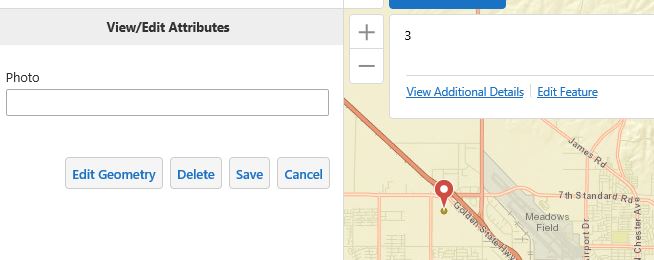 0
0 -
I don't think you can add attachments from the edit window. The Panel Action Menu should have an 'add attachments' when you are looking at the feature details. 0 -
Found it! Thanks Dan! But now I'm getting the below error... 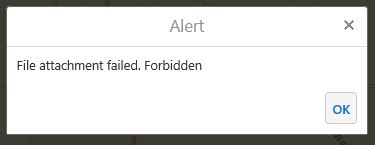 0
0 -
You probably need the service URL listed in the proxy.
Are you on the latest versions of GE and GVH? There were bugs in earlier versions that prevented attachments under certain conditions.0 -
Hi Dan, I am using GE 4.6.2 and GVH 2.7.1...I found the below thread and added the feature service URL to the proxy config file, however I am still getting the Forbidden error message...
https://support.geocortex.com/essentialsGSCForum?sub-nav=forum&main-nav=essentials&#!/feedtype=SINGLE_QUESTION_DETAIL&criteria=ALLQUESTIONS&id=906600000000AB3AAM0 -
Make sure you can upload an attachment to that feature service using the REST endpoint using the same credentials GE uses to access that service. Maybe your permissions are not set up correctly.
http://resources.arcgis.com/en/help/rest/apiref/fsaddattachment.html0 -
THank you so much for your help! I ended up removing the Proxy URI and allowing unsafe content and it seems to be working now. 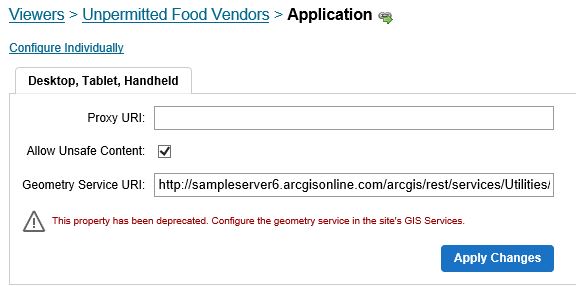 0
0 -
After some testing, we've realized that the location of the 'Add Photo' button in the Panel Action Menu is a little inconvenient. The user has to add a point, click the point to open the pop-up, click 'Edit Features', fill out the attributes, save, click the point again, click 'View Additional Details', click the menu button, then finally click the 'add photo' button. That's too many steps. Is it possible to move the location of the add photo button? Possibly next to the 'Edit Features' in the pop-up? 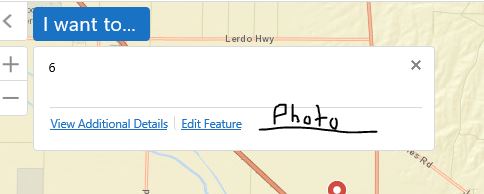 0
0 -
Yeah, you can't add an attachment unless a feature exists. So you will always have to create the feature and save it before adding attachments.
As far as the map tip menu shortcut, you'll have to try changing the json.
Always back up your files first and mind your commas.
In the json for your viewer find the MapTipActions section under the "Menu" module.
Try adding the following (you will need to put a comma before/after the brackets depending on where you put it):
{
"text": "@language-native-attach-file",
"description": "@language-native-file-from-browser",
"iconUri": "Resources/Images/Icons/Toolbar/attach-file-photo-24.png",
"command": "AttachFileToFeature",
"hideOnDisable": true
}0 -
Actually, you may be able to just add it through editing the viewer in Essentials.
I just upgraded to 4.6/2.7 and completely forgot about all the context menu options that are native now.0 -
PERFECT! WOO-HOO! Exactly what I needed! And thank you for mentioning the context menu, I didn't even realize that was a thing! Great! 0
Bitte melden Sie sich an, um einen Kommentar zu hinterlassen.
Kommentare
12 Kommentare