Poor Performance

I created a simple viewer that allows users to edit water system features (hydrants, valves, mains, etc). Other layers in the site are parcels and addresses. When the users pan the map, the parcel layer only partially draws. If users toggle the layer off and on in the layer list it seems to correct the problem but doing so is a big hassle. The same parcel map service is used in several other sites without this issue. Any ideas what the problem could be in this case? GE 4.5.1, GVH 2.6.1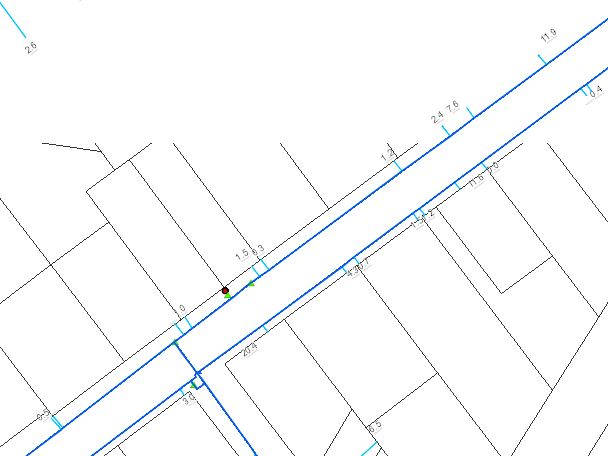
0
-
Hi Rebecca,
For the parcels are you using the ArcGIS FeatureServer or MapServer endpoint? If you are not performing edits on the parcels layer and you are currently using the FeatureServer endpoint, switching to MapServer might solve your problem (and should definitely improve performance).
0 -
We ran into this problem too.
My answer assumes that when you say "The same parcel map service is used in several other sites without this issue" then I'm assuming these are SLV sites.
I found that increasing the amount of records that can be returned from a query on the ArcGIS Server fixes the problem. I believe in Silverlight the view continues to query the service until it gets all the results but in HTML5 it's just one query and any extra results beyond the limit (1000 by default when publishing a service) do not get returned. Also talking about feature services here.
As a closing note. Feature services are always a lot slower. No way around that because it's just how ArcGIS Sever is in feature service world.0 -
@Cory - I'm using the MapServer endpoint for the parcels.
@Matthew - All our sites are using HTML5 viewers. I'll try adjusting the number of records setting for the service to see if that helps.
Otherwise am I stuck with poor performance or are there other adjustments that can be made? Users are complaining pretty loudly about this. Does anyone know if this is a promised improvement in future versions of ArcGIS Server?0 -
To add to what Matthew just said, I've found feature services to be quite slow, so I make sure not to allow that service to be called until you are at a scale where it will actually get used. It is not a matter of just making the layers scale dependent, but rather setting the "Override Minimum Scale" in the Display Settings tab in Manager. This stops the viewer from even making a call to see if that service has any layers that should be turned on (which can take some time, even if all layers are off). Then, once you are zoomed in to the point where you want to edit a feature, the extent is more reasonable, and less is called from the service. 0 -
Thanks, Mike. I'll try that out to see if it'll help in our situation. 0 -
Can you share the URL? If not, have you used Fiddler or F12 (nice in Chrome) to look at the traffic to see what is slowing things down? My HTML5 sites are working - so it is possible! Have you looked at the performance on your ArcGIS Server machine? How are you doing on RAM and CPU? Have you gone into AGS Manager to see what kind of traffic your different services are getting? Have you given more resources to more heavily used services? 0 -
Rebecca,
I noticed the same problem. I removed all feature services from the map and just used the mapserver endpoints for display. Then I use the corresponding feature service in the workflows to do the editing. I'm only dealing with users adding points, so it works for us.0 -
@Stephanie, We do that too in some cases.
@All Just did some testing and noticed that having security on some layers causes more traffic and takes longer than layers without security. You can see in the network traffic that it's going to Geocortex and being forwarded to ArcGIS server.
In my case it took an extra second with security on. That's expected and not too bad IMO.0
Bitte melden Sie sich an, um einen Kommentar zu hinterlassen.
Kommentare
8 Kommentare