Viewer Legend: No items to display.

One of our users cannot get one particular viewer to show a legend in Internet Explorer (IE). She simply gets the message, "No items to display." Said viewer shows a legend for other IE users, in Chrome, and even in IE on the problem-machine (but with a different viewer). We tried turning off IE's compatability mode, restarting the machine, and clearing all IE history. Has anyone else experienced this?
GE 4.5
HTML5 2.6.1
IE 11.0.96
Thanks in advance,
0
-

I don't recall seeing anything like this, and I don't see any similar-sounding bugs in our issue tracker. Are there any errors in the viewer's log (Ctrl+Shift+~ or long-press the banner)? Anything in the browser console (F12)? 0 -
Thanks for responding, Jordan. The warning that showed in the Debug Log when I tried to open a legend on the suspect machine read: "Error fetching legend information: RequestError: Unable to load proxy.ashx?http://vm-gisweb:6080/arcgis/rest/services/InternalViewer/MapServer/legend status: 403"
I did not previously try restarting the ArcGIS service because the legend was fetching from other machines. It's possible, I guess, that the suspect machine still requires a service refresh.0 -
Did you ever solve this? I have the same issue. 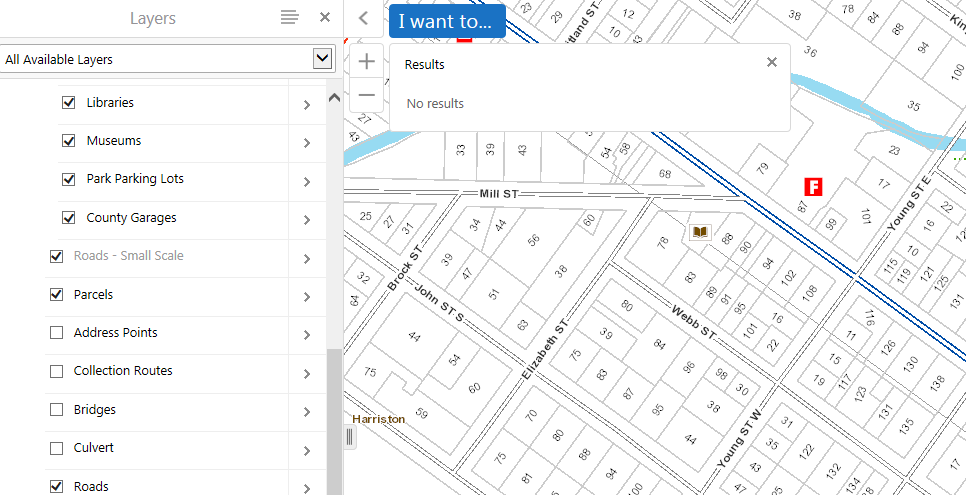
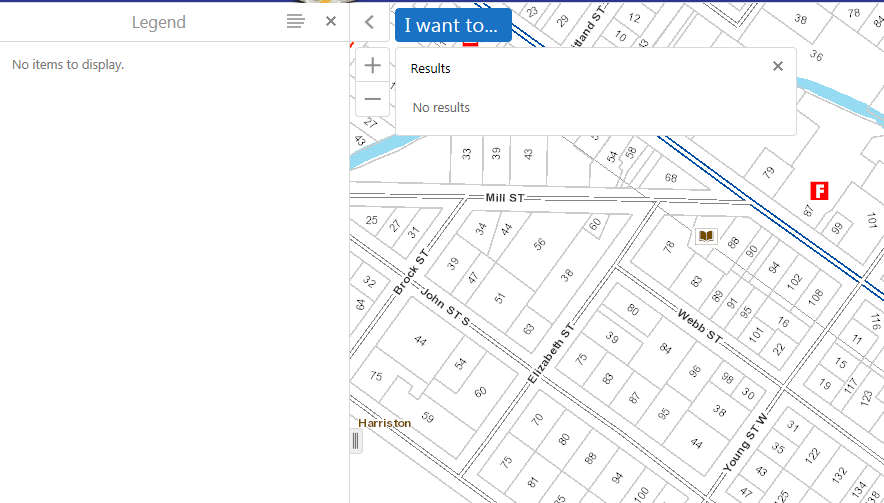 0
0 -
Paul, no, we ended up employing a workaround - telling the 2 users experiencing this to use whichever browser did not produce the issue. Not the greatest workaround, I know, but I never heard back from Latitude. 0 -
Hello to you both! :-)
For these types of issues, where we can't reproduce the problem internally, I'd encourage you to contact support. Our team will be happy to work with you to figure out what's going on. It's likely that we'll need access to a system that is exhibiting this behaviour in order to check out the logs, etc.
Sorry it's not a quick win.
Thanks!0
Bitte melden Sie sich an, um einen Kommentar zu hinterlassen.
Kommentare
5 Kommentare