drawing tool - circle

Hello,
I like to draw a circle (not a feature but a drawing), but then with the possibility of giving a certain radius or diametre.
Will this be possible in next releases?
Thank you,
Tim
0
-
Hi Tim,
There are no specific plans to implement this in the upcoming releases, but it is on our radar! I've filed an idea for it here:
https://support.geocortex.com/essentialsGSCIdeasDetail?c=09a6000000008RsAAI&id=08760000000GzzTAAS&categ=all&sub-nav=ideas&main-nav=essentials
Please be sure to vote for it!
Thanks,
Danny0 -

You could do this with a workflow, which you could then add to your toolbar (or anywhere else).
1) Have the user select a diameter
2) Have the user click somewhere on the map
3) Buffer the user point geometry using the user selected diameter
4) Add a markup using the buffered geometry0 -
@John : have you got an example on (1) how to draw the circle (48 point polygon ring?) and (2) how to use UpdateGraphicsLayer to add to the group of markups (thus editable)
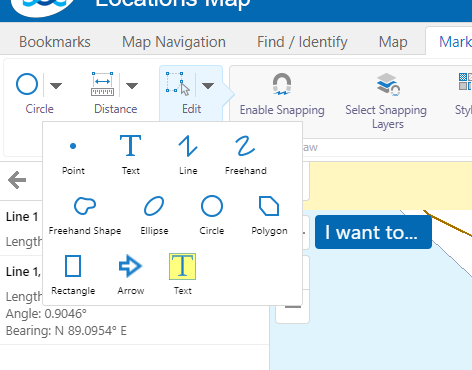
@Daniel: A "boxed text" markup would be good too.
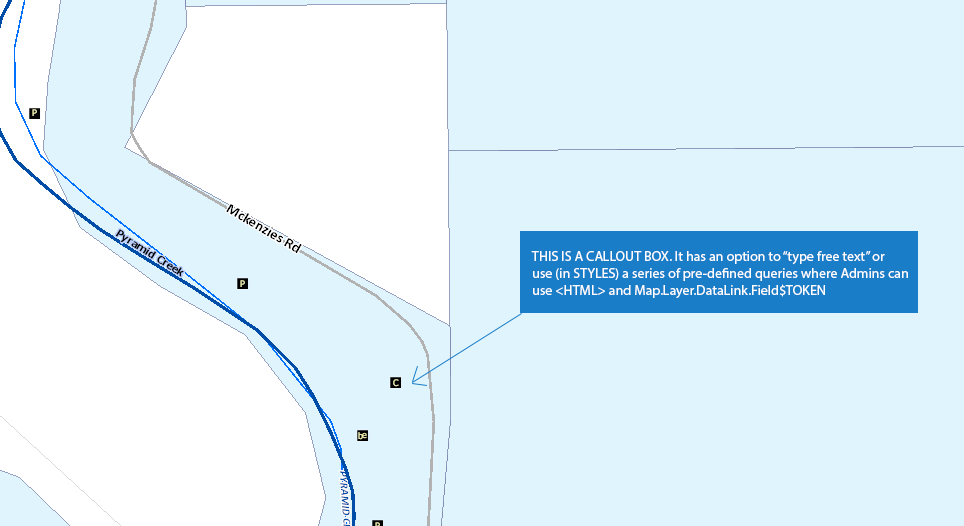
@Daniel: A "Callout" would be awesome too, where the text in the bubble could be "free type" or select (in Styles) a set of pre-defined queries, where the use of the DataLink.@LayerTokens and HTML would be allowed . (see screenshots below)
 0
0 -
Here's a sample workflow showing what I suggested:
https://drive.google.com/open?id=0B_hHHiqcTKMfTDlqYWwwbjI2N2M0
Bitte melden Sie sich an, um einen Kommentar zu hinterlassen.
Kommentare
4 Kommentare