“Alert” message appears after using “identify” tool (GE4.7.1\GVH2.8.2),

“Alert” message appears after using “identify” tool (GE4.7.1\GVH2.8.2),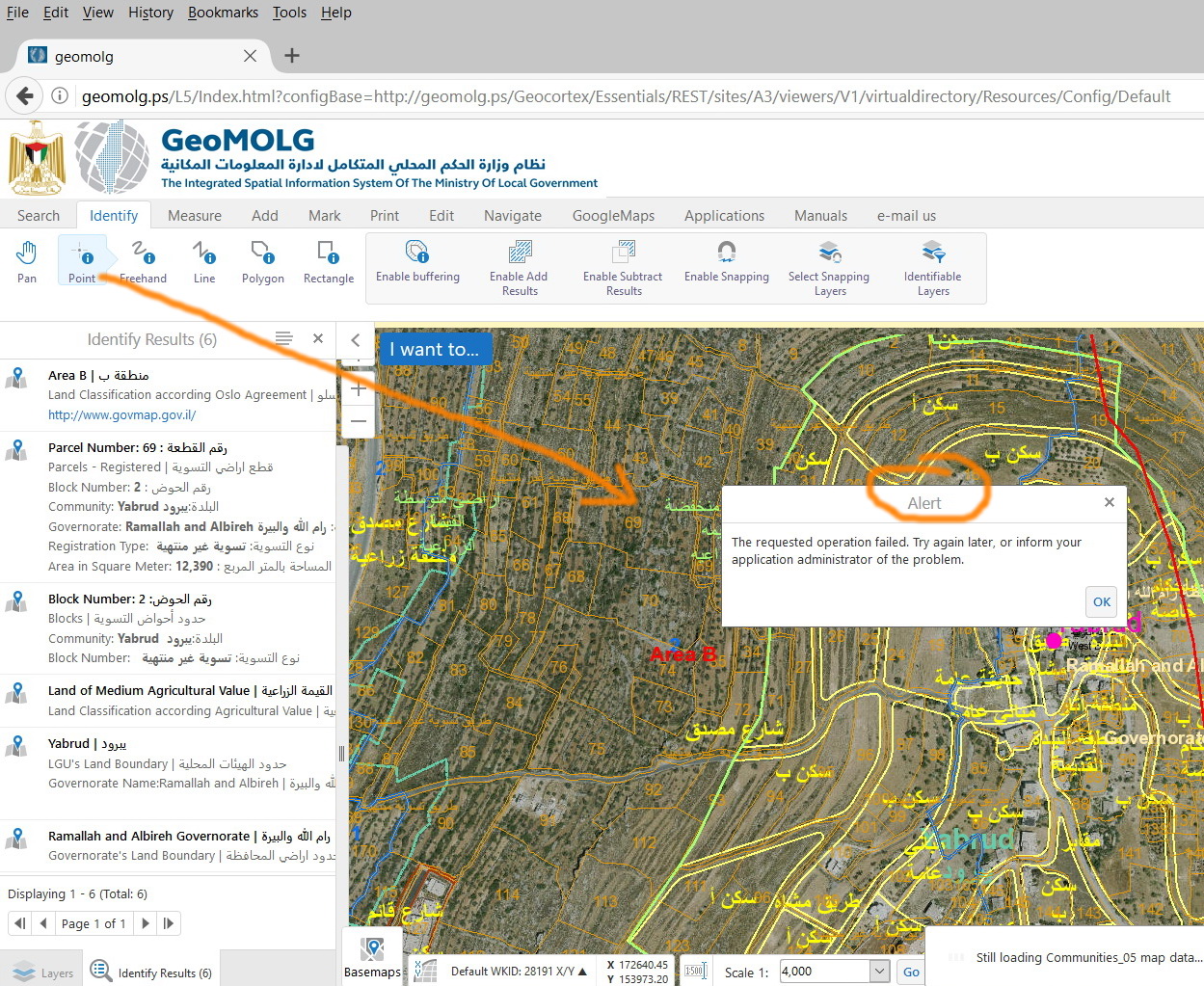
I couldn’t figure out why the “Alert” message appears after using “identify” tool (GE4.7.1\GVH2.8.2).
0
-

Whenever I see this, it is due one of the services having issues. Restarting the service takes care of it. 0 -

Hi,
Dan is correct, this message will appear when we get a error message for the query (identify tool uses the query AGS endpoint) request to ArcGIS Server. You can find out what service/layer is returning the error by using the browser developer tools and the network tab.
Thanks,
Mike Ketler0 -
Any other suggestions how to fix this? Restarting the services did not help :(
Thanks in advance,
Tara0 -
What does Fiddler show when you use the tool? 0 -
What is Fiddler? I'm new to this software..it just got dumped on me due to staff reductions.
This is the issue:
The identify tool will work on other layers but not the parcel fabric after an update...all other layers fine and everything works in the development environment...the issue is only in production.
The search address function comes up with the following warning:
There was a workflow error running activity: Exception has been thrown by the target of an invocation. Workflow 'Search Address' failed Unhandled exception: 'One or more errors occurred.' in activity '1.24: Query Parcel Layer'. One or more errors occurred. Failed to execute query.
Any help is greatly appreciated.0 -
Fiddler is software you can use to capture and analyze network traffic on your PC. Or you could use browser developer tools as suggested by Mike.
Sounds like there is an issue with your parcel service.
What was the update? You'll have to check the query task of the workflow, if you changed field names or layer order of the service, the query will need updated.
Is your site publicly available?0 -
Hi,
You could also review your ArcGIS Server logs. This alert message appears because we get an error response from a specific layer AGS query endpoint. There should be an associated error for the layer in the logs.
Thanks,
Mike Ketler0 -
Hi,
We found a python that can help to check if our services are healthy. This can be helpful to determine what services are causing the problem as this error is mostly due to map services issues.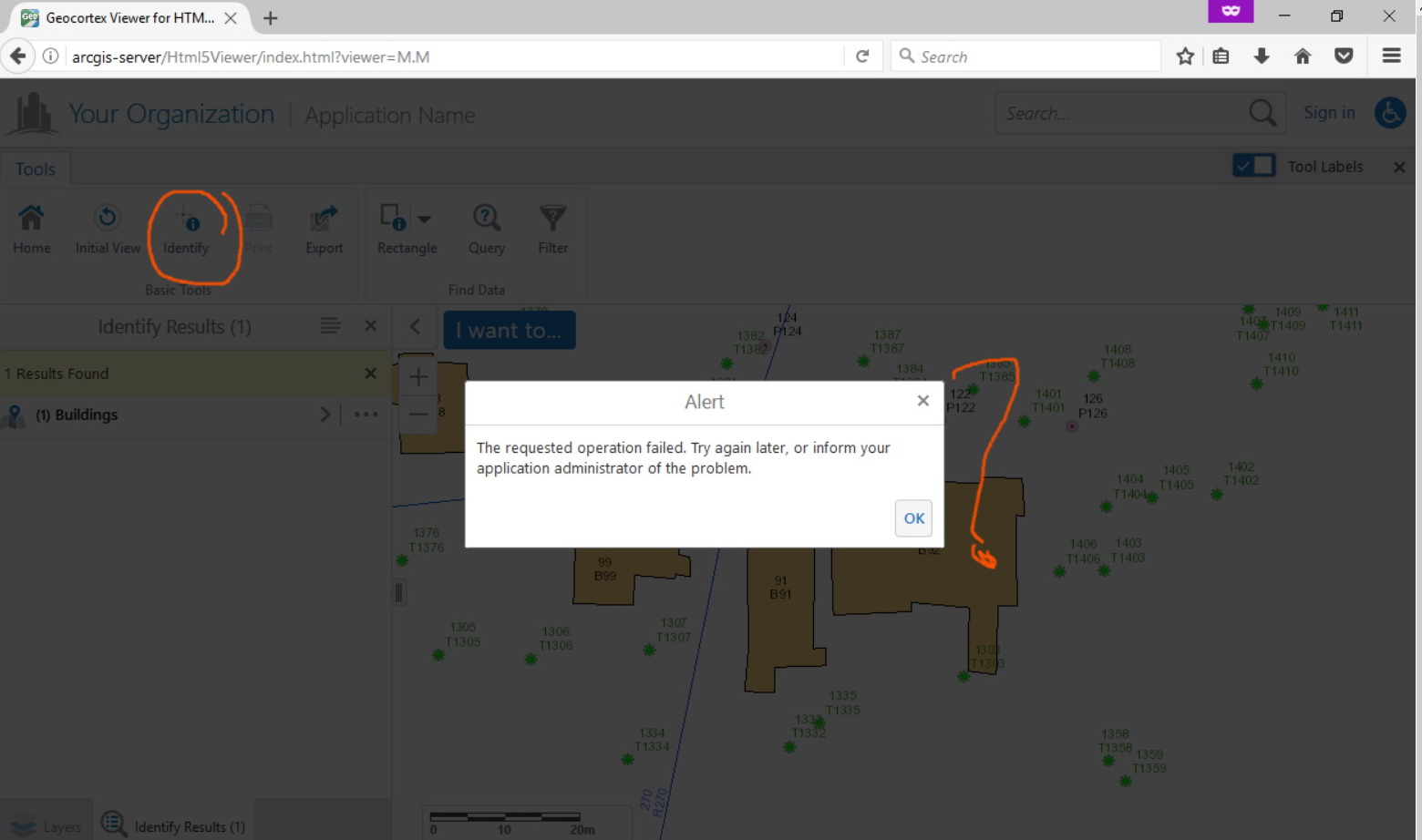
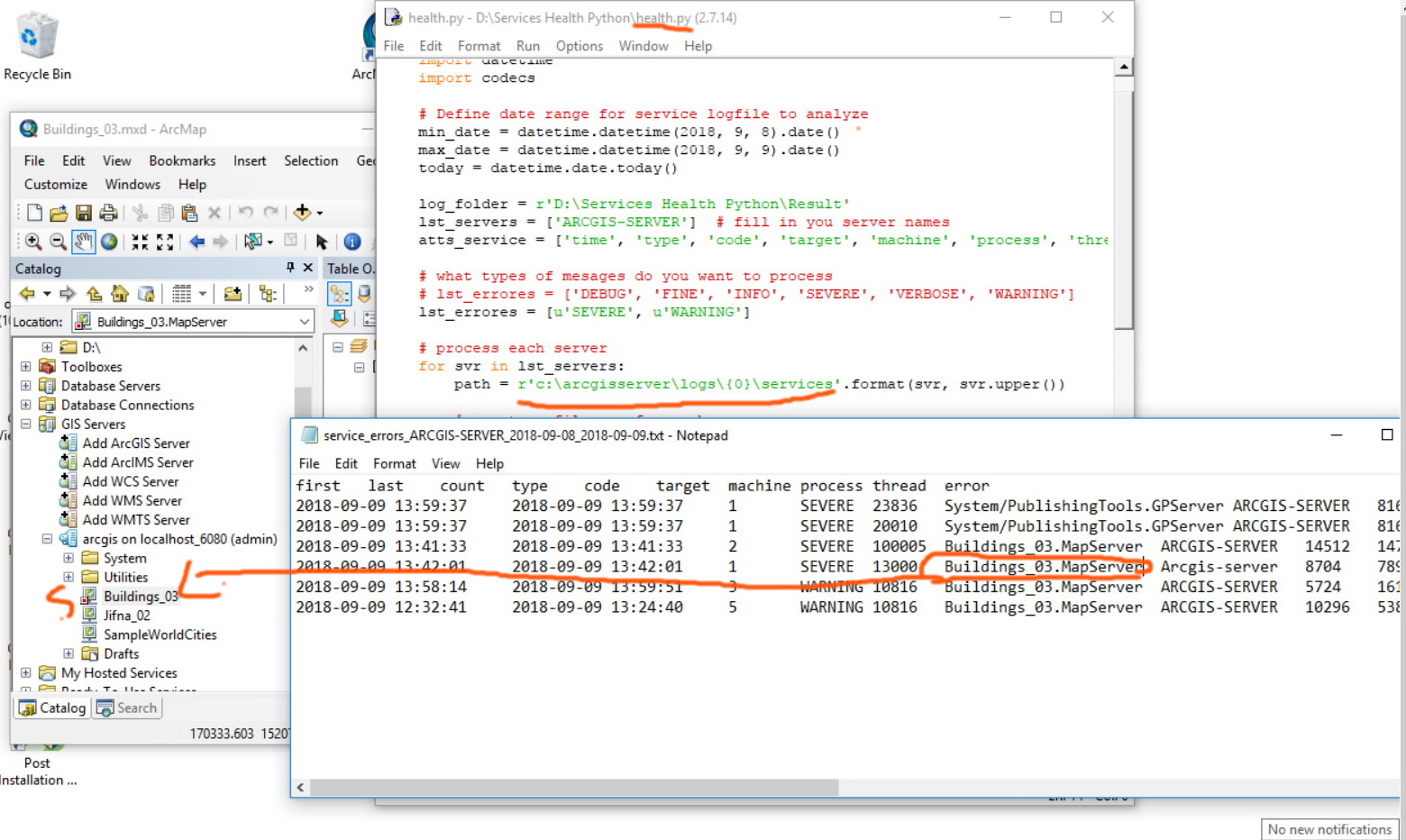
The python:def main(): import os import datetime import codecs # Define date range for service logfile to analyze min_date = datetime.datetime(2018, 9, 8).date() max_date = datetime.datetime(2018, 9, 10).date() today = datetime.date.today() log_folder = r'D:\Services Health Python\Result_01' lst_servers = ['ARCGIS-SERVER'] # fill in you server names atts_service = ['time', 'type', 'code', 'target', 'machine', 'process', 'thread'] # what types of mesages do you want to process # lst_errores = ['DEBUG', 'FINE', 'INFO', 'SEVERE', 'VERBOSE', 'WARNING'] lst_errores = [u'SEVERE', u'WARNING'] # process each server for svr in lst_servers: path = r'c:\arcgisserver\logs\{0}\services'.format(svr, svr.upper()) # create a filename for each server file_name = 'service_errors_{0}_{1}_{2}.txt'.format(svr, min_date, max_date) log_file = os.path.join(log_folder, file_name) print log_file dct = {} # process the lofile for each server for (path, dirs, files) in os.walk(path): for fname in files: if fname.endswith('.log'): filepath = os.path.join(path, fname) dt = datetime.datetime.fromtimestamp(os.stat(filepath).st_mtime).date() # only process those files with a datestamo with the indicated date range if all([dt >= min_date, dt <= max_date]): print " - ", filepath, ' (', round(os.path.getsize(filepath)/1024, 0), ' KB)' with open(filepath, 'r') as f: for line in f: line = line.replace('\n', '') if '<Msg' in line: err = line[line.find('>')+1:line.find('<',line.find('>'))] lst = [] for att in atts_service: lst.append(getAttrService(line, att)) lst.append(err) daytime = lst[0] err_dt = getDateTime(daytime) day = daytime[:10] ids = svr + ' ' + day + ' ' + err dct = updateInfo(dct, ids, err_dt, lst) # write the file with codecs.open(log_file, 'w', encoding='utf-8') as f: # header header = ['first', 'last', 'count', 'type', 'code', 'target', 'machine', 'process', 'thread', 'error'] f.write('\t'.join(header)+'\r\n') for ids, info in dct.items(): lst = [to_unicode_or_burst(info[1]), to_unicode_or_burst(info[2]), to_unicode_or_burst(info[3])] for a in info[0][1:]: lst.append(to_unicode_or_burst(a)) if lst[3] in lst_errores: f.write(u'\t'.join([unicode(a) for a in lst])+'\r\n') def to_unicode_or_burst(obj, encoding='utf-8'): if isinstance(obj, basestring): if not isinstance(obj, unicode): try: obj = unicode(obj, encoding) except Exception as e: print e return obj def getDateTime(daytime): from datetime import datetime lst = daytime.split(',') dts = lst[0] dts = dts.replace('T', ' ') return datetime.strptime(dts, '%Y-%m-%d %H:%M:%S') def updateInfo(dct, ids, err_dt, lst): if ids in dct: info = dct[ids] first_dt = info[1] last_dt = info[2] cnt = info[3] if err_dt < first_dt: first_dt = err_dt if err_dt > last_dt: last_dt = err_dt cnt += 1 info[1] = first_dt info[2] = last_dt info[3] = cnt dct[ids] = info else: info = [lst, err_dt, err_dt, 1] dct[ids] = info return dct def getAttrService(line, att): s = "{0}='".format(att) i1 = line.find(s) i2 = line.find("'", i1+len(s)) return line[i1+len(s):i2] def getAttrServer(line, att): s = '{0}="'.format(att) i1 = line.find(s) i2 = line.find('"', i1+len(s)) return line[i1+len(s):i2] if __name__ == '__main__': main()
Best,
Alaa0 -
Thanks Alaa
I tried the python but it ends up with the error shown in the screenshot below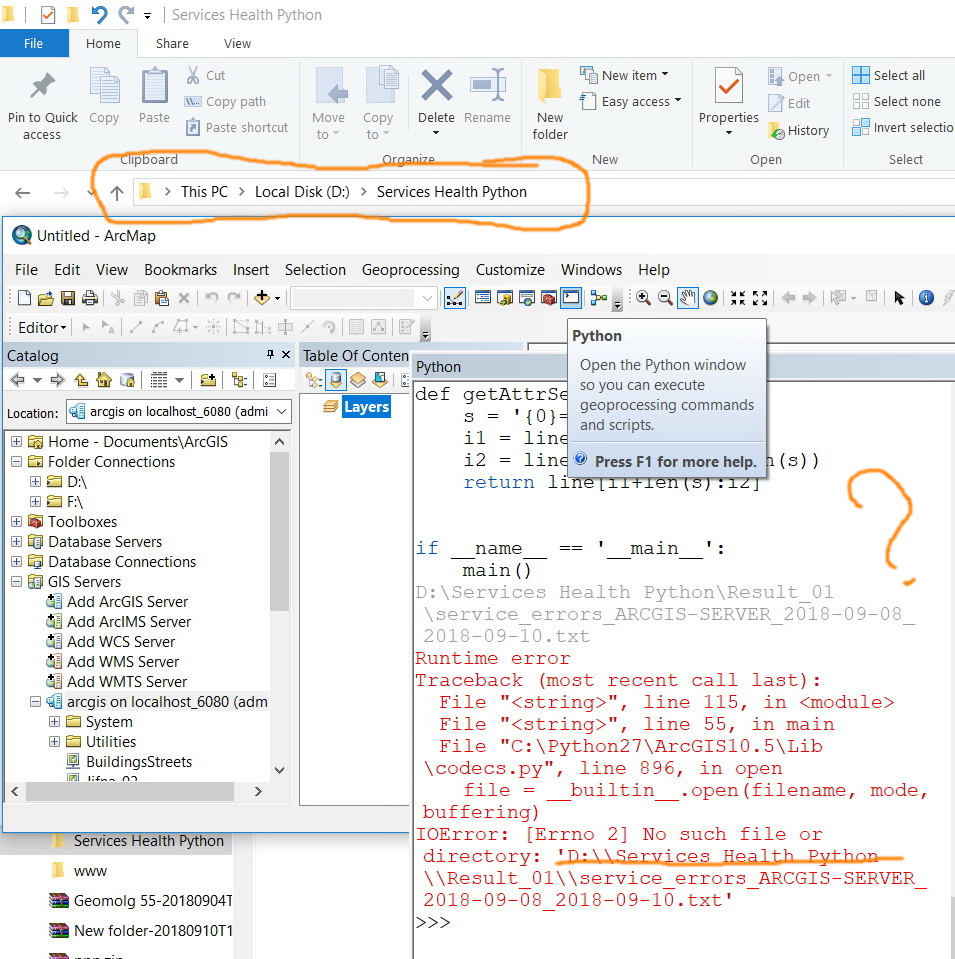 0
0 -
Hi,
Did you create a folder where u want to save the log file in the same path as inserted in the python + you need to check if the server name is written correctly in the python.
Please let me know if this worked with you.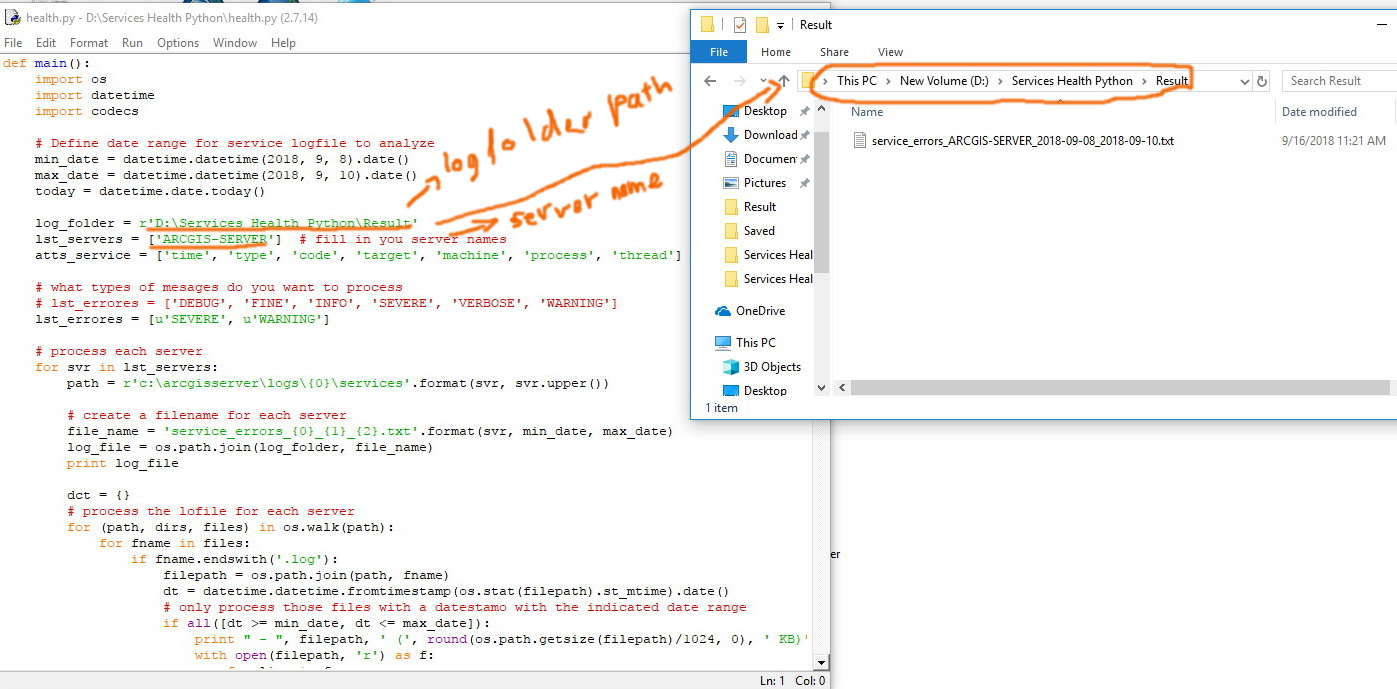
Best,
Alaa0 -
Thanks Alaa
It appears that the python code fails to catch the stopped services
What could be the issue here?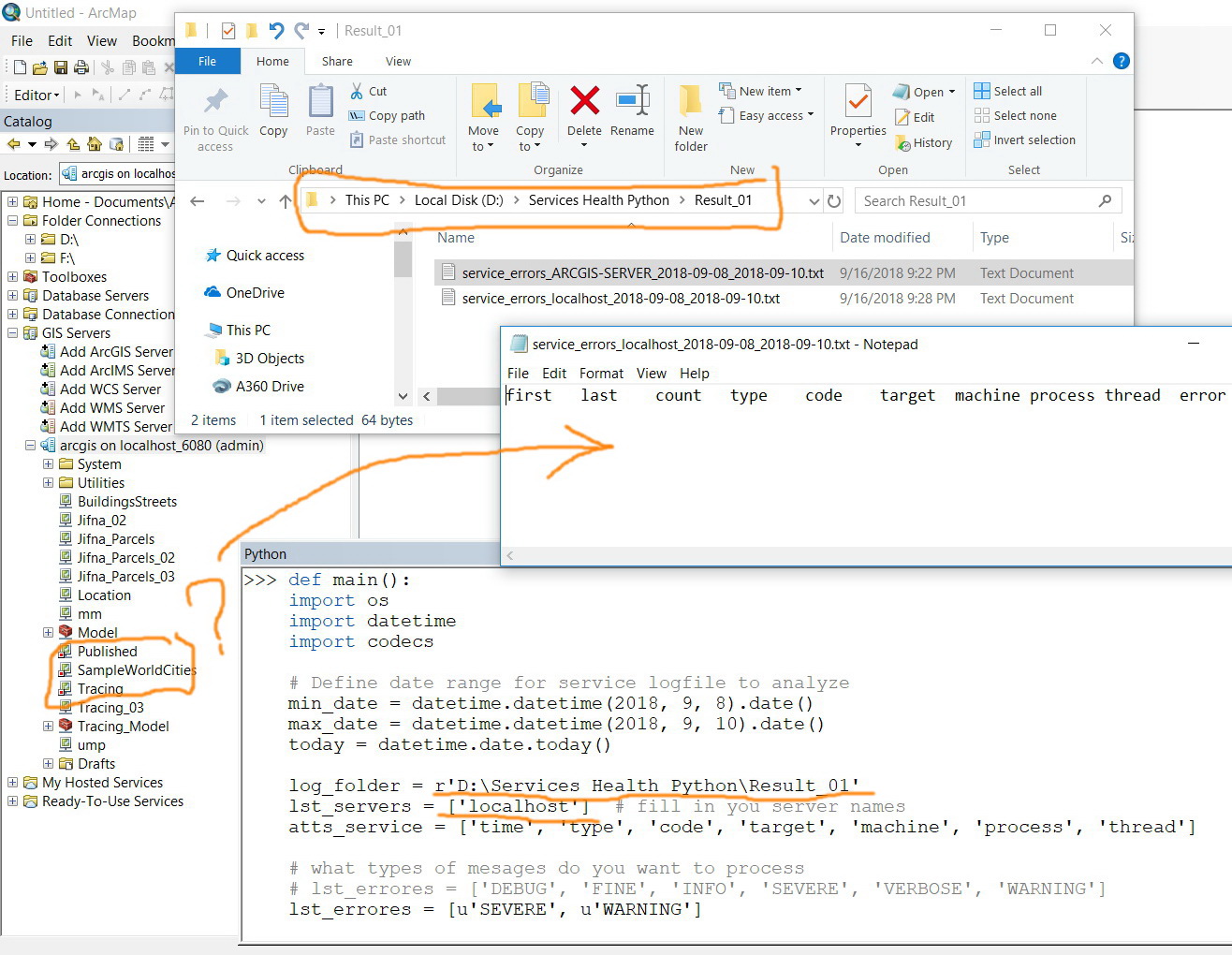 0
0 -
I think you should modify the dates too. your screenshot shows that the python will read logs until "10, 9, 2018" 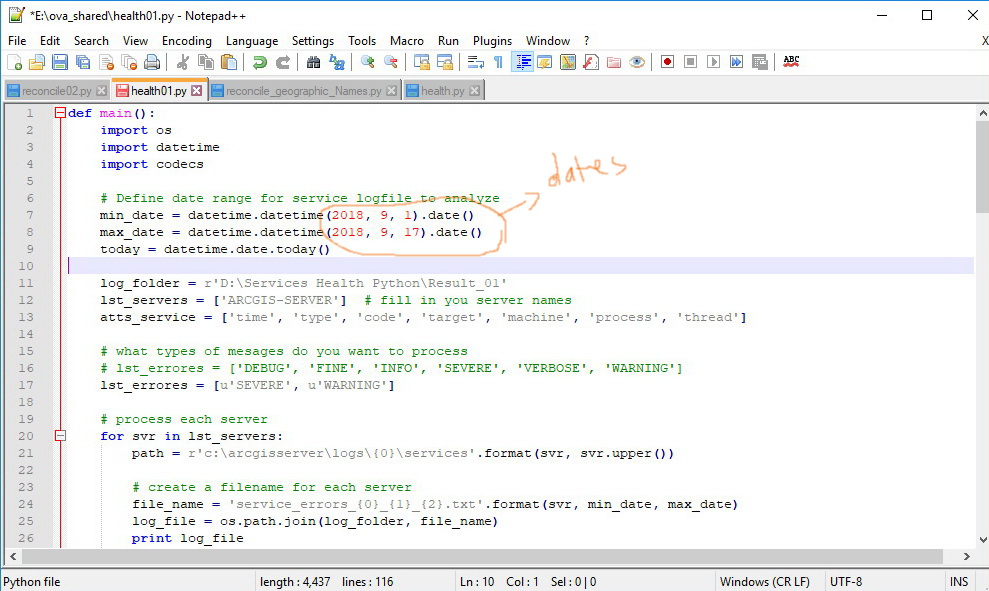 0
0 -
It appears not to work with me despite the fact that I have fixed the date (as shown in the screenshot below).
What other parameters in need to fix in the code?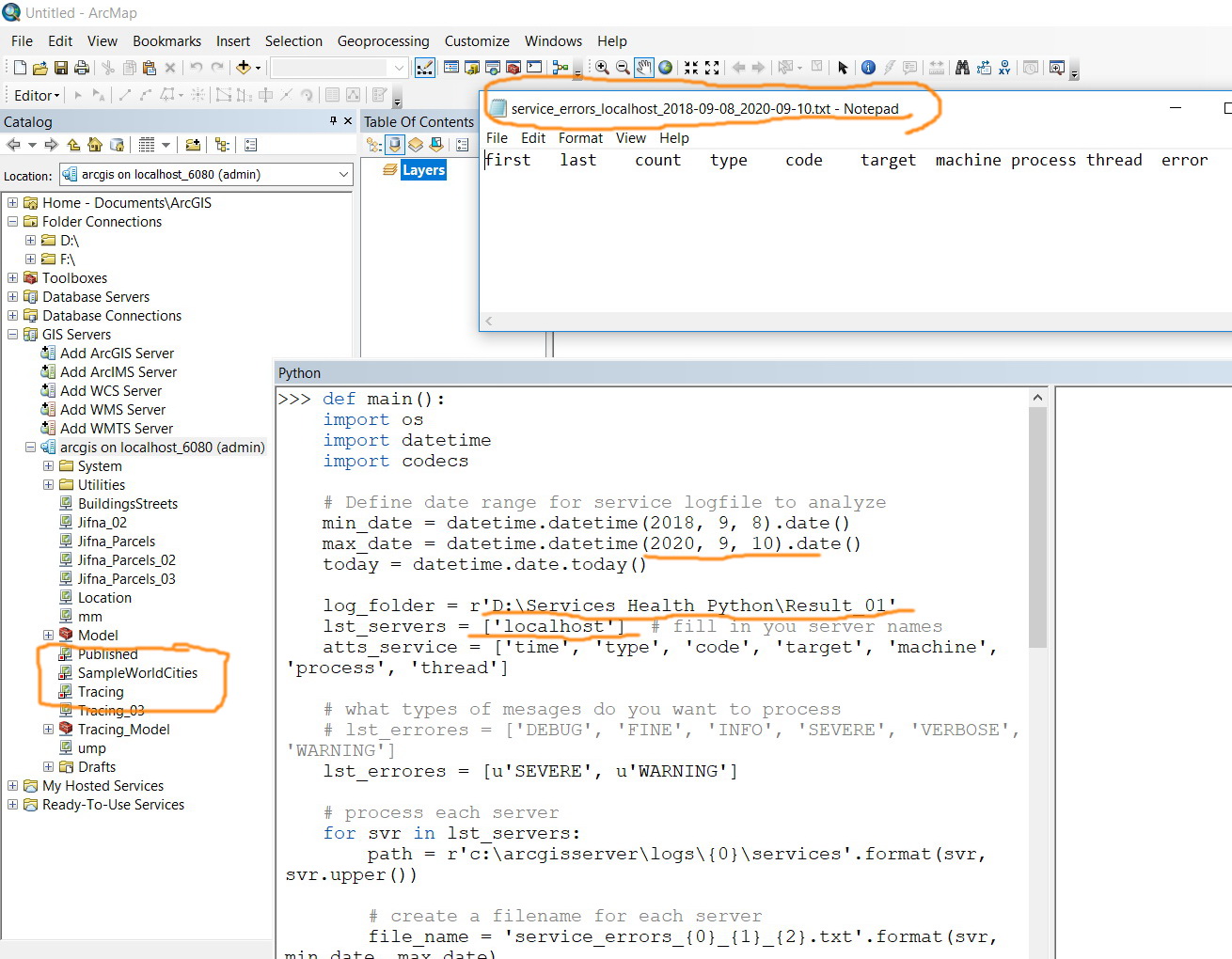 0
0 -
The python reads logs of warning & severe types, so please make sure that there is logs of these types in the path as shown in the screenshot(I don't think that manually stopping the services will create logs in the server). Also try to replace "localhost" with the real name of the server. 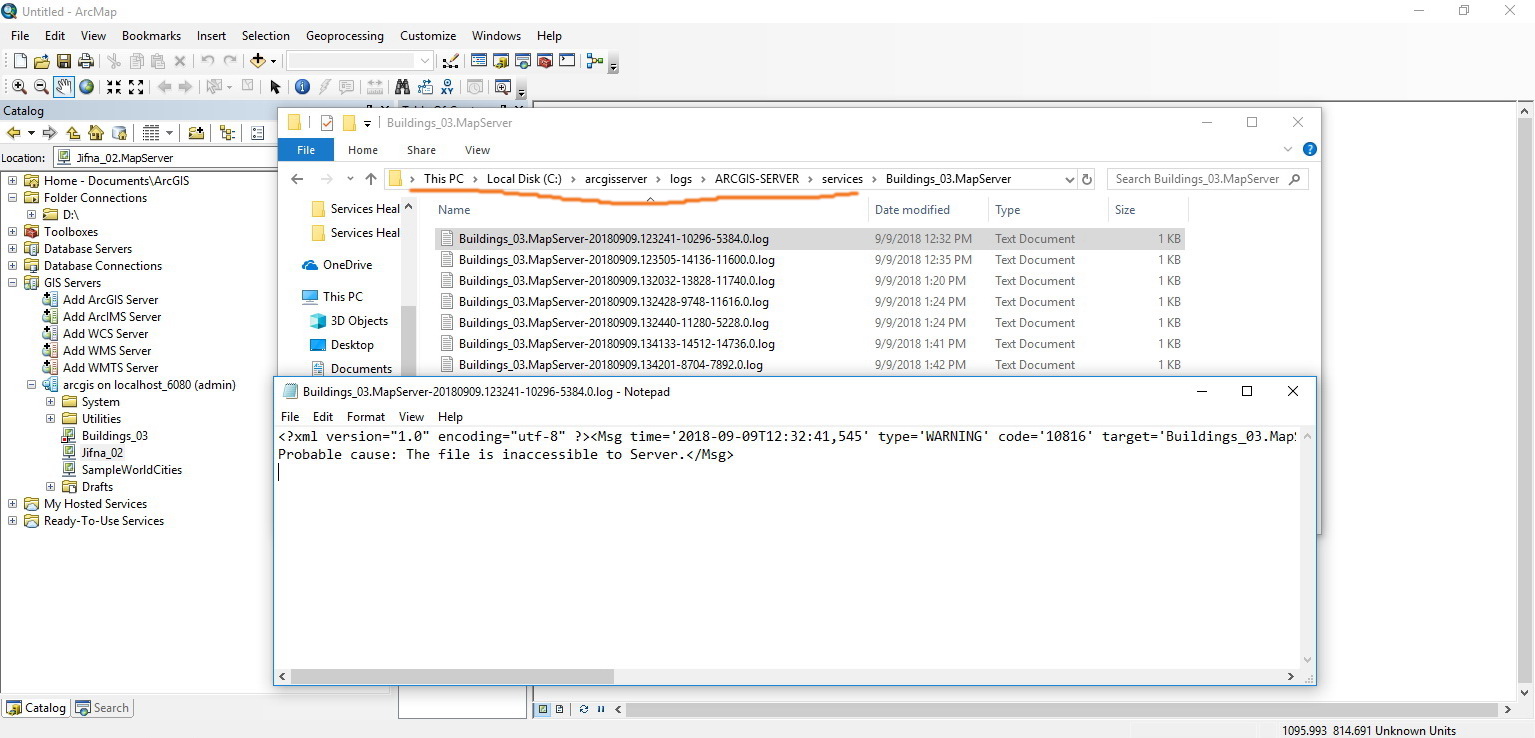
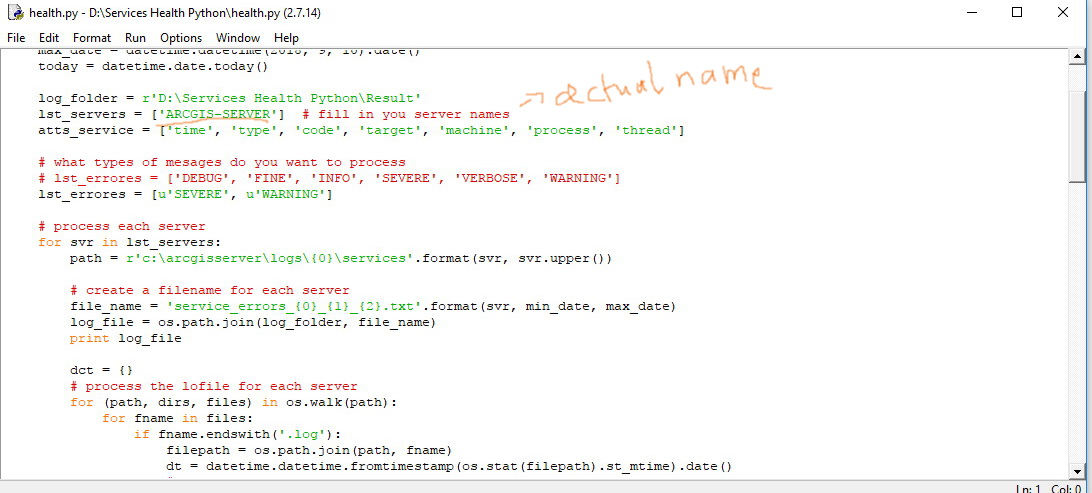
Best,
Alaa0
Bitte melden Sie sich an, um einen Kommentar zu hinterlassen.
Kommentare
14 Kommentare