Disable Project Module

Anyone know how to disable the project module? I saw a post on how to do it in Silverlight, but I would like to know how to do it in the HTML5 Viewer.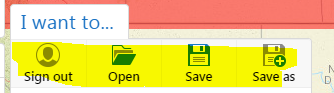
0
-

You can just remove those buttons from the context menus when editing the viewer in Essentials. 0 -
I don't see those buttons under the project actions or the project list actions? Do you know where they are? If so, please be specific.
_img_ alt="User-added image" src="https://latitudegeo--c.na53.content.force.com/servlet/rtaImage?eid=907f20000000SdX&feoid=Body&refid=0EMf2000000E4Dq" _/_img_0 -
Hi Carlos -
The menu that you want to modify is called the "Global Actions" menu. This menu is included among the Context Menus.
Regards,
Steve0
Bitte melden Sie sich an, um einen Kommentar zu hinterlassen.
Kommentare
3 Kommentare