Remove Time from Display Form

Does anyone know how to remove the time field from the Display Form?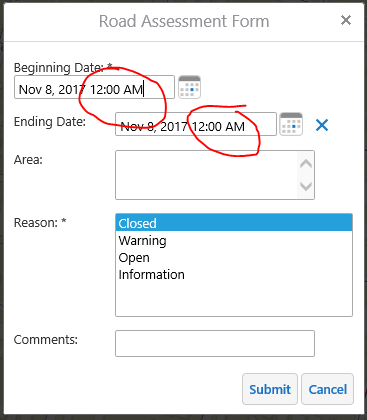
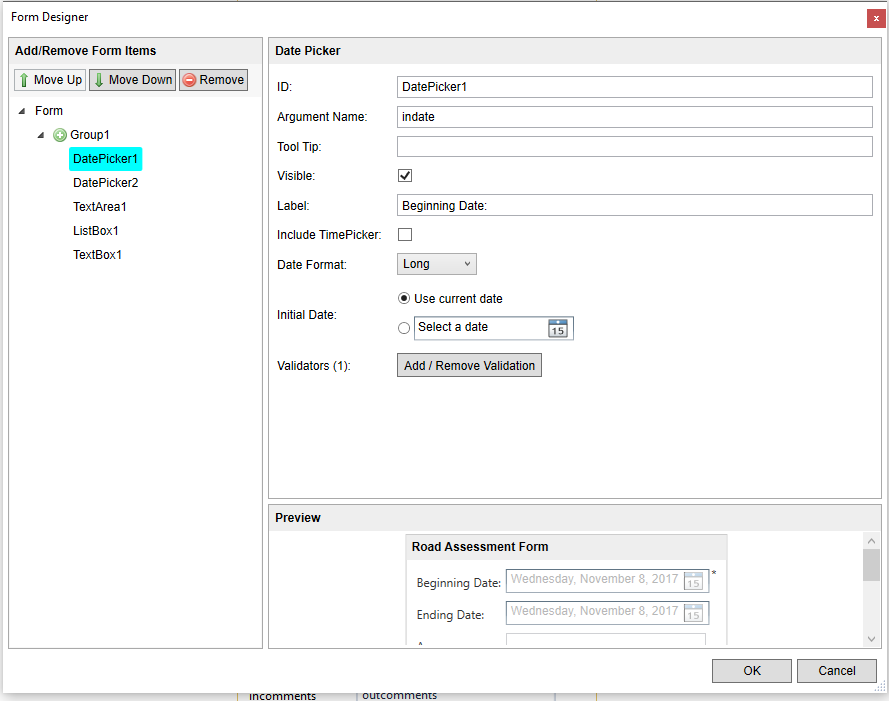
It is a 'date' data type in SQL and the time picker is not included in the workflow designer...
Thanks!
0
-

I think this is not possible. 0 -

Change your Date Format in the Form Designer for that element to "Short" instead of "Long". 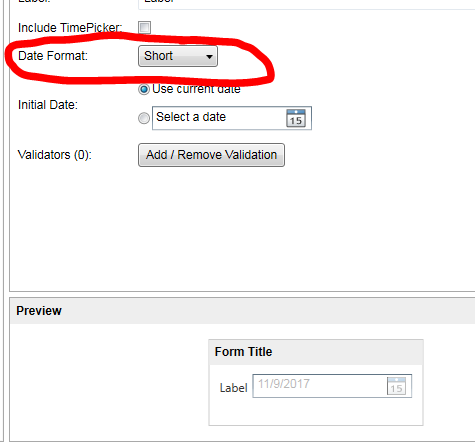 0
0 -
Unfortunately that did not work, the time is still displayed in the form even after I changed the Date Format to Short. A workaround that I am using is to not use 'Use current date' and have the user select the date from the calendar widget. The time is not displayed when doing it this way, which works for now. 0 -
Lisa - I also had this same issue and resolved it by setting the user to todays date. Unfortunately, the time still appears if I select identify task for the feature.
I suspect it may be something to do with the time field being set in the esri featureset0 -
Hi Lisa, if you are still having an issue with this then please open up a support case with Latitude Support. Changing the date format to short should fix this issue for you.
Thanks,
Ali
0
Bitte melden Sie sich an, um einen Kommentar zu hinterlassen.
Kommentare
5 Kommentare