Error during installation Geocortex 4.9.1

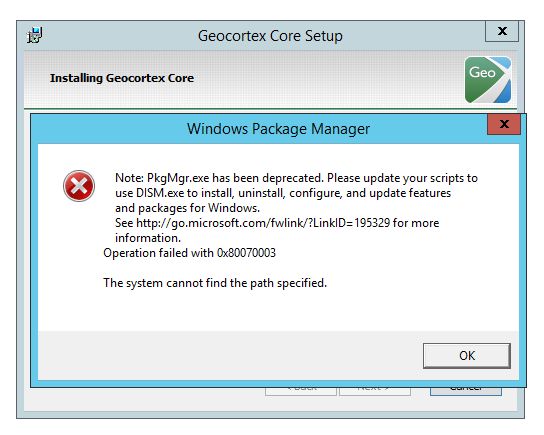 Anyone has seen similar error during installation? This is Windows Server 2012 R2 with the latest updates.
0
-

"PkgMgr.exe has been deprecated" message may appear on a Windows 2012 R2 computer
Error Message
Note: PkgMgr.exe has been deprecated. Please update your scripts to use DISM.exe to install, uninstall, configure, and update features and packages for Windows.
Solution
Perform the following steps to install ASP.NET 3.5 on the computer,
On the Start page, click the Server Manager tile.
In Server Manager, select Dashboard, and then click Add roles and features.
In the Add Roles and Features Wizard, on the Before you begin page, click Next.
On the Select installation type page, select Role-based or feature-based installation, and then click Next.
On the Select destination server page, select Select a server from the server pool, select your server, and then click Next.
On the Select server roles page, select Web Server (IIS), and then click Next.
On the Select features page, click Next.
On the Web Server Role (IIS) page, click Next.
On the Select role services page, note the preselected role services that are installed by default, expand the Application Development node, and then select ASP.NET 3.5.
On the Summary of Features to Install page, confirm your selections, and then click Install.0
Bitte melden Sie sich an, um einen Kommentar zu hinterlassen.
Kommentare
1 Kommentar