Building a string for output - add new line

I am want to build a string in a ForEach loop but added a newline each time, how?
-

Hello Robert,
As you are constructing the string within a loop, you should be able to add newlines using this syntax: + '\n'.
Also, if you are working with an array of strings, you can use the join() method with a new line character: =yourStringArray1.join("\n").
Thanks, Stefan
0 -

I cannot get "\n" to work. It just returns a blank space
0 -
Hi folks,
Getting this to work may depend on what you're doing with that string after you've built it. "\n" should absolutely create new lines in your string. If you log the value of the string and check the log from the console, you should see that is the case.
But if your end goal is to display the string on a form, markdown doesn't actually convert a single new line input into a new line on the other end (see https://daringfireball.net/projects/markdown/syntax#p). 2 spaces at the end of the current line, THEN a new line character will do it. So if you're going to use the string you're building to set some form text that accepts markdown, you would want " \n" instead. Or alternatively, two new lines converts to a paragraph in markdown, which would be "\n\n"
0 -

@Amanda Frech?
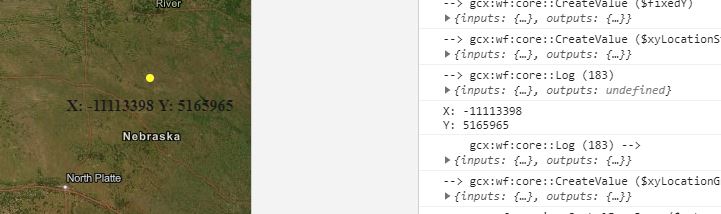
I am using create value activity to create an xy string to label a point ( "X: " + $fixedX.result + " \nY: " + $fixedY.result ). the WAB viewer is not creating the new line, but I can see in the logs that there is a new line. Am I missing something? I have attached the workflow (choose the single point on the form, the label is a change event in the single point form) Thanks, Chris.
 0
0 -
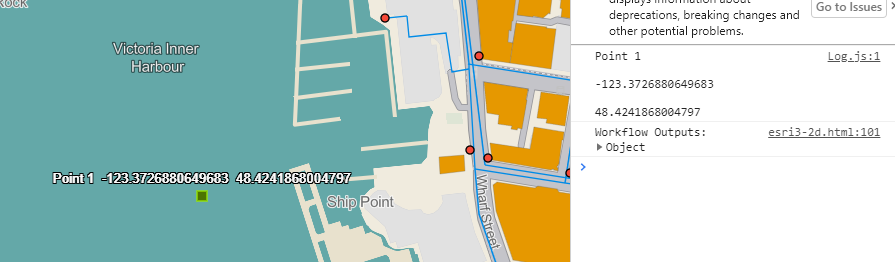
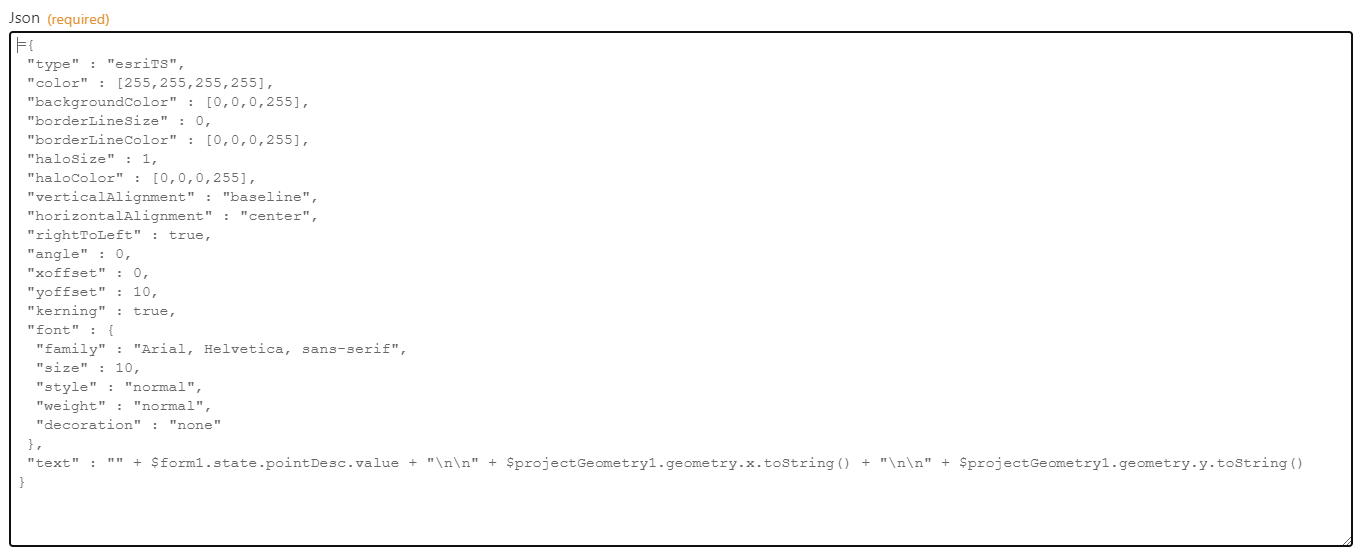
Hi, I'm trying to do the same thing...currently testing in the Sandbox and in Essentials 4.13. I can't get a newline to appear with the " \n" or the "\n\n" approach. Any help appreciated!
?
 0
0 -

I am able to get it to work by doing a backslash + two spaces + backslash n
e.g., "\ \n"
Not intuitive at all and I found it by luck
https://communities.geocortex.com/s/question/0D55x00007TP9DECA1/calculated-markdown-line-break
0 -
For some reason my example above only has one space in it....should be two spaces
0
Bitte melden Sie sich an, um einen Kommentar zu hinterlassen.
Kommentare
7 Kommentare