Theme / Legend Display Issue

I have an odd issue with Layer Themes where I could use some help. I created a theme called Traffic and turned off all the layers and groups that the Traffic users do not want to see. It all works except for one Group called, 'General Plan'. I turn it off in Essentials Manager for the Traffic theme and initially it displays greyed out but as soon as I apply it it 'snaps' back as active and it displays in the viewer. Another folder LandUse Labels has the same bevior but otherr layers within this group are OK.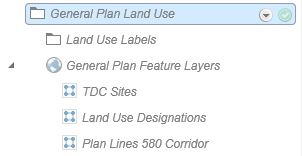
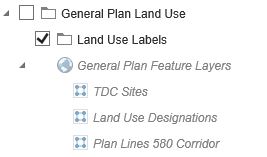
I looked at the Site.XML and did not see anything under the General Plan section.
0
-

Hi Patrick,
I think this issue matches up with an older bug that we have filed in our system, that we have not resolved as we have not been able to reproduce it locally.
One theory is that there are hidden layers for the service that are not visible when you configure the theme, which require that the service remain visible after you apply the theme. You may be able to work around the issue by temporarily adding / un-hiding those layers so you can configure the theme, then hiding them again.
If you haven't already, please open a support case with us and provide your site configuration, and we'll add it to the bug report.
Regards,
-Malcolm0
Bitte melden Sie sich an, um einen Kommentar zu hinterlassen.
Kommentare
1 Kommentar