w3wp.exe 100% cpu

I didn't get a chance to see which worker process it was before it stopped but for about 15 minutes w3wp.exe was maxing out CPU at 100%.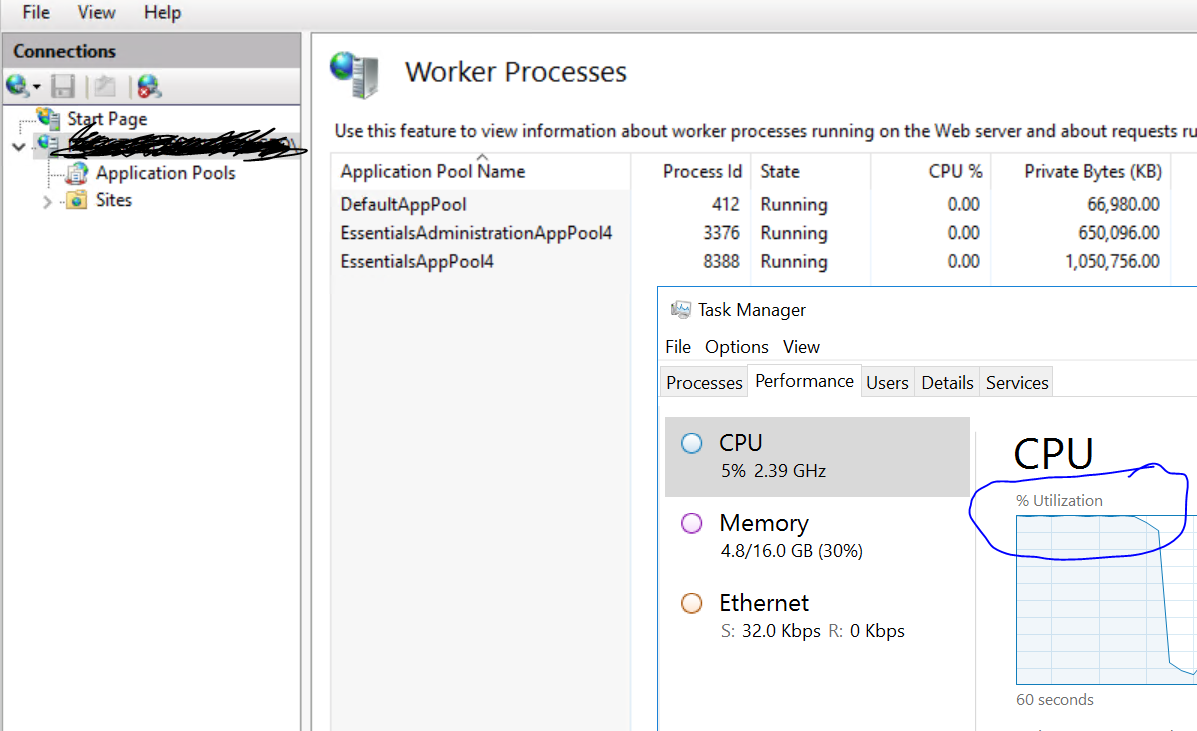
Anyone else see this from time to time and know why?
We have our role.config file to run "Instant Search" scanning only on Saturday at 18:00. So I feel like that shouldn't be it.
None of my staff were even working in GE or running "new instant search"
0
-
Hi Dylan,
Instant Search wouldn't necessarily use w3wp.exe's process while running, it would more likely consume CPU through one of the Geocortex Core role processes.
We see CPU spikes when synchronous print jobs are run and when a workflow has a loop. An endless loop will run until IIS determines the process has timed out and terminates it.
This could be a normal function of your usage patterns (if many users are running print jobs or workflows) or it could be an anomaly - it could even be some other app possibly using the DefaultAppPool that's outside Essentials.
If it persists, use the IIS access logs to determine what was being requested (and which process(es) contributed to the CPU spike), and work from there. You may also want to provision an additional CPU to this server so that hitting 100% utilization on one CPU won't hurt server performance as much - we recommend a minimum 2-core CPU (https://docs.geocortex.com/essentials/latest/install-help/Default.htm#ge/install/system-requirements.htm) .
Regards,
-Malcolm0 -
Hey Maclom I wanted to revisit this after some long term testing and update the community. I could not find anything useful in the IIS logs when I caught the problem. I now have a few Geocortex Servers setup and have been testing how low can I go on resources as we use Azure.
I normally delcare the ram to be min/max of 50% of server. This is easy and sees no issues ever at 16G & 12G ram servers.
On a 8G server though I started seeing w3wp.exe and the Java(TM) Platform SE Binary go crazy. I found the RAM going up then hurt CPU. CPU seems to be a side effect not direct issues.
I had that set to 4G Min/Max and that server has a lot of Instant Search enabled. I was wondering what processes actually are controlled by that Min/Max declaration. Setting it to 2g min/max seemed to calm the situation down.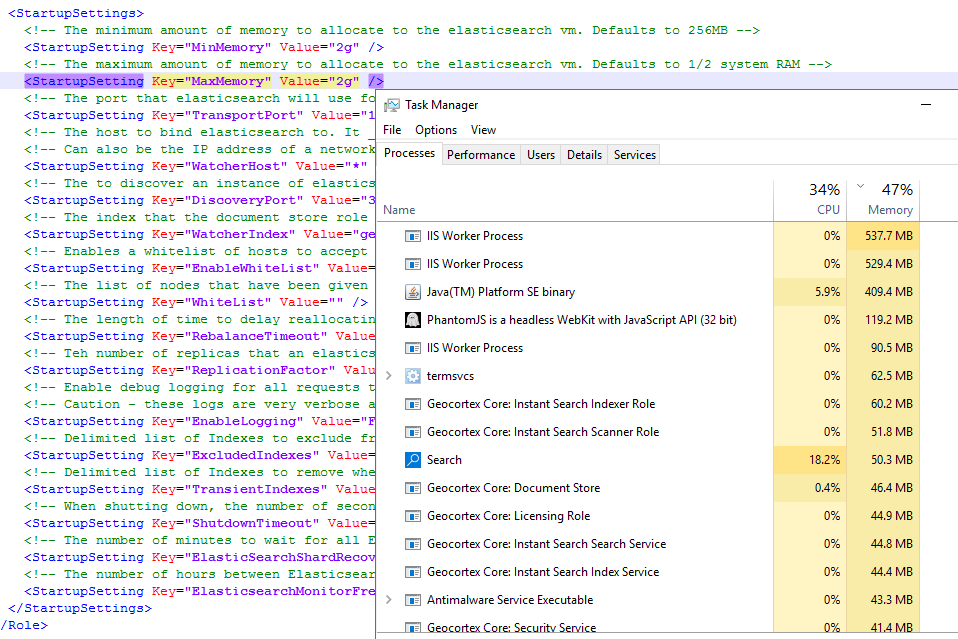 0
0
Bitte melden Sie sich an, um einen Kommentar zu hinterlassen.
Kommentare
2 Kommentare