Not All Feature Service Points are Displayed when Zoomed Out

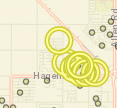
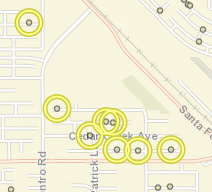
I have a few different feature services with several thousand points each. When zoomed in past 1:144,448, all of the points in the service are visible. However, when I zoom out beyond 1:114,448, some of the points randomly disappear. The data is definetly still there, because it is highlighted when I identify an area, and I can actually see empty highlight circles. (See pictures below) I thought maybe it had something to do with being in a layer catalog, but I added it to a test map as regular layer, and it still did the same thing. However, when I added it as a map service, all of the points were visible at all zoom levels. I can use it as a map service if neccessary, but I would like to keep it as a feature service to have the options to display it as a heat map or with clustering. Has anybody else ever encountered this before or have any ideas how to fix it?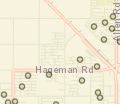
0
-

have you checked the placement properties in the feature before you publish it? have you checked the display settings in GE manager? 0 -
Hello Sylvia,
I apoligize for my delayed response. What do you mean by "placement properties"? Is there a setting in Feature Access properties that controls how many features can be controlled at a time?
I don't have any definition queries set on this data. In Geocortex, I have it in a data catalog. I have it set to cluster by default, but since it is a data catalog, it does not cluster when you first add it to the map. But I tried turning off clustering, and that made no difference.0 -
Hi Denise,
We're probably hitting the feature limits on how many features we can get out of ArcGIS Server. When you add the service as a Map Server, ArcGIS will draw an image with all the points it can find in the data. When it's added as a Feature Layer, we must download all those points individually.
ArcGIS Server defaults to returning 1000 features per request. I believe that the client API will divide up the requests by screen region so it's not a hard limit on what you can see, but if you have tens of thousands of points we're still going to hit those limits.
When you identify, a new query is sent that would get the missing points.
In order to ensure that all of your desired points are returned by the server, you should either bump up the Maximum number of records returned by the server value (see https://enterprise.arcgis.com/en/server/latest/publish-services/windows/setting-map-service-properties.htm), configure the layer to only be visible at scales where there are fewer than 1000 visible features, or both. That way, when you are building a heat map or a cluster, we will use all of the features.
Regards,
-Malcolm0 -
Okay, that makes sense. Thank you, Malcolm! 0
Bitte melden Sie sich an, um einen Kommentar zu hinterlassen.
Kommentare
4 Kommentare