Changing the basemap from switch mode into permanent expanded mode on GVH

Hi All, 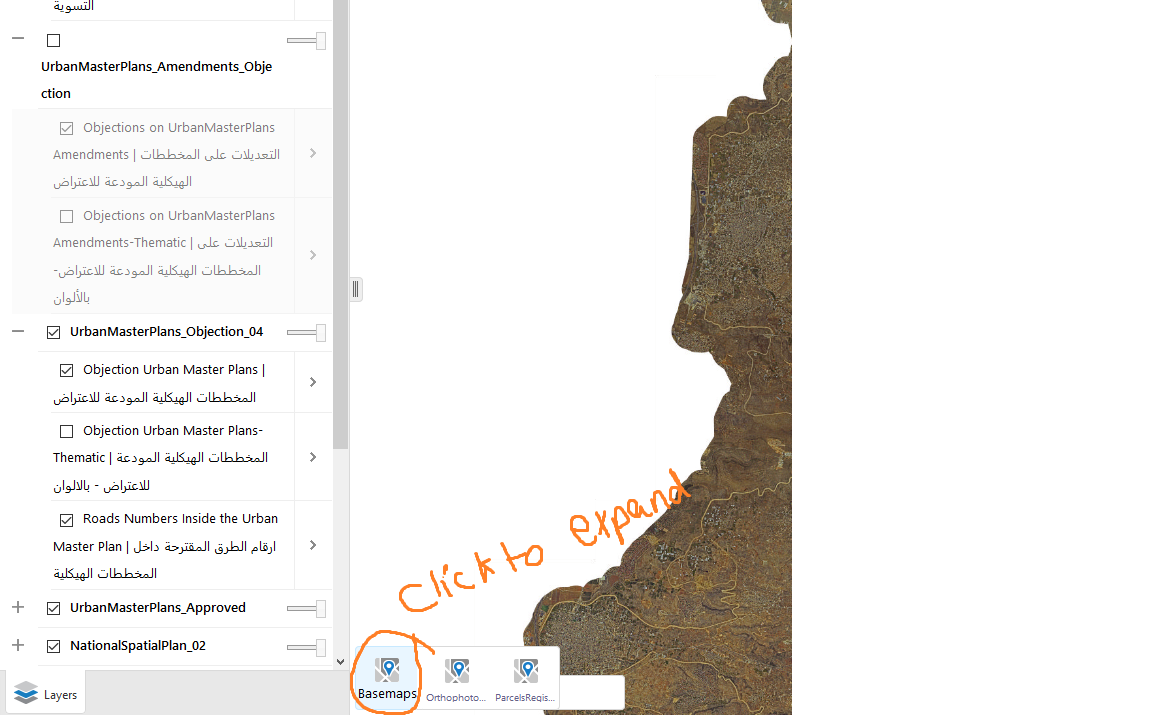
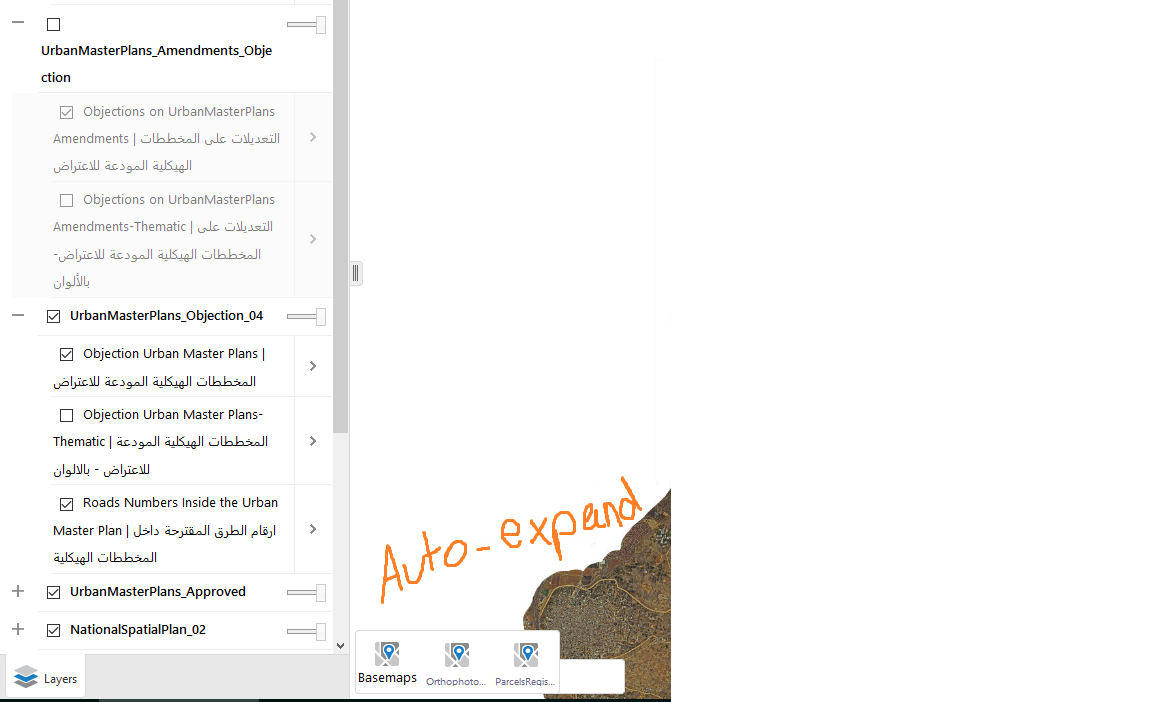
I am wondering if there is a way to change the basemap from switch mode into permanent expanded mode using desktop.json.js.
The default situation is clicking on the basemap icon to expand the basemap switcher toolbar.
Please see the attached screenshots for more clarification.
I will be thankful if someone can help me on this.
Best,
Fatin
0
-
Hi Fatin,
I don't believe there is. You would need a startup workflow that runs the external command - ToggleBasemapsDrawer.
Regards,
Wayne0 -
Thank you for your clarification, Wayne.
I will be thankful if someone can help me on writing this workflow.
Thanks in Advance
Fatin0 -
Hi Faten,
To configure the workflow to run automatically whenever an end user launches one of the site's viewers. You need to
see "Configure a Workflow to Run on Startup" in the Geocortex Essentials Administrator Guide.
Best
Majdoleen0 -
Thank you Majdoleen, for your reply.
Best,
Fatin0 -
It will be nice if someone can help me in adding a condition on the following code in the Desktop.json.js that just enables the expanding mode for basemap region.
Code:
{
"id": "BasemapSwitcherButtonView",
"viewModelId": "BasemapSwitcherViewModel",
"type": "geocortex.essentialsHtmlViewer.mapping.modules.basemap.BasemapSwitcherButtonView",
"markup": "Mapping/modules/Basemap/BasemapSwitcherButtonView.html",
"region": "BasemapRegion",
"visible": true,
"configuration": {
"hideIfNoBasemapsAvailable": true
}
}
Is it possible to add a condition on the above configuration?
Thank you
Fatin0
Bitte melden Sie sich an, um einen Kommentar zu hinterlassen.
Kommentare
5 Kommentare