Add images to workflow results

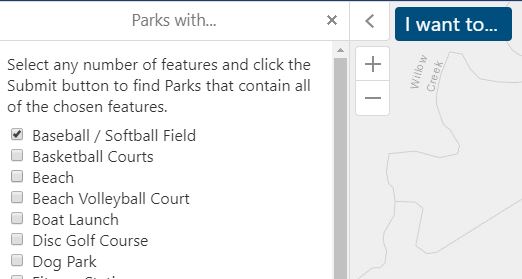
I have a workflow includes a display form that allows users to search for parks with certain features. The workflow queries a parks feature class that has yes/no fields for each of the feature types. I would like to display an image in the results for each park that shows icons for the features that each park has. Ideally I would like this to be dynamic so that the workflow results will reflect the parks data as it is updated. Is there a way to do this?
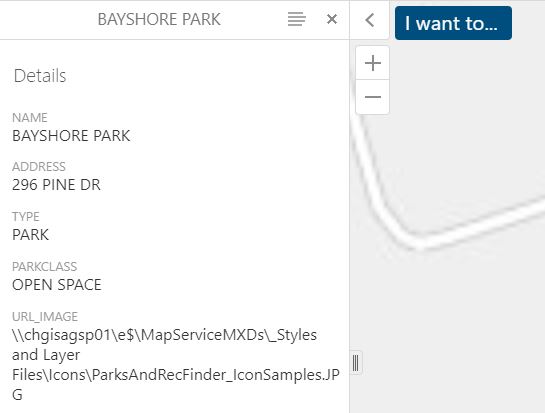
The other option would be to display a static image whose URL is referenced in a field in the Parks dataset.
-

If you're looking for it to show up in the results, it might be more of an Essentials configuration than workflow configuration. If the layer exists on the site, you would want to make those changes in the Feature Description in Essentials Manager. Here's a couple ideas:
Reference a static url attribute like you mentioned, and put in in an img html tag in the feature description. You'd have to use a valid http or https address rather than the network share location you have in the image above. Feature description would contain something like this:
<img src="{URL_IMAGE}">or
Add an img tag for each yes/no field into the feature description. Have a folder structure like this for the images hosted on your server:
- rootfolder > DogPark > yes.png
- rootfolder > DogPark > no.png
- rootfolder > DiscGolf > yes.png
- rootfolder > DiscGolf > no.png
- etc
yes.png would contain the desired icon for each feature type, and no.png would be an invisible or white 1px square. Technically you'll be showing images regardless of whether it's a yes or a no, but you're only going to see the "yes" ones.
Feature description would look something like this:
<img src="https://myserver.com/myimagefolder/DogPark/{DogParkAttributeName}.png"><img src="https://myserver.com/myimagefolder/BoatLaunch/{BoatLaunchAttributeName}.png">
(etc)
Here's the reference for using field replacement tokens in feature descriptions:
If your ShowResults activity in the workflow has the correct map service id and layerid or name configured, it'll use the feature description or long description from Essentials. Otherwise you'll need to write it into the description format/long description format input on the activity instead.
0
Bitte melden Sie sich an, um einen Kommentar zu hinterlassen.
Kommentare
1 Kommentar