The new HTML5 viewer Edit Feature no longer has the edit geometry button

I know that the new viewer enables the editing of the geometry at the same time you are editing attributes. Is there a way to get back the Edit Geometry button so the attribute edit and the geometry edit can happen separately?
0
-

This is interesting!
If this is a new feature of the 2.12.x viewer - then I'd support the request to have this option returned...0 -
Hi Jeff, Gareth,
I spent some time playing around with this, and it turns out there is a way to get the Edit Geometry button back! It just takes a little more configuration now. The command that got changed was "StartEditingFeature" - it was replaced with "StartEditingAttributesAndGeometryFeature". This has not been documented, so we can't promise this will stick around forever.
What I did was open Manager, edit the viewer, and open the Context Menus page. From there I opened the map tip context menu and edited the command (and subsequent command parameters) used in the "Edit Feature" menu item. You'll have to update every context menu item that has an Edit Feature option, shown here: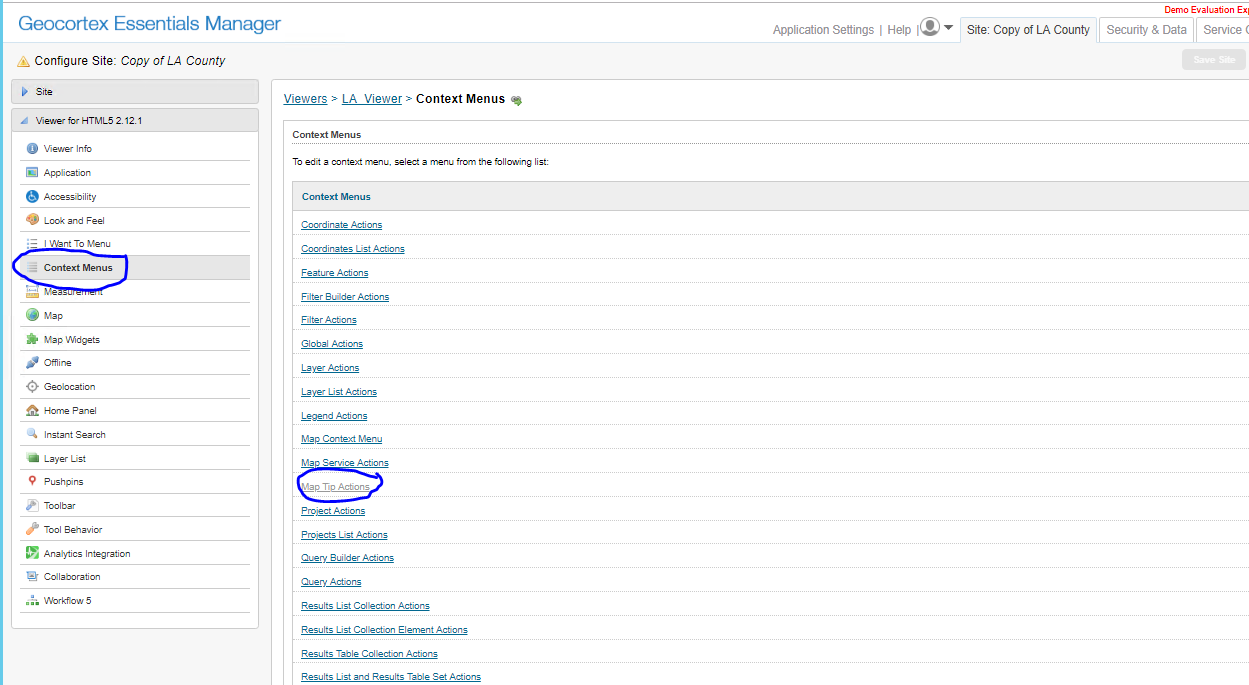
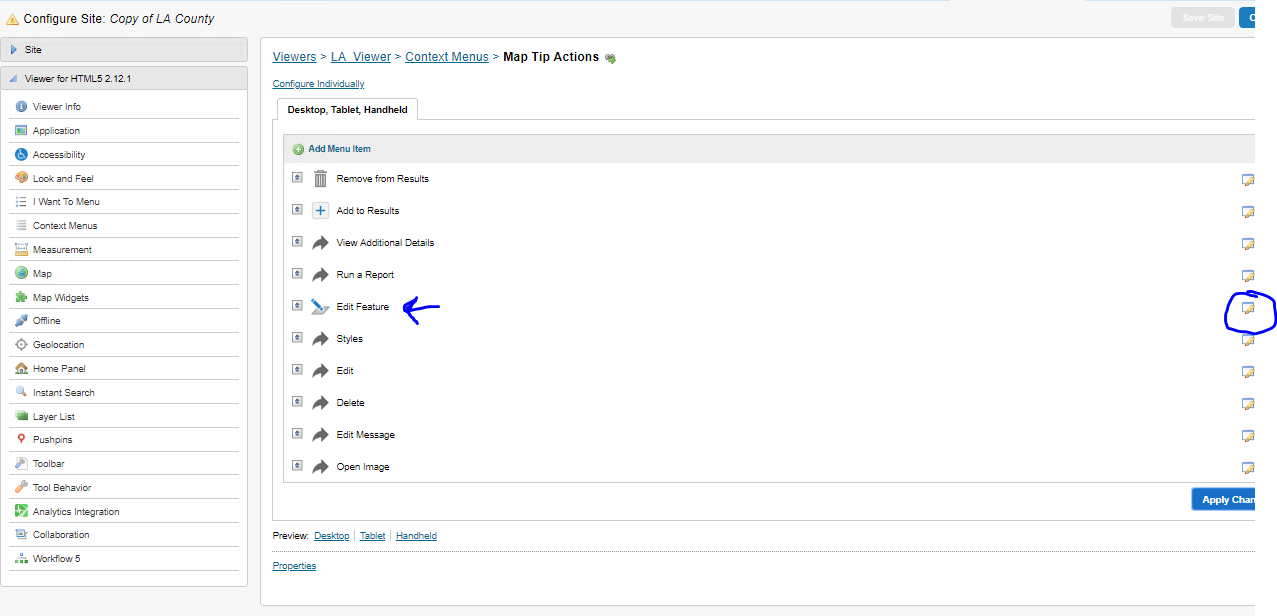
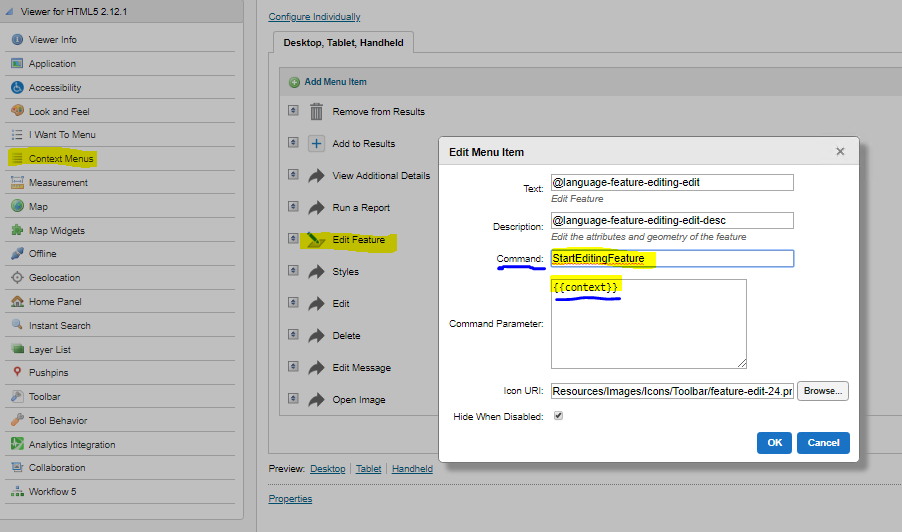
Hope that helps!
Stephanie0 -
Nice find Stephanie - thanks for the instructions :) 0 -
Thank you. I’ll try it right away :) 0
Bitte melden Sie sich an, um einen Kommentar zu hinterlassen.
Kommentare
4 Kommentare