Use the space next to the I want to button in Handheld as map space

I have a map that I have removed the toolbar and global search from, but I still want to use the I want to menu. In the handheld viewer, I changed the background color of the header region to transparent. However, it still showed as a white bar. It looks to me like the container for the map sits below the header region. I tried making the screen region taller, but it completely covered up the I want to button. I can change the color of the header region to match my color scheme, but if possible I would really like to use that extra space for the map. Any ideas would be much appreciated. 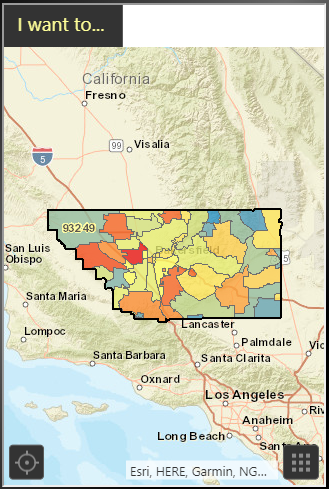
Thanks,
Denise
0
-

Hi Denise,
It sounds like you'll want to move the I Want To button out of the header region. Try editing your viewer config file in a text editor (eg. C:\Program Files (x86)\Latitude Geographics\Geocortex Essentials\Default\REST Elements\Sites\SITENAME\Viewers\VIEWERNAME\VirtualDirectory\Resources\Config\Default\Handheld.json.js)
Search for "IWantToMenuButtonView", and change the "region" property for this view to "TopLeftMapRegion". You can get more info on viewer regions here: https://docs.geocortex.com/essentials/gvh/latest/admin-help/Default.htm#gvh/admin/regions.htm
After doing that, I got some quick and dirty CSS to do the rest of the job (on C:\Program Files (x86)\Latitude Geographics\Geocortex Essentials\Default\REST Elements\Sites\SITENAME\Viewers\VIEWERNAME\VirtualDirectory\Resources\Styles\Custom\Handheld.css). I'd suggest testing thoroughly and/or adjusting as needed:.wtm-button { width: 35% !important; height: 35px !important; left: 0 !important; } .region.header-region { height: 0 !important; } .region.screen-region { top: 0 !important; }
Hope that helps!
-Amanda0 -
Amanda,
Thank you so much for your response! Your solution placed the I Want To Button exactly how I wanted it! I just had to adjust the width of the button to 120px so that I could see all the wording.
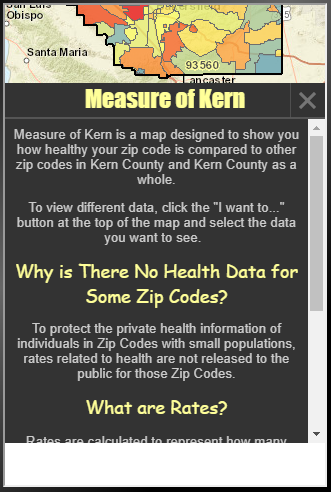
Almost everything works as expected. The only problem I've come across so far is that the BottomPanelRegion sits higher than it's supposed to, leaving a white box at the bottom of the screen when it is open.
Do you know how would I tell it to sit down at the bottom of the ApplicationRegion?
Thank you again!
Denise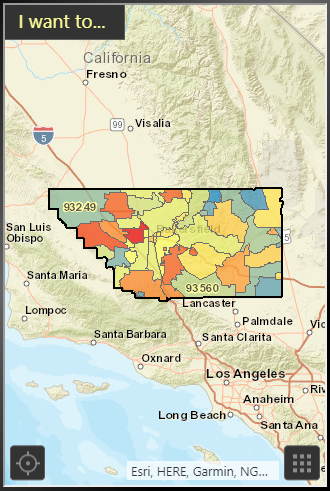
 0
0
Bitte melden Sie sich an, um einen Kommentar zu hinterlassen.
Kommentare
2 Kommentare