Workflow runner doesn't allow multiple instances in a side panel widget using Web App Builder

We have a side panel configured using ESRI web app builder(2.11) to contain our widgets that run the Workflows designed using Geocortex Workflows 5. When we try to run the same workflow multiple times in the same session the workflow doesn't open properly. If we change the configuration of the workflow runner to remove it from the side panel they run properly multiple times in the same session. Does anyone have experience configuring the workflow runner widget in this manner?
-

Hi Tyson,
Can you explain what you mean by not opening properly when run multiple times? I'm assuming you mean after the first workflow runs to completion, you run the same workflow again but it functions differently?
Thanks, Stefan
0 -
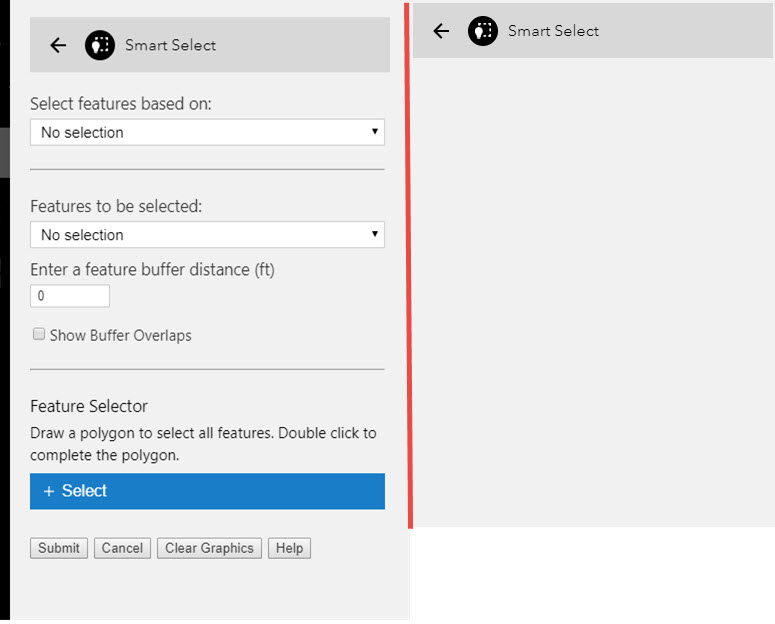
That is correct, when I run the workflow the first time it functions as expected. On any other attempt to run the workflow it never displays the form. The image on the left shows the first time that I run the workflow and the one on the right shows the results every other time. If I move the widget out of the side panel and onto the map it runs properly multiple times.
 0
0 -
I think I'm seeing similar behaviour.
When I run my workflow from the Sidebar Controller, it runs through fine for the first instance.
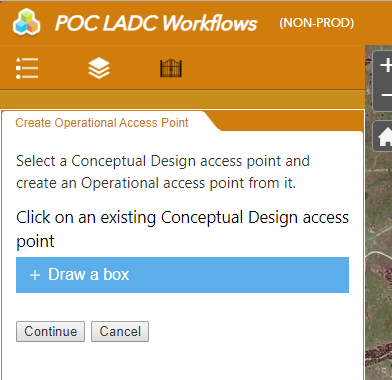
At the end of the workflow the panel becomes blank.
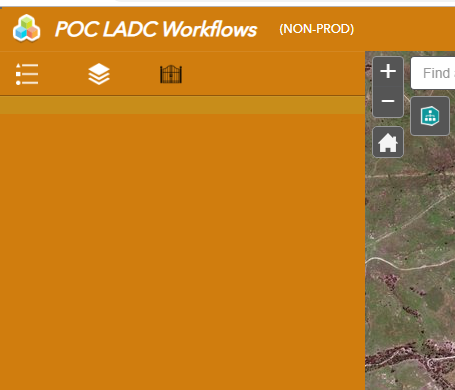
To get the workflow back ready for another run I have to click on one of the other Sidebar widgets (e.g. the Legend) then click back on the workflow to re-initialise it. It seems a bit untidy to just end the workflow and return a blank panel to the user.
Is there an activity I'm missing to re-initialise the workflow once it has run?
Or do I need to build the workflow into a loop with a form that asks the user if they want to run it again?
0 -
Hi Tyson and Dan,
I've filed an issue with your names listed as stakeholders. I'm not aware of any easy solutions for this issue apart from switching back and forth between tabs.
Thanks, Stefan
0
Bitte melden Sie sich an, um einen Kommentar zu hinterlassen.
Kommentare
4 Kommentare