Date Picker issues

In my opinion, there are some issues with the current Date Picker that makes it more cumbersome to use than it should:
- When the Date Picker is the first form element in a form, the "calendar" is automatically expanded. In my workflow, I set it today's date with the load event, and I don't want to pick a new date unless I click the Date Picker. To see the rest of my form, I have to manually close the "calendar". That, for the user, is one click too much
- When I have picked a date, I want the "calendar" to close automatially so I can continue with the rest of the form. Again, I have to close it manually, and it's one click too much
- After I have picked a date, the date field is automatically turned into a text box with an active cursor inside. If I want to pick a different date, i have to click elsewhere in the form before I can open the Date Picker again. Once more: one click too much
- If I have picked a date, say 2019/07/21, and I want to pick another date in the previous month, the date 2019/06/21 is automatically picked when I move from July to June in the calendar. Problem is, I have a change event connected to this Date Picker, and this event is fired with the automatically selected date as input. If I want to pick a date a year back, the change event is fired 12 times. I find that behaviour really troublesome. The Date Picker's value should not change unless I actually pick a date.
Is there a way to configure the Date Picker to work differently?
-

Unfortunately it doesn't look like any of the behaviours called out here are currently configurable.
The second bullet point has an existing Idea post here: https://communities.geocortex.com/s/ideas#087f20000004VRuAAM
If anyone is interested in improving that behaviour, I'd recommend voting or commenting there.
The best action for the other 3 issues/improvements here would be a new Idea post or posts.
0 -

Has anyone made any headway on this? I voted for the idea, but still kinda silly having the date picker expand by default - when you want todays date (=Date.now()) as the value by default.
0 -
Nothing has happened as far as I can see. Looks like LG puts more effort in making new functionality than fixing things that is already in place. The Date Picker actually works, even though it works in a bad way. It is a little embarassing to present a form that uses a component that is not working well, so I hope LG will fix this soon. Good that you have voted for this. I think I posted four different ideas regarding improvements of the Date Picker
0 -
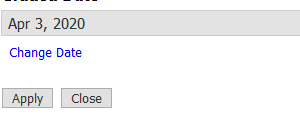
Yes, definitely unfortunate. My work around is to have the datepicker set to today by default, and disabled, then I have add a button directly below the DatePicker that will activate it when click - adding CSS code to make it look like text. Not the best option, but better than having the calendar popup automatically.
 0
0
Bitte melden Sie sich an, um einen Kommentar zu hinterlassen.
Kommentare
4 Kommentare