I am trying to create a value based on multiple selected values from a drop down list. Seems relatively straightforward, but I can't seem to get the syntax right on my 'Create Value' features.

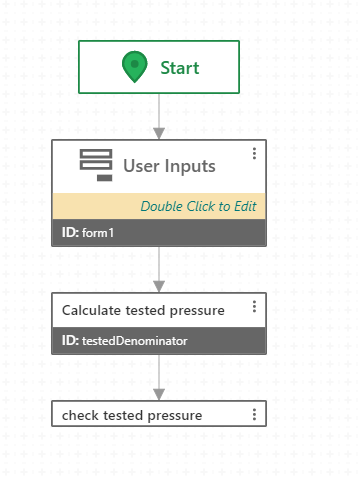
This is my workflow. I have it take several inputs from a user, and then I create a pressure value based on their inputs. I have an alert configured to test the value that the Workflow calculates, but it is inevitably wrong.
Here is a close up of my 'Create Value' feature expression, where LLength and pipeSize are both drop down lists:
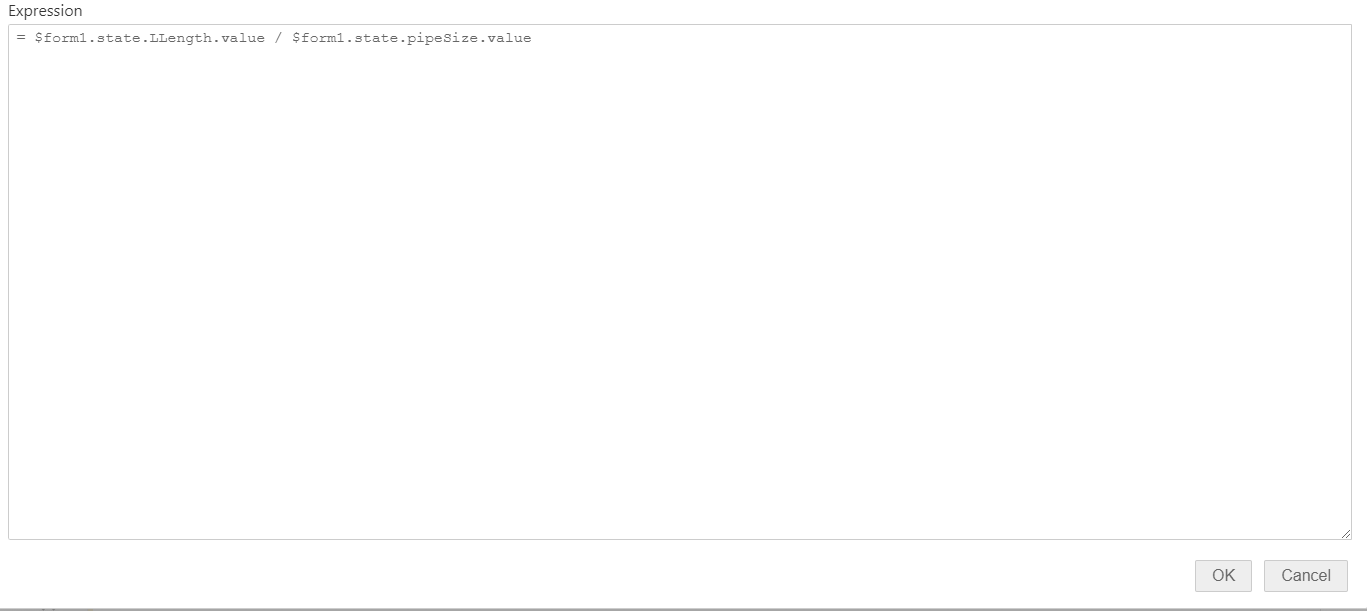
I have tried many variations of dotting, such as using 'current' instead of 'value', but cannot seem to grab the correct values that are entered in the drop down lists.
Any insight is appreciated. Thank you!
-

Hi Andrew,
You are syntactically correctly selecting the value attribute from the Drop Down List in the Create Value activity. In the Drop Down List items themselves, are you assigning a numeric value to each possible selection?
Thanks, Stefan
0 -
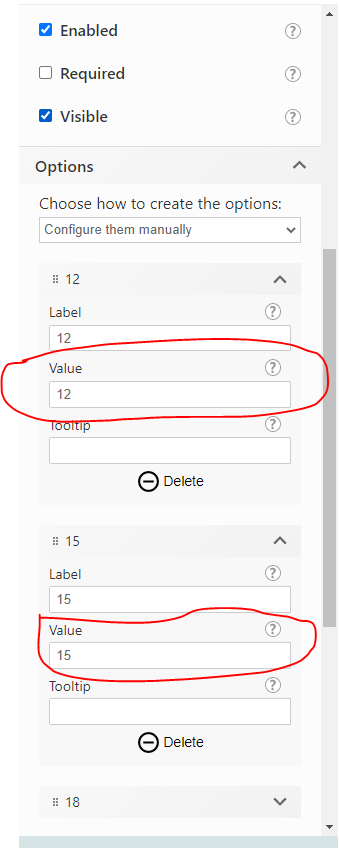
I am assigning the numeric values to the drop down items (assuming this is what you mean):
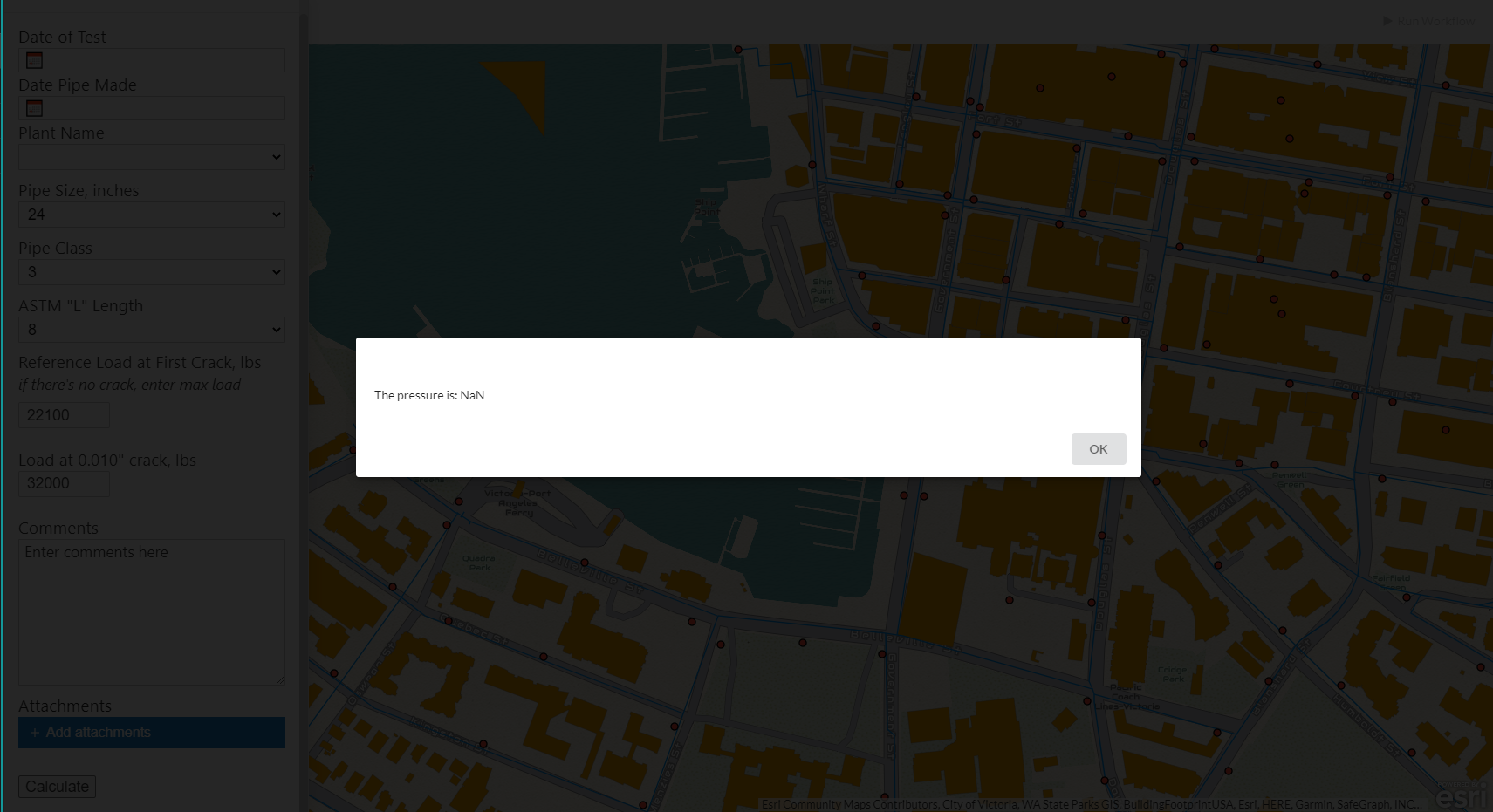
Here is what the alert shows me in the sandbox, 'NaN' being where I would expect the calculated value to be:
 0
0 -
Hi Andrew,
Yes, that's what I was looking for. I think you may need brackets around the division statement. Create Value accepts the any type any tries to infer based on the input as to what type it should be, so using brackets ensures that the value will be a number. The NaN error suggests that the Alert is trying to display the variable as a number, but the type may not be properly set.
Thanks, Stefan
0 -
Thank you Stefan, that was what I needed to fix.
For anyone looking at this in the future, here is what my mathematical statement ended up looking like:
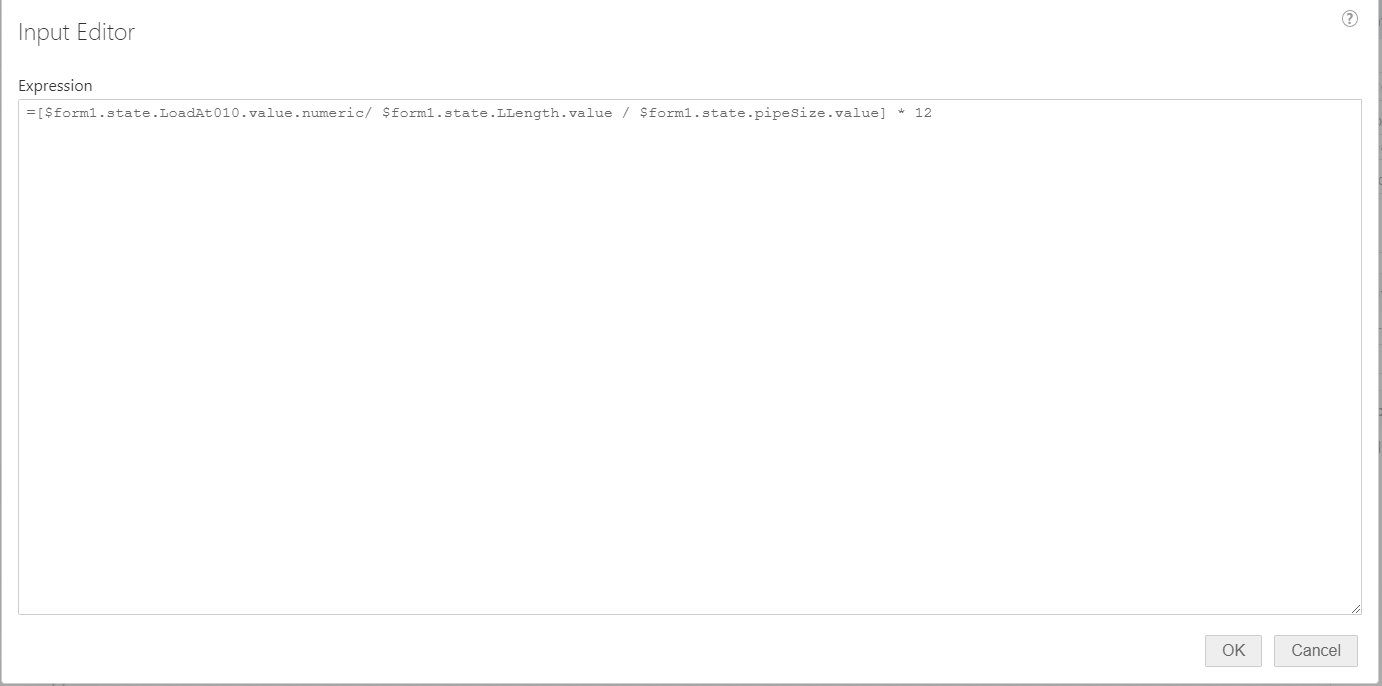
where LoadAt010 is a 'number' element, and LLength & pipeSize are 'drop down list' elements.
0
Bitte melden Sie sich an, um einen Kommentar zu hinterlassen.
Kommentare
4 Kommentare