Survey123 webhook to run server side workflow

Hello,
I'm trying set up the basic example of using a server side workflow and webhook from Survey123 found here:
https://docs.geocortex.com/workflow/latest/help/Default.htm#wf5/help/run-workflows-in-survey123.htm
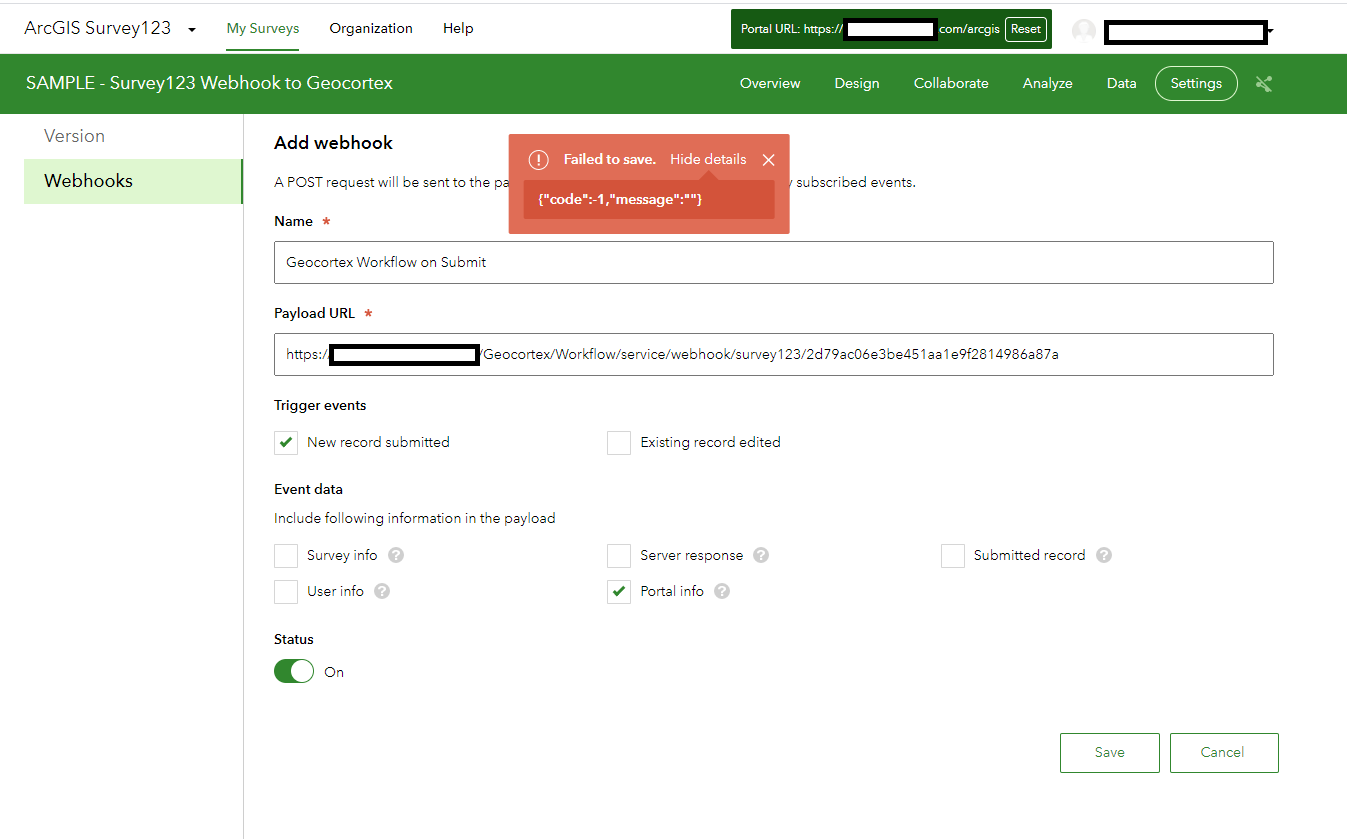
The survey is stored on our on-prem Portal. If we try to setup the webhook in the survey, we get a non-descript error and the survey will not save:
{"code":-1,"message":""}
Has anyone else ran across this?
-
I forgot to include the versions:
Geocortex Workflow 5.18.1
Survey123 3.11
0 -
Hi Ryan,
Thanks for the reply. I actually saw that thread as well and tried the suggestions in there with no luck.
I'm going to try Survey123 with a different webhook to see if the issue is limited to Geocortex Workflow Server on my end.
Matt
0 -

It is possible that on-premises Survey123 attempts to validate the URL. ArcGIS Online does not. An unreachable host name or an invalid or self-signed SSL certificate on the Workflow machine could block this sort of thing.
0 -
Thanks again for the replies. I tried from ArcGIS Online as well and have the same issue. I tried using Microsoft Flow and everything worked as epected so there must be something specific with our Workflow Server install. It is publicly accessible and has a valid SSL cert for it.
0 -
I just double checked the ArcGIS Online version of Survey123 and I was able to create a new survey with a webhook pointed at a workflow.
0
Bitte melden Sie sich an, um einen Kommentar zu hinterlassen.
Kommentare
6 Kommentare