GXW app won't push to production

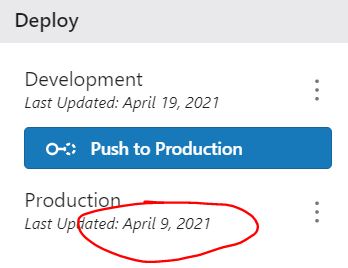
An app of mine won't launch the capabilities dialog after pressing the Push to Production button. It is therefore stuck at Dev. As we use SaaS, the version has changed from 5.11 to 5.12 automatically (it last worked at 5.11).
Changing the deployment strategy hasn't worked and testing in Chrome and Edge hasn't made any difference. Saving as a new Dev app hasn't worked.
No other app in our organisation has experienced this. Have others seen this behaviour?
I'm looking at needing to recreate the app unfortunately.
-

Hi Leon,
One option would be to try and open the Sharing Permissions dialog to see if all referenced items are showing up properly. Sharing Permissions of both Dev and Prod would be good to check.
0 -
No issues with sharing that I can see - nothing has changed since 5.11 to 5.12, including the webmap or webscene.
We are now seeing this on another team member's app also, so I'm wondering if this is heading towards bug territory...
0 -

For those following, we reached out to Leon and figured out the issue. It was related to the Geocortex Printing server not being accessible from Web Designer when trying to deploy.
0 -
That was it. The GX Printing service couldn't be reached though no error was being thrown (capabilities dialog didn't show).
Many thanks to the VertiGIS team for assisting.
0
Bitte melden Sie sich an, um einen Kommentar zu hinterlassen.
Kommentare
4 Kommentare