Authentication Required window does not go away when adding a Web Map.

I created a new web map. Then, I created a new Geocortex Web app. When I select the newly created web map, I get the "Authentication Required" popup.
I shared the web map with the organization. Since I am not sure what the map layers permissions are. I want to know what requirements -specific permissions the map layers must be in order for this "Authentication Requirement window to not show. Thank you.
-

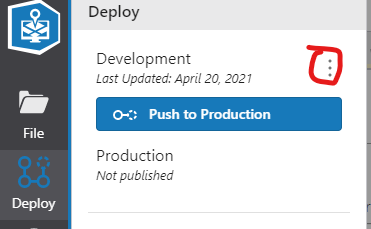
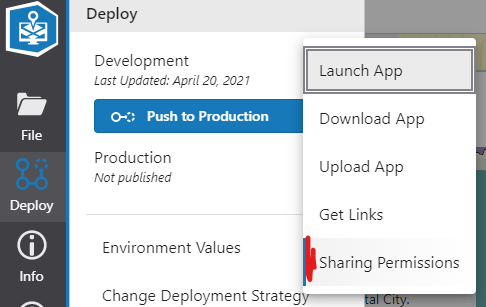
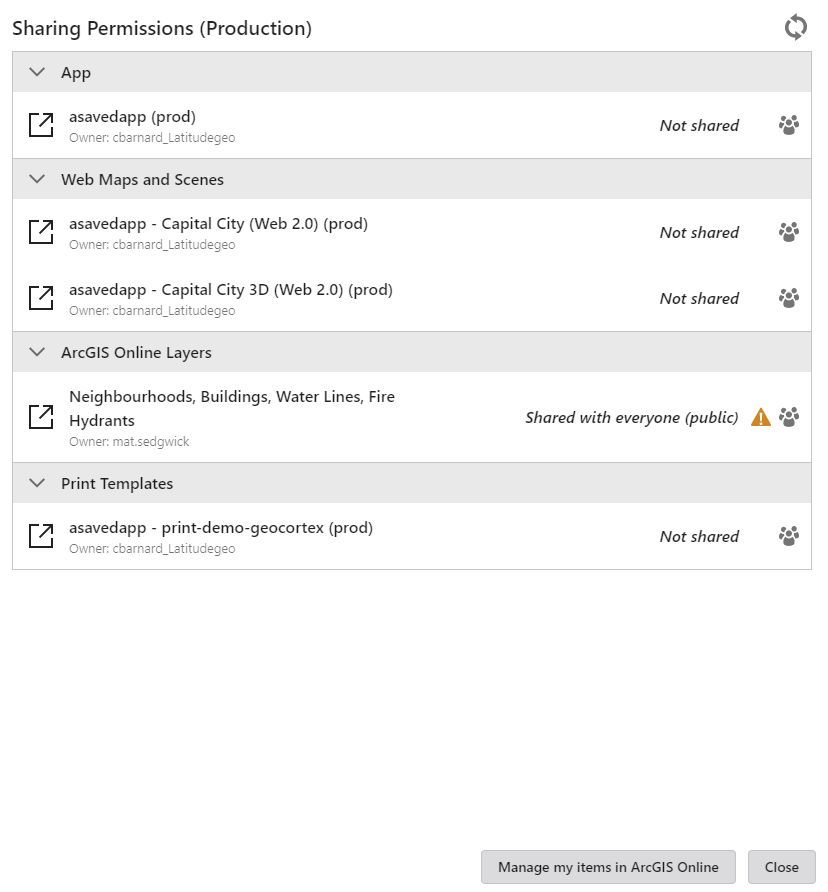
Hi Jenny - If you haven't already discovered it, an easy way to see what aspects of your GXW app permissions are set to is the sharing permissions dialog (see below)
If your intent is to have an app that requires no authentication, then ensure everything in the dialog is shared 'publicly'.
If your intent is to have the users sign in once, then set the app item, and all its dependencies to shared with org. Your users will sign-in as the app starts, and then shouldn't be prompted again.
 0
0
Bitte melden Sie sich an, um einen Kommentar zu hinterlassen.
Kommentare
1 Kommentar