Layer added from Catalog doesn't persist in layer list

I have added an Add Layer button to my existing GXW site (at 5.12), similar to the Default Web Template. I have also configured tags in my Portal and the Portal settings of my App.
Pressing the Add Layer button (funnily, it takes two presses...) opens the Choose Layer dialog and I'm presented with the datasets I can add from my Portal. Once I've chosen one and press ok, the Layer is briefly added to the top of the Layer List (I get a quick view of the data on my map), and then both disappear!
I've tried the same process with the same datasets/tags in a blank Default Web template and it works perfectly as expected.
I've tried copying configuration for the button and layer list from the Default Web template to my app without success. Any suggestions for fixing this behaviour?
Leon.
-

Do you see errors in the browser console?
0 -
Hi Nico,
no nothing that stands out - just a few warning regarding labels.
0 -
Hi,
I'm following up on this.
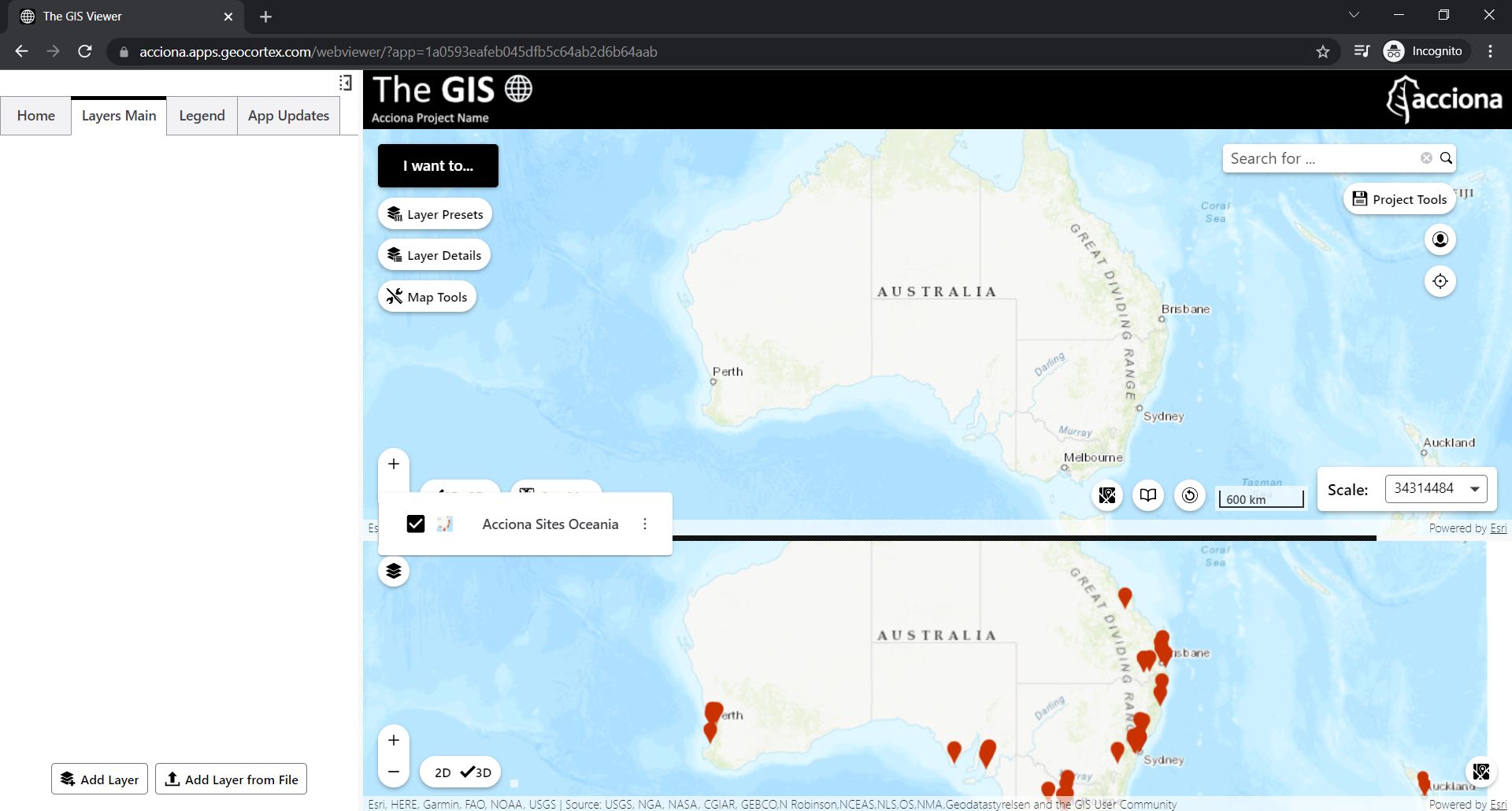
It seems like the layers are successfully being added to a map I have in another panel. I didn't realise this as it's usually closed.
The issue I currently have, is that I can't find a way to force it to add layers to my default map. I'm trying with a custom add-layer command, but have yet to have it succeed. Is this the right approach?
See screengrab showing the issue I'm having. The layers should be added to the top (default) map.
 0
0 -
And just like that, solved.
Just had to get my head around the custom command syntax and was able to define the map for adding layers into.
0 -

@Leon Bowers? Glad to hear you managed to sort this out, I wasn't able to reproduce what you were seeing in my own experiments.
0
Bitte melden Sie sich an, um einen Kommentar zu hinterlassen.
Kommentare
5 Kommentare