Get app maps/scenes with a command?

I have a button on a map that is running a WF. Some map events send the context to the WF but it seems with the btn click on map it does not.
Is there any easy way to get all the maps/scenes in the app using a Web command/operation?
-
Offizieller Kommentar

Hi Andrew,
It depends what you are trying to do in the Workflow, but all "map." commands and operations will take a `maps` argument to target the specific map using an item reference. A full list of "map." commands and operations can be found here https://developers.geocortex.com/docs/web/api-commands-operations-events .
Here is an example of the "map.rotate-by" command being run in Workflow.
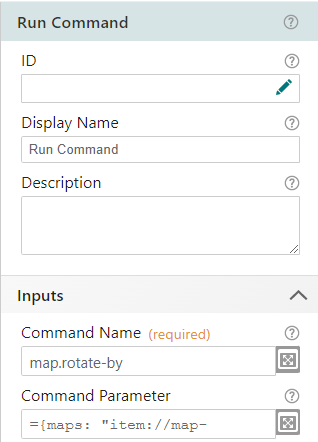
Where the command parameter would be
{ maps: "item://map-extension/<model-id>", rotation: <number> }(note in the implementation, the <> are removed, so the argument would be "item://map-extension/123" for example)
The model-id can be found through VertiGIS Studio Web Designer:

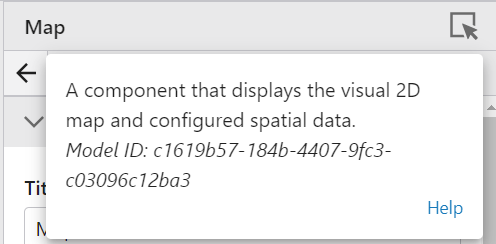
Multiple maps can be targeted by simply passing in an array into the `maps` argument like such:
{ maps: ["item://map-extension/<model-id1>", "item://map-extension/<model-id2>"], ...otherArgs}If the maps argument is omitted all maps are targeted.
The same syntax is used if targeting one or more scenes.
Bitte melden Sie sich an, um einen Kommentar zu hinterlassen.
Kommentare
1 Kommentar