Is there a way to use markdown and an expression term/variable to create a URL using markdown?

How can I generate a URL using markdown but have the URL be made up of $variables from preceding activities.
The markdown doco is here but I can't see how to use markdown AND variables in a display form.
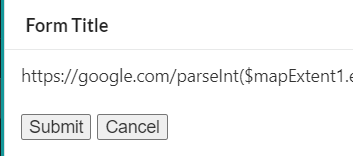
In this dummy example, the URL in a form description is made up of google.com and a term from preceding activity. None of them result in a 'dynamic url' being presented in the form.
I'd also be happy the the URL opening in a web page upon clicking.
https://google.com/parseInt($mapExtent1.extent.ymin)
also tried
='https://google.com/' + parseInt($mapExtent1.extent.ymin)
also tried
[Link](https://google.com/$mapExtent1.extent.xmin)
 Hopefully this is an easy one and just me being a newbie .
-

Hi @Peter MacKenzie? ,
Yes, it is possible to do what you want. There are a few key points you need to know:
- You will need to use the Set Form Element Property activity to add the hyperlink to the appropriate element. This will need to be done in a form event subworkflow, such as the load event on one of the elements.
- The description property is available on all form elements and it supports markdown. You will probably get the desired outcome if you specify this as the Property Name.
- The Property Value input will need to specify an object with a "markdown" property, not just a plain string. Here is an example of appending the content of a text box to a link to Google:
={"markdown":`[Click Me](https://google.com/${$form1.state.textBox1.value})`}0
Bitte melden Sie sich an, um einen Kommentar zu hinterlassen.
Kommentare
1 Kommentar