How do I set the search's set list view mode, to grouped?

In the search I've tried to get the default results view mode to be grouped. I just keep getting more errors. I think I'm missing something really small. Any ideas how to do this?
Thanks!
-

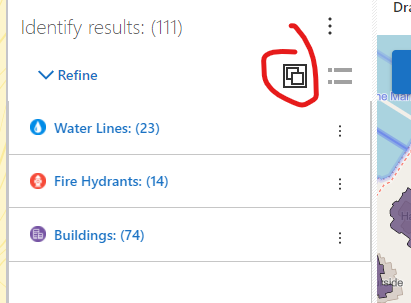
Currently you do this as an end user right in the search results interface using this button. Once set, that application will remember that setting for that user between sessions.
 0
0 -

@Bryan Townsend? Hi Bryan did you ever find a way to set grouped results as default without any user interaction? And if so was this in the on premises or SaaS cloud development environment?
Thanks!
Don
0 -

Anyone find a way to set this by default for all users?
0 -

What if you use a startup workflow in your app with the results.set-list-view-mode command, and set it to grouped?
results.set-list-view-mode
Sets the view mode for a particular results list component, or globally for all results list components. Web only.
Argument
Any of:
SetListViewModeArgs
"grouped" | "ungrouped"
0 -
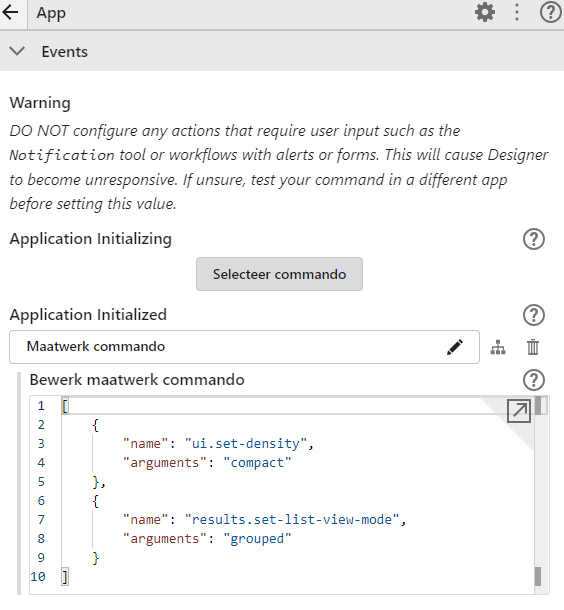
In the "Simple app" sample app which VertiGIS delivers I see it is configured in the App service, Application Initialized event.
 0
0 -
Nice, that worked! Thanks Nico.
0 -

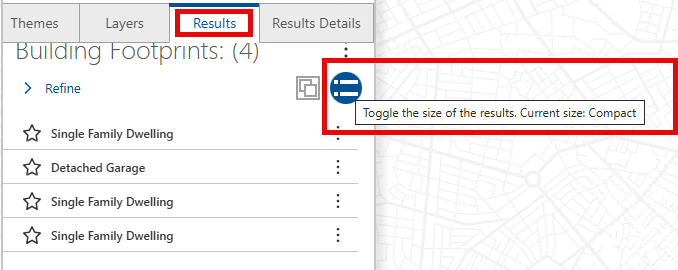
Piggy-backing off of this Cam Barnard or Nico Burgerhart , is there a command that can be set to make the results “compact” after a group is selected in the the results list? The default is “standard”, but I'd prefer the default to be compact. The set density command (ui.set-density) for the App Initialization doesn't apply to the results lists density.
This is the function I'm referring to...
 0
0 -
Without testing, I think it is this command
0 -
Thank you Nico Burgerhart , I'll give it a test.
0 -

Hi Vanessa Pocock
Nico got it - though to confirm, you could do this by setting results.set-list-card-size in the Map initialized event.
For example:[{"name": "results.set-list-card-size","arguments": "compact"}]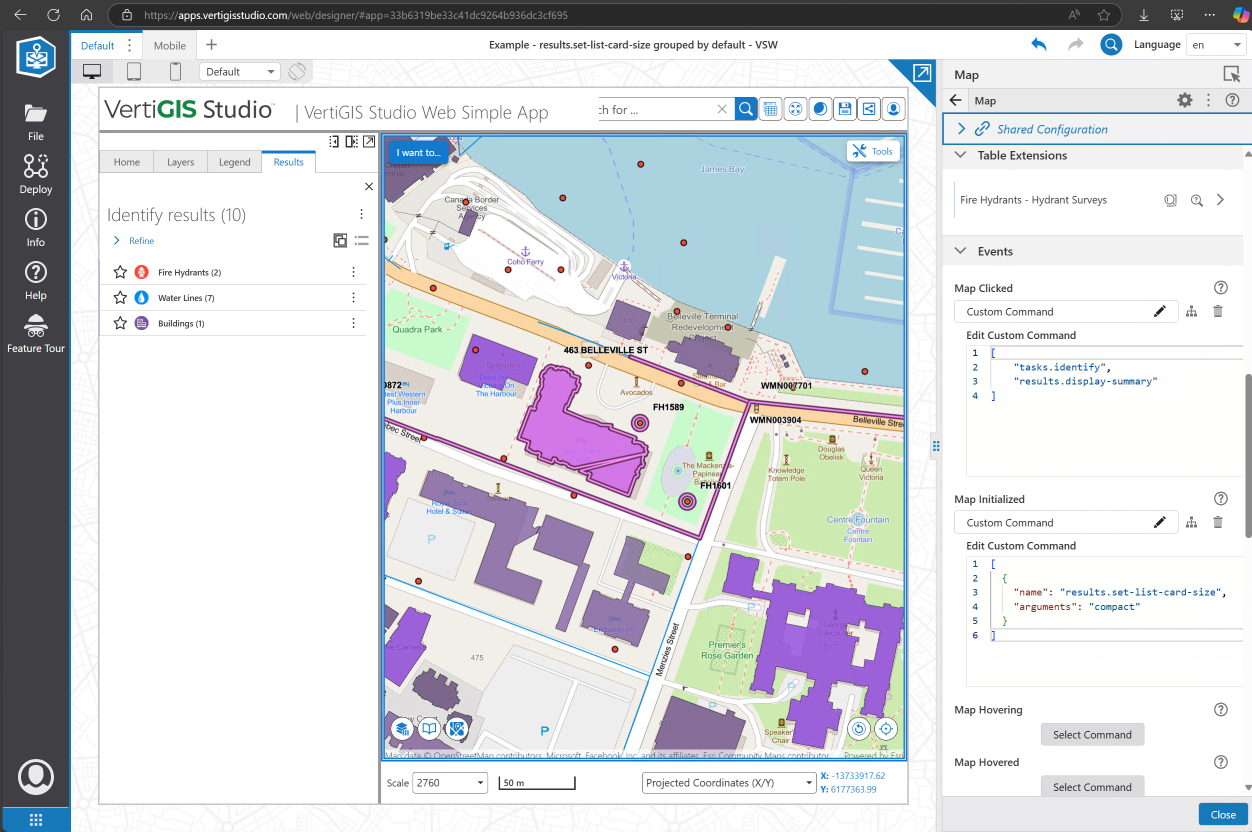
See this super quick demo app (if you have SaaS access):https://apps.vertigisstudio.com/web/designer/#app=33b6319be33c41dc9264b936dc3cf695
0 -
Thank you @... !
0
Bitte melden Sie sich an, um einen Kommentar zu hinterlassen.
Kommentare
11 Kommentare