Configure Results List like GHV

Is there a way to configure the results list to work like it did in GHV? I have just started working with GW and find the results list, result details, and map tip functionality to NOT be very user friendly or functional.
For example in the view below the user can't see the details from the web map's configured popup. To get the details the use will have to click each result one at a time (or switch to a grid)
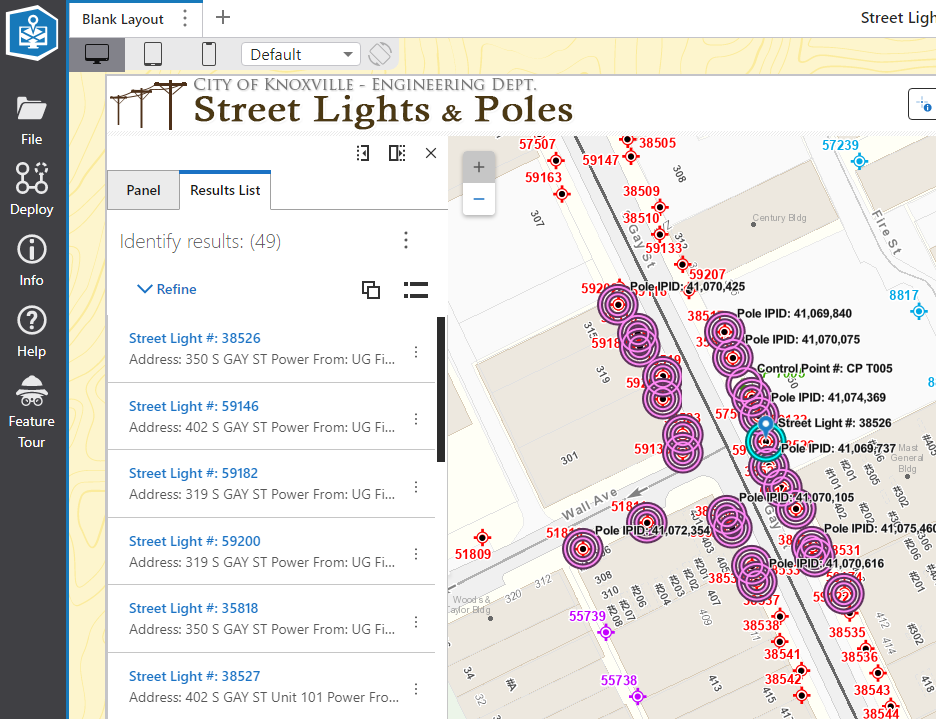
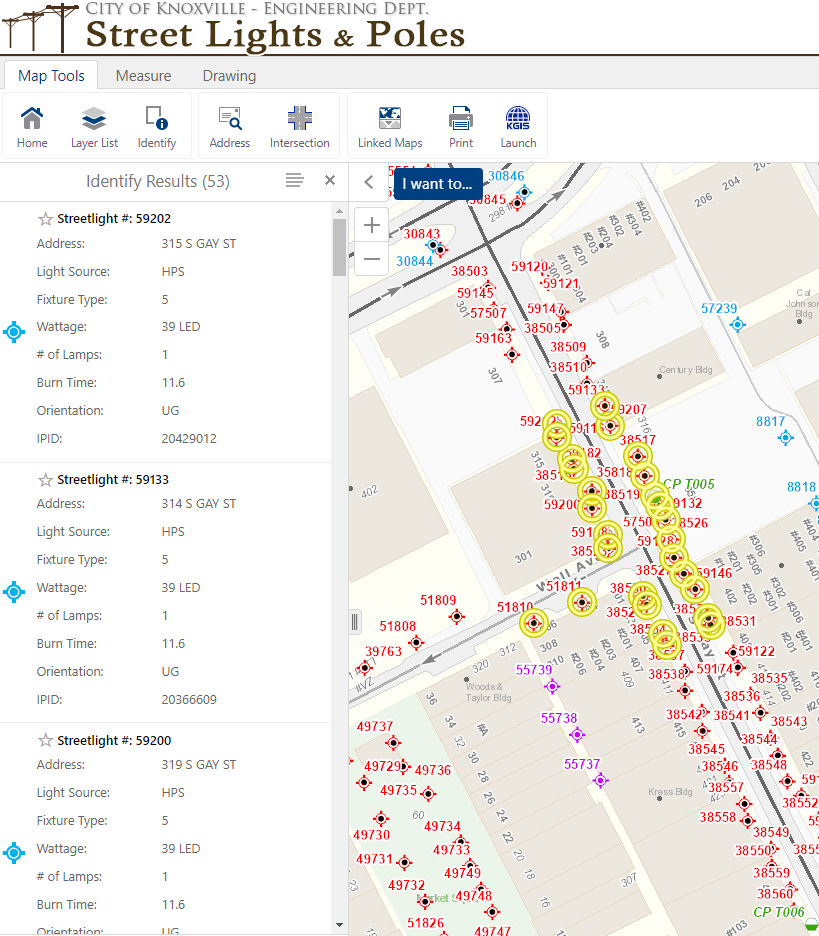
Here is a screen shot from our existing application. The user can select a set of lights and quickly scroll through the list and easily see the important information. If they need more - which they typically don't they can simply click the record and get the full list of details.
Here is the same type of situation from another application. User can select the parcels they are interested in and easily run reports or get other info without clicking back and forth between the details and results.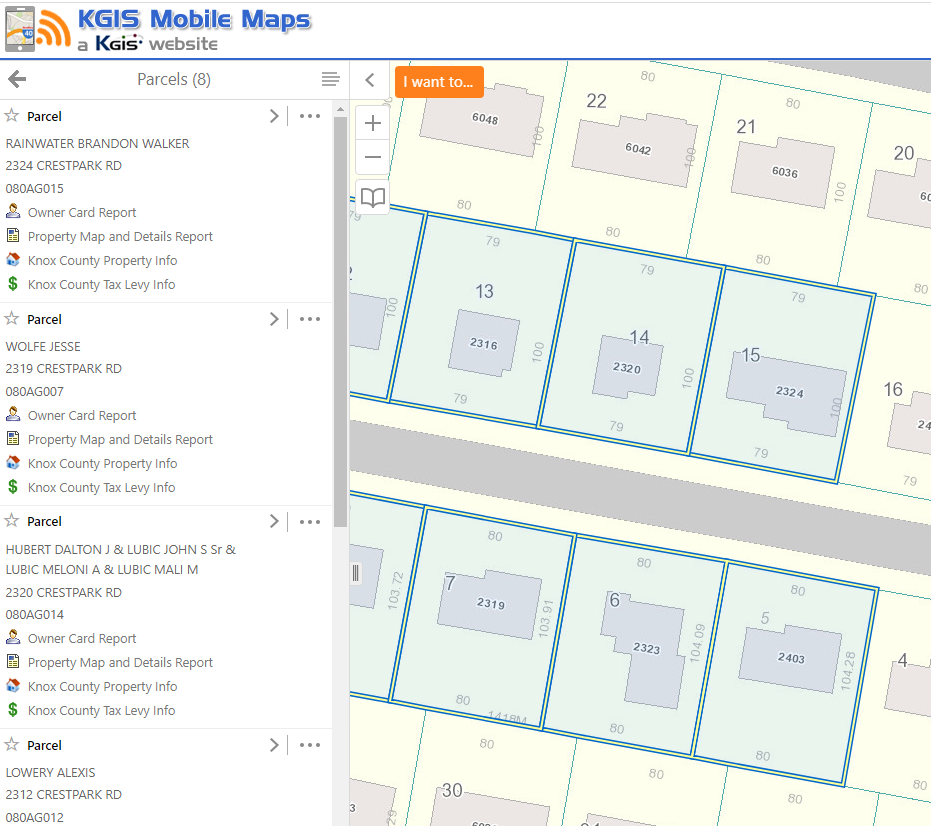
I am open to any suggestions on how to get this type of functionality back.
-

Hi Bryan. You've done a particularly good job summarizing the challenge with your examples. This has come up a couple of times recently. We have started looking at this to determine the best way to allow this use case of 'more than just a list, but less than all details' way of displaying results to end-users.
4 -

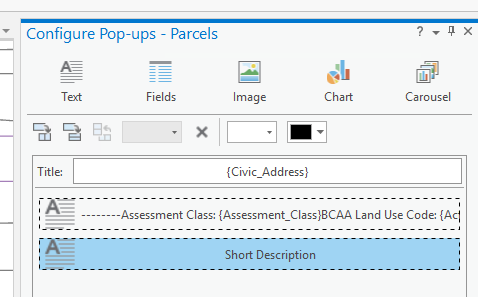
With GHV we can define a Feature Short Description and Feature Long Description. This would ideal, especially if the size of the identify results window could be dynamic or configurable. Pop-ups in ArcPro allows for different pop-up elements. It would be great to be able to use this functionality to set what's included in the initial identify or map tip results vs the detailed results.
 1
1 -

It would also be nice if when using Standard size of results, those without details to show below the title took up less room, so a mix of Standard and Compact sizing.
1 -

Cam, has there been any movement on this? I'm surprised there's not an option to display all the popup contents in a list, as that's probably what most users want to see. Currently (at least for me) each result displays in 100px high area, which shows only 2 ½ lines from the popup. Not only is that not particularly useful, but it doesn't look very good. I'd love to have the ability to scroll down a list of all results, and have all the popup information show.
1 -
Chris Dunlop Some initial work on this was done as part of 5.21 in January 2023. There is now a results service and you can adjust the height of the cards shown in the results list.
It isn't perfect yet, but the first pain point (and some related bits) were addressed.
The way I describe this is … I want my results list to show enough information for a configure app that most of hte time the user doesn't have to go to the result details. This was enabled.
0 -
Thanks Cam, being able to adjust the height of the cards shown in the results list is a good first step. One possible enhancement would be to have the option to automatically resize the card size to fit all the popup. Different layers may have very different popup sizes…
Like Brian's initial post, I'm also struggling with the interplay between the Results List and the Result Details components. I'm basically trying to replicate Essentials functionality - if you select multiple features, they show in a list with key attributes/feature action hyperlinks etc. Then if you click on an individual result, you are shown ALL the fields for that feature. Selecting multiple features opens the Results List, and each feature shows information from the webmap popup. So far so good. But when you click on an individual feature, it basically shows you the exact same field information - only what's defined in the webmap popup. Is there a way of having the details show ALL fields, even when a webmap popup is defined?
1 -

We need some movement on this
2
Bitte melden Sie sich an, um einen Kommentar zu hinterlassen.
Kommentare
7 Kommentare