VertiGIS Studio Web 5.18.1: Registering “portal for arcgis” fails and says “the given value is not a valid arcgis portal url”,

VertiGIS Studio Web 5.18.1: Registering “portal for arcgis” fails and says “the given value is not a valid arcgis portal url”,
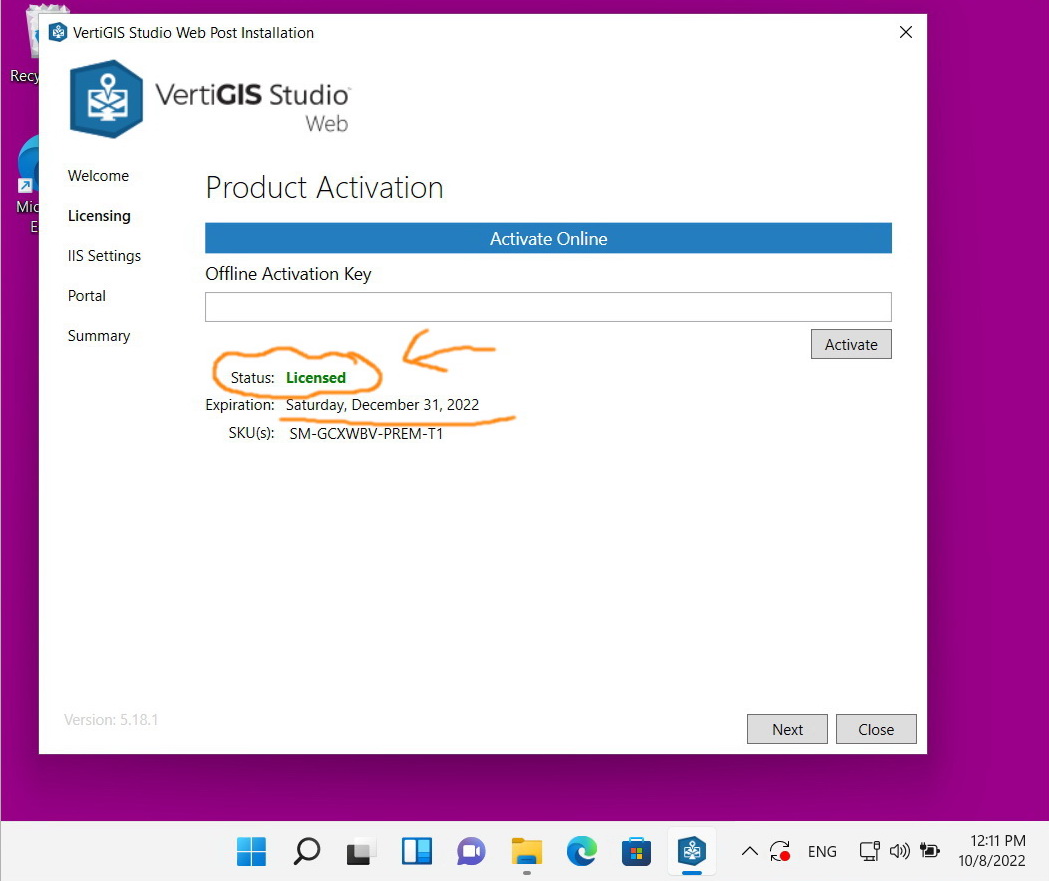
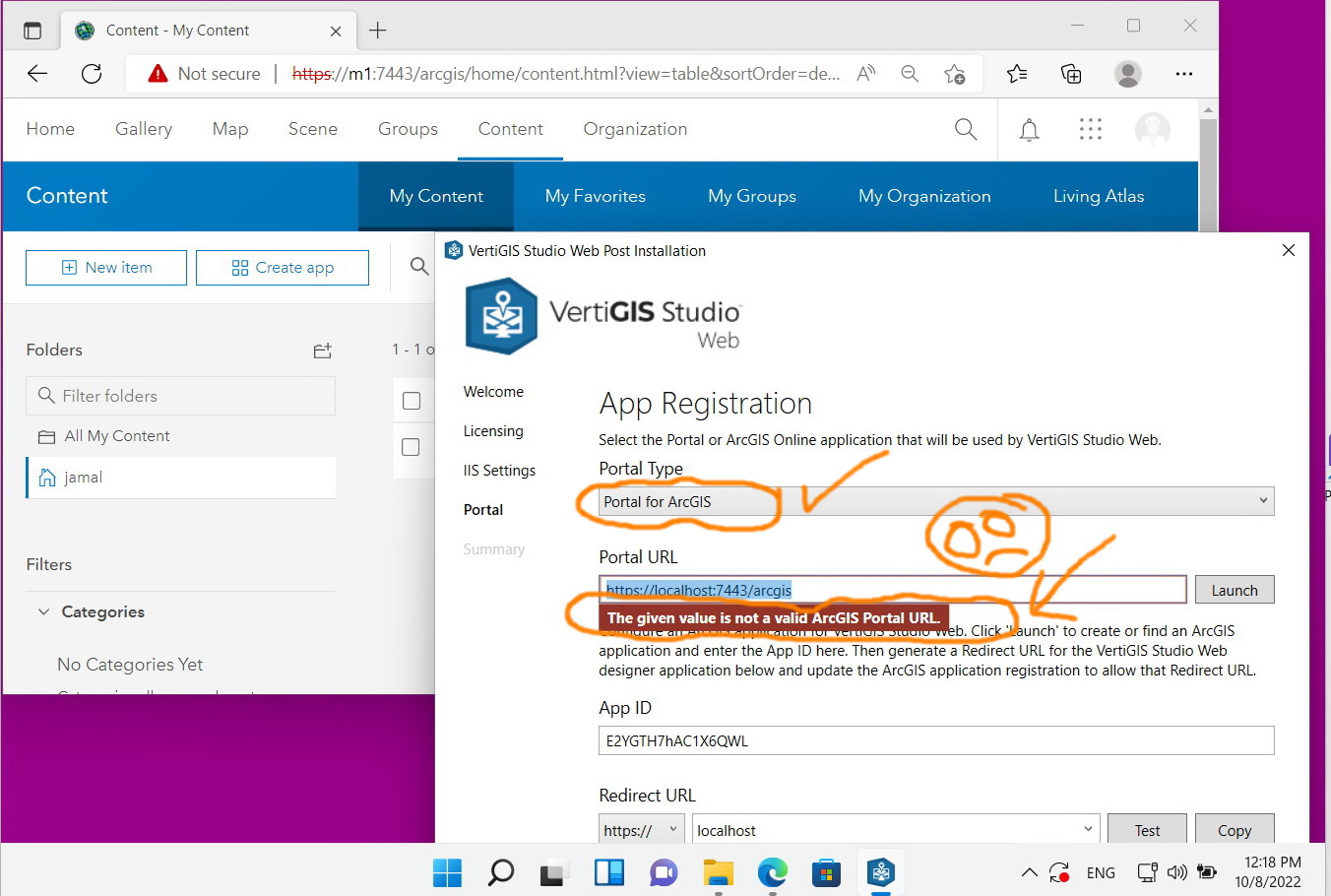
As per the screenshots below, despite the fact that the VertiGIS Studio is licensed, registering “portal for arcgis” fails and says “the given value is not a valid arcgis portal url”.
What might be the issue here?
-

Often ths URL ends with /portal.
1 -
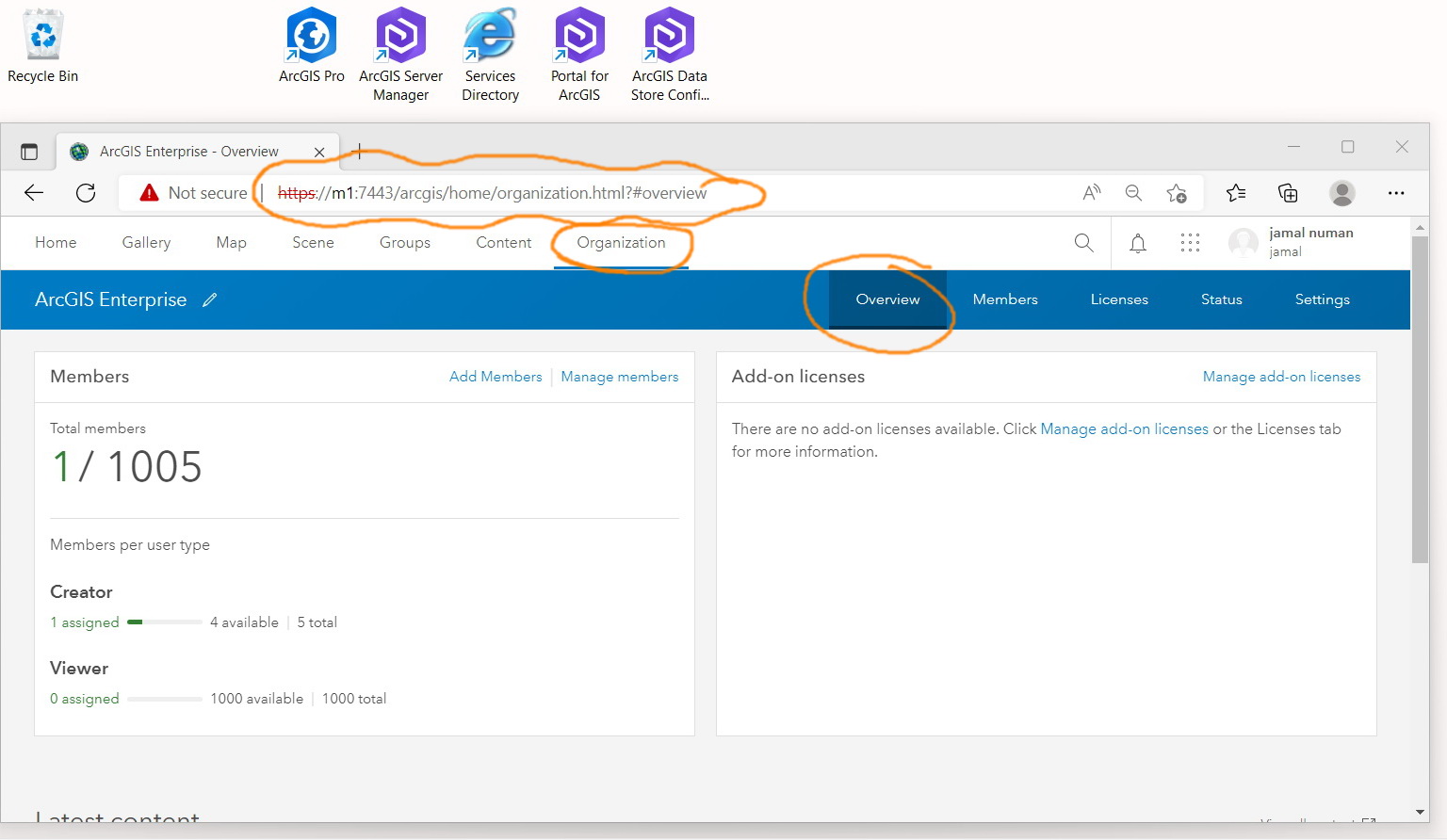
A s per the screenshot, this is the url of our portal
https://m1:7443/arcgis/home/organization.html?#overview
what could be the issue here?
 0
0 -

Hi Jamal Numan this error is correct: the URL that you've entered - <https://localhost:7443/arcgis> is not reachable from the VSW server and is not a valid ArcGIS Portal URL.
I note that in your screenshot the URL you're using is https://m1:7443/arcgis - this has a few issues:
- Web adaptor URL - You're using :7443 and /arcgis - this is bypassing the web adaptor. You should use a web adaptor URL, e.g. https://server.domain.com/portal - in the format protocol://servername.domainname.TLD/webadaptorname
- Self-signed certificate - while it is possible to use a self-signed certificate with ArcGIS Enterprise, it is not in Esri's security best practices
So, what I'd suggest:
- try using the https://m1:7443/arcgis URL - that might work though we don't document this and thus don't support this scenario
- Ideally, you'd have a domain-joined Portal server using a web adaptor with a valid CA-signed SSL certificate bound on port 443. This is what we see in most customer environments as an industry standard. Deviating from this standard means that your mileage may vary.
For further reading:
- See our documentation on VSW installation: Web Installation Help - Post Installation (vertigisstudio.com)
- Esri's Portal getting started docs: Getting started with Portal for ArcGIS—Portal for ArcGIS | Documentation for ArcGIS Enterprise
- Esri's Security best practices—Portal for ArcGIS | Documentation for ArcGIS Enterprise
- Esri's AGS best practices Best practices for server certificates—ArcGIS Server | Documentation for ArcGIS Enterprise
- Let's Encrypt - Free CA-signed HTTPS certificates Getting Started - Let's Encrypt (letsencrypt.org)
0 -
We are aware of all security issues and best practices but at the moment we are working on a test environment to explore the capacity of VertiGIS and to find out how we can migrate from Geocortex to VertiGIS.
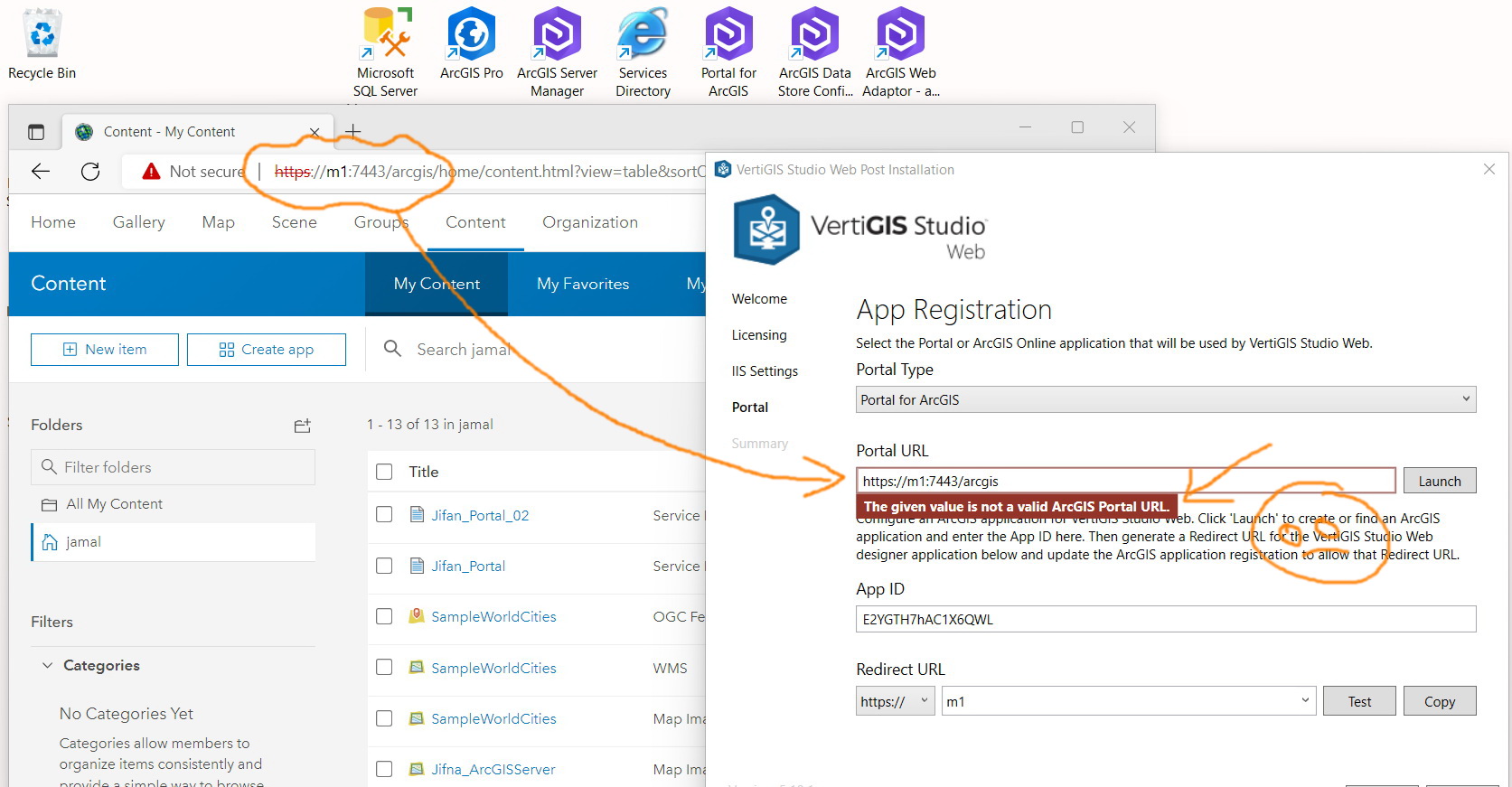
However, the portal fails with the https://m1:7443/arcgis
How this can be resolved?
 0
0 -
Hi Jamal
You need to use a web adaptor with your portal. The :7443/arcgis URL is bypassing the web adaptor, this is not supported.
To fix this, you need to deploy a web adaptor for your portal, as described by Esri: About ArcGIS Web Adaptor—ArcGIS Enterprise | Documentation for ArcGIS Enterprise. This is necessary, even for a test environment.
Once you've deployed your web adaptor, you'll then have a URL something like https://m1/portal - this should work.
1 -
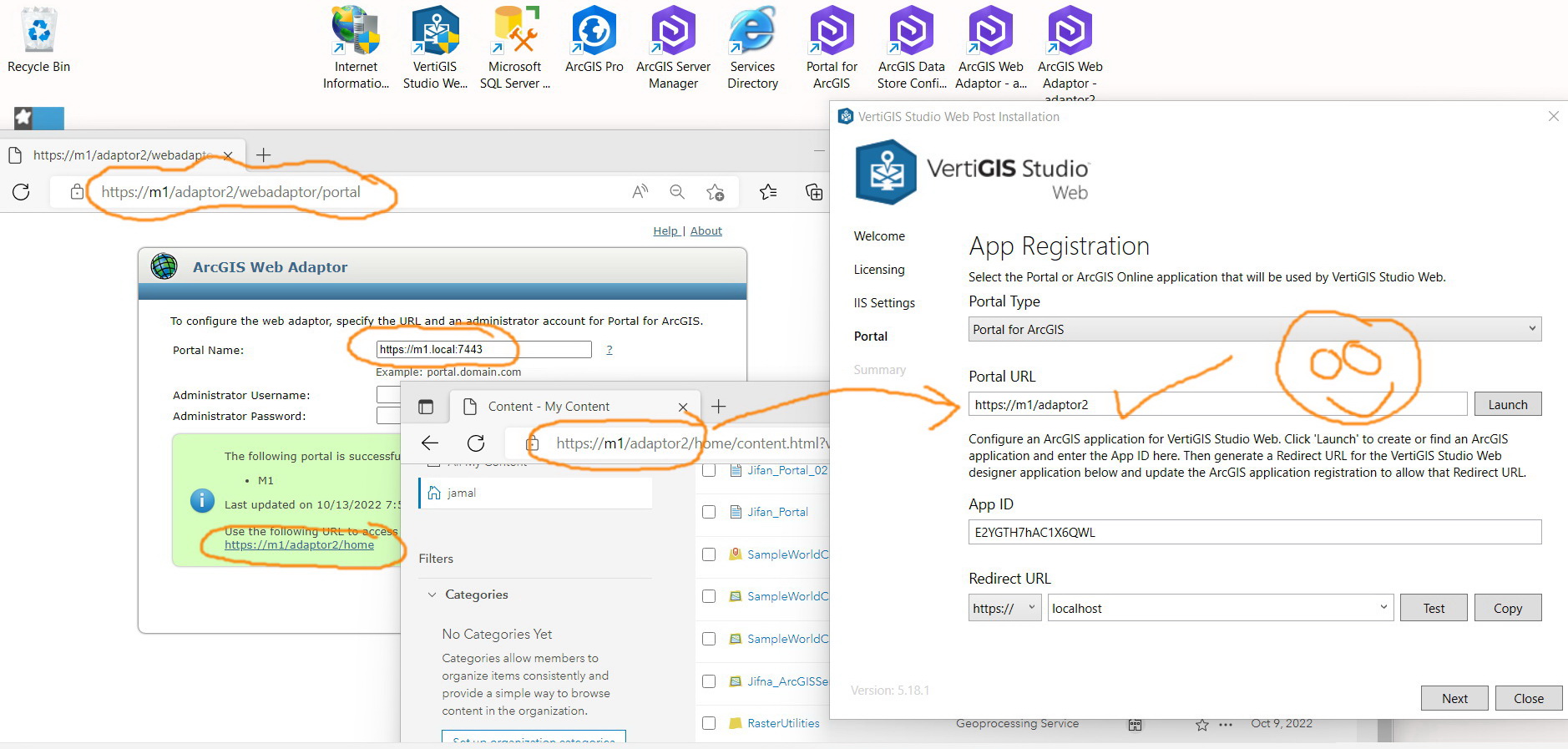
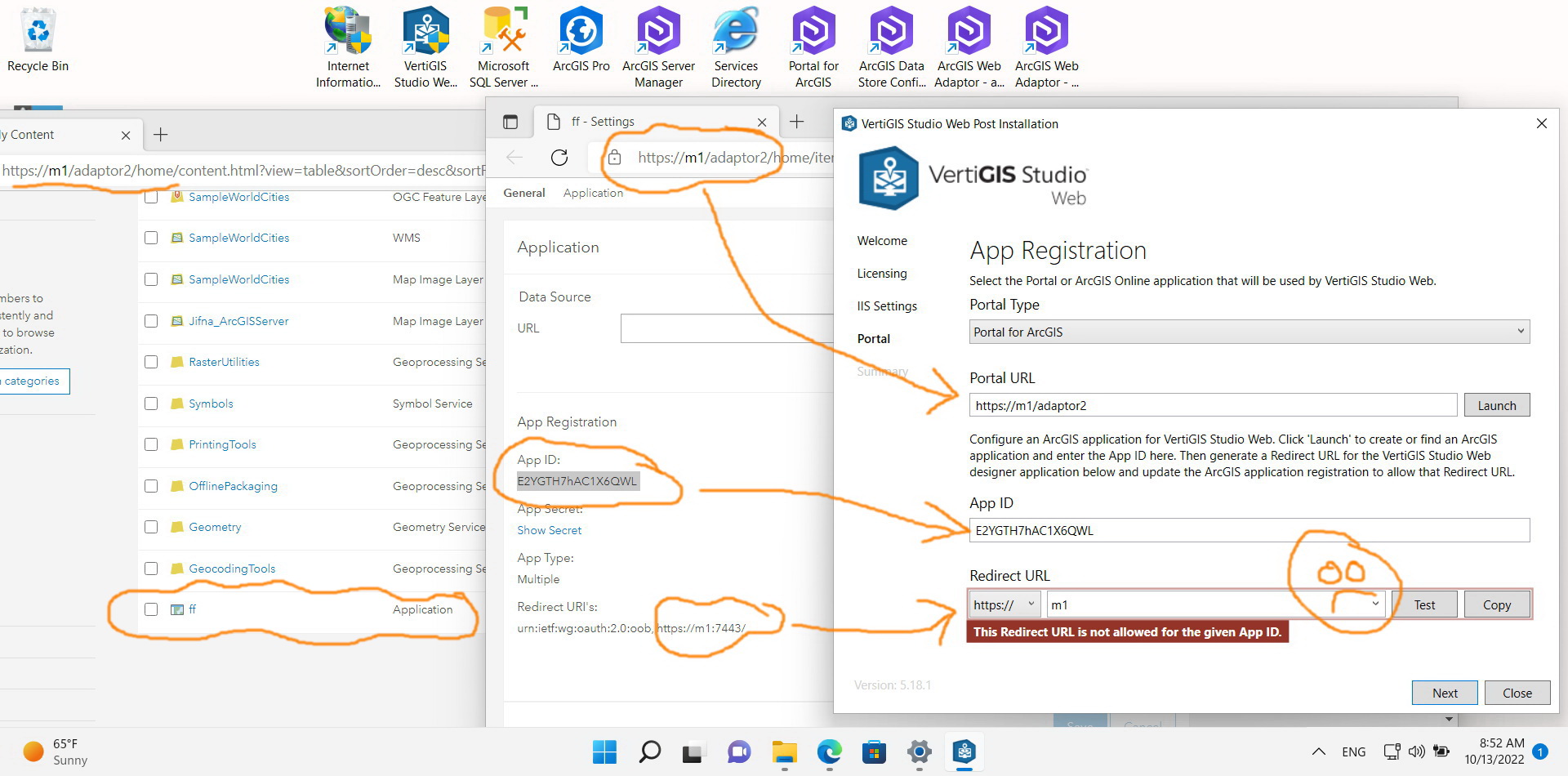
Correct. It works fine with the web adaptor URL. However, the redirect URL fails despite the fact that all configured correctly as per the screenshots below
What could be the issue here?
 0
0 -
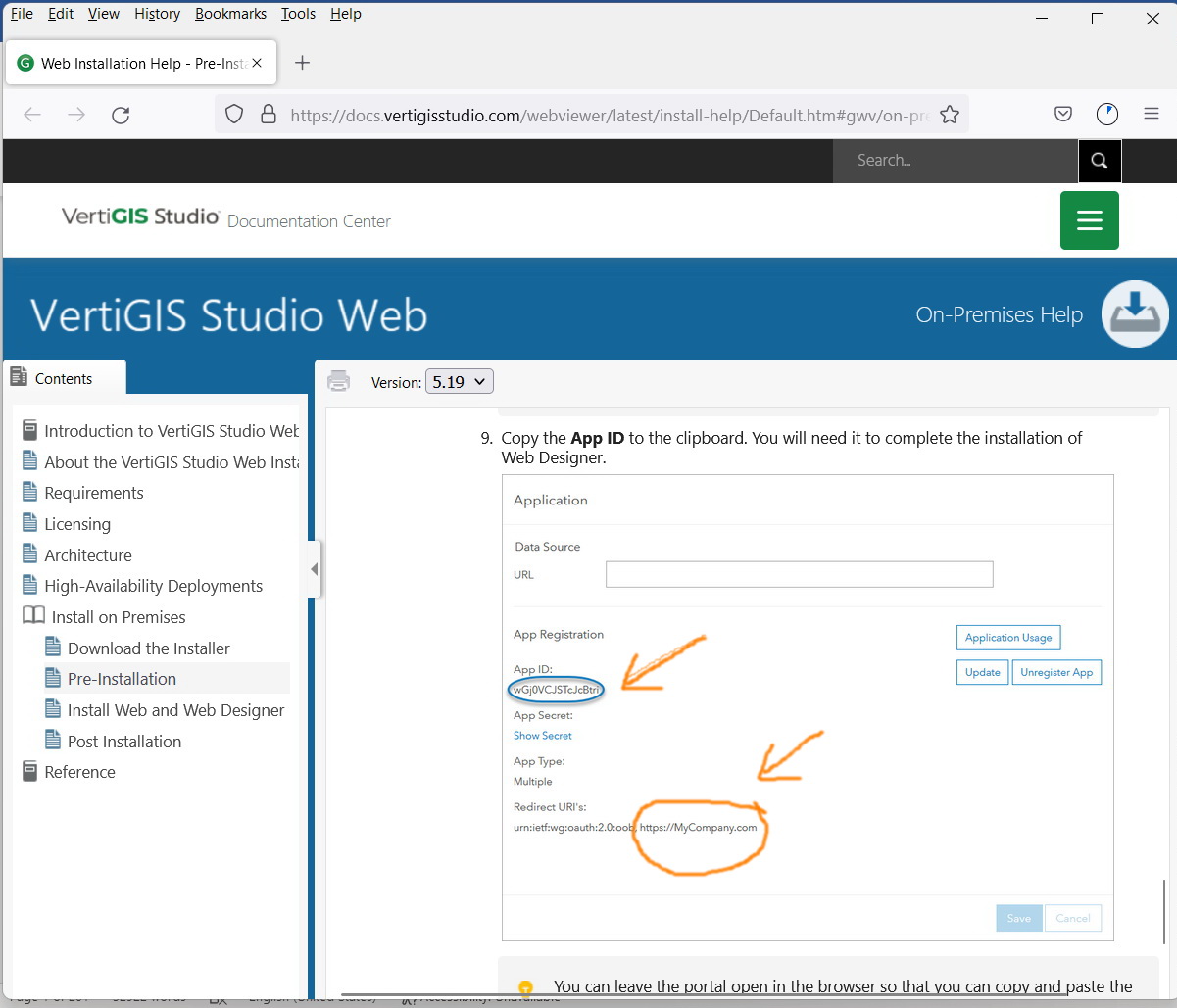
Check the configured Redirect URI in your portal https://docs.vertigisstudio.com/webviewer/latest/install-help/Default.htm#gwv/on-premises/pre-installation.htm
2 -
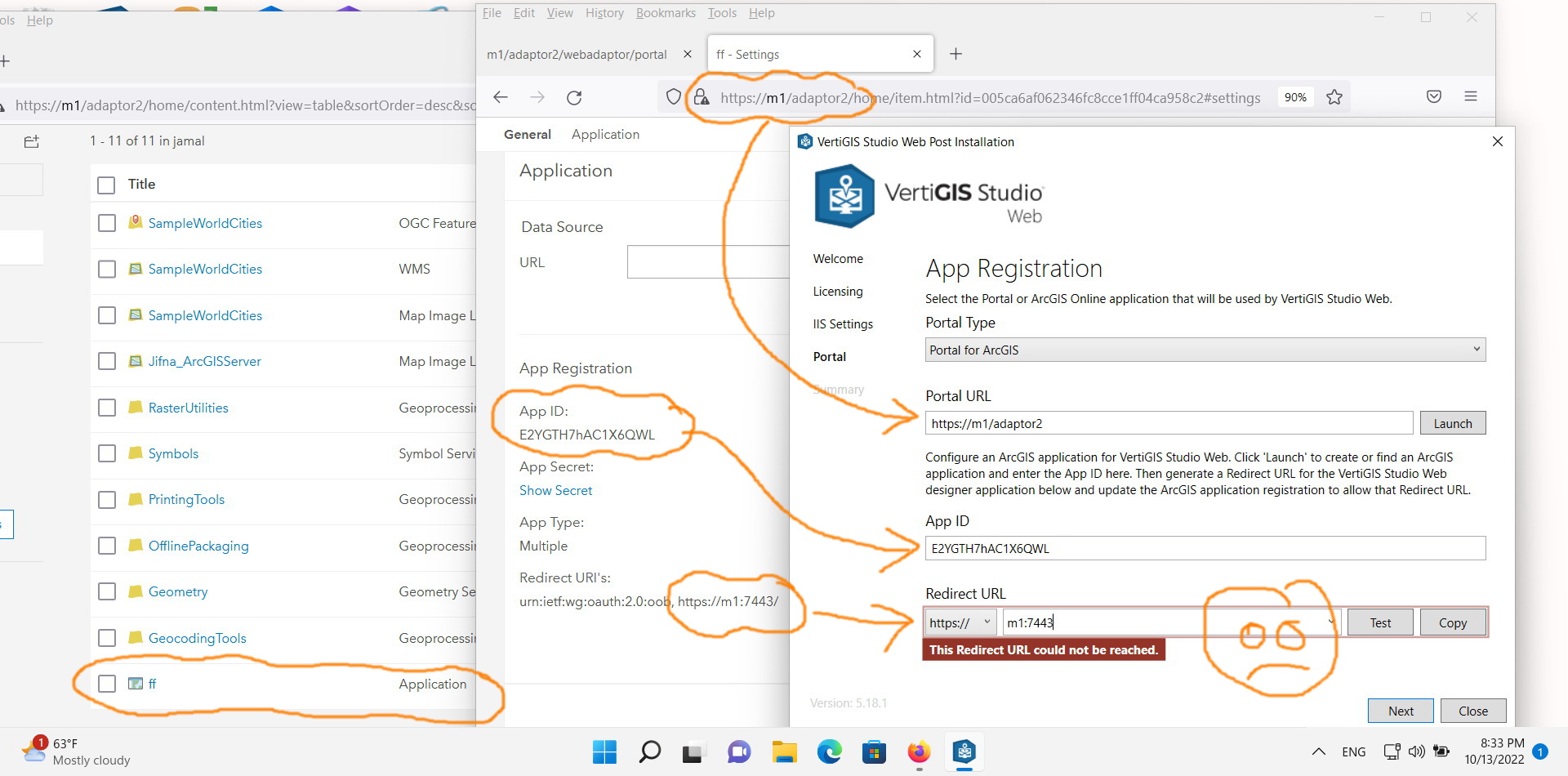
As per the screenshot below, Portal URL, App ID, and Redirect URL are configured correctly as mentioned in the VertiGIS documentation
What might be the issue here?
 0
0 -
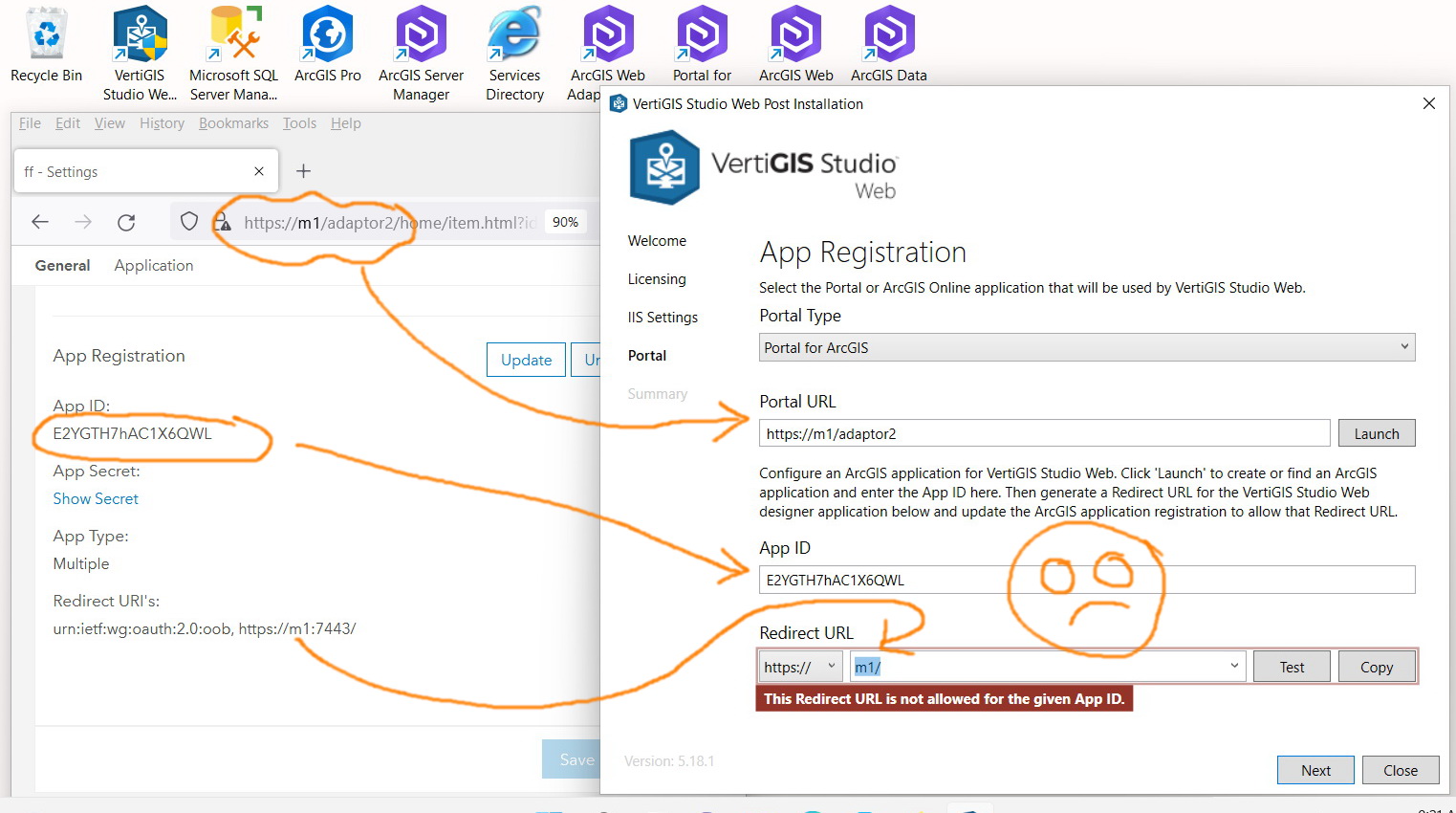
Hi Jamal Numan - that's an easy one: those URLs are not the same. In the browser you have https://m1/adaptor2.... - the URL you've got in the redirect is https://m1:7443 - that :7443 is the problem. the URL should be https://m1/
Note that in the background we're using port 443 for HTTPS, so that URL in the browser is technically https://m1:443/adaptor2 - but this :443 is assumed as we're on the HTTPS protocol.
So, correct your redirect URI to https://m1/ and that should be seen as a valid redirect.
0 -
As per the screenshot below, it never works
What other settings I might need to consider?
 0
0 -
Jamal, those URLs are not the same. https://m1:7443/ and https://m1/ are different URLs. You need https://m1/ present in your redirect URIs for that URL to be accepted as a redirect URL in the post installer.
1 -
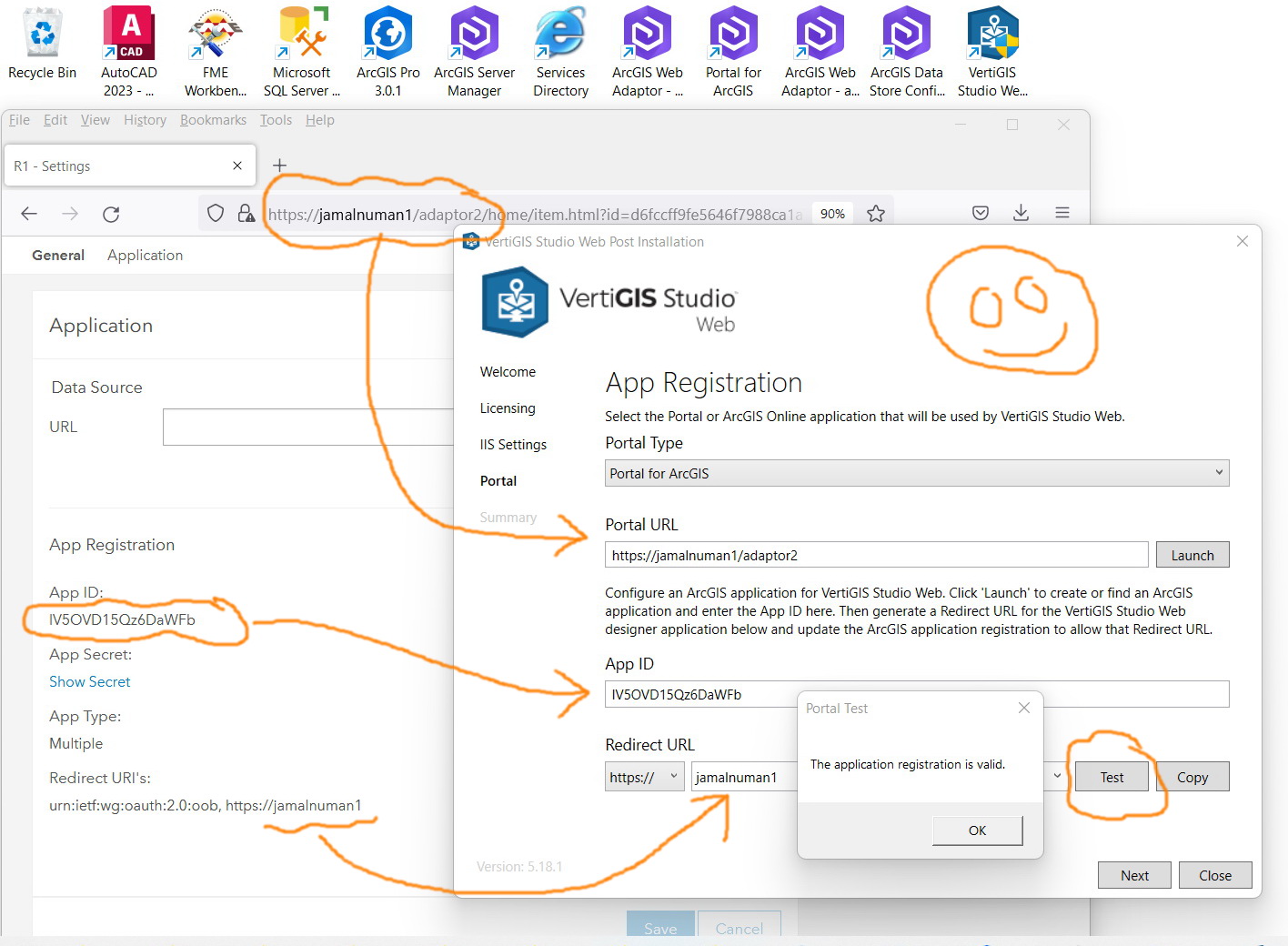
All works fine. Thank you for the prompt help
How to mark this thread as resolved?
 0
0 -
Great, you're welcome! No need to mark it as 'resolved' - this thread will remain here for others to find.
1 -
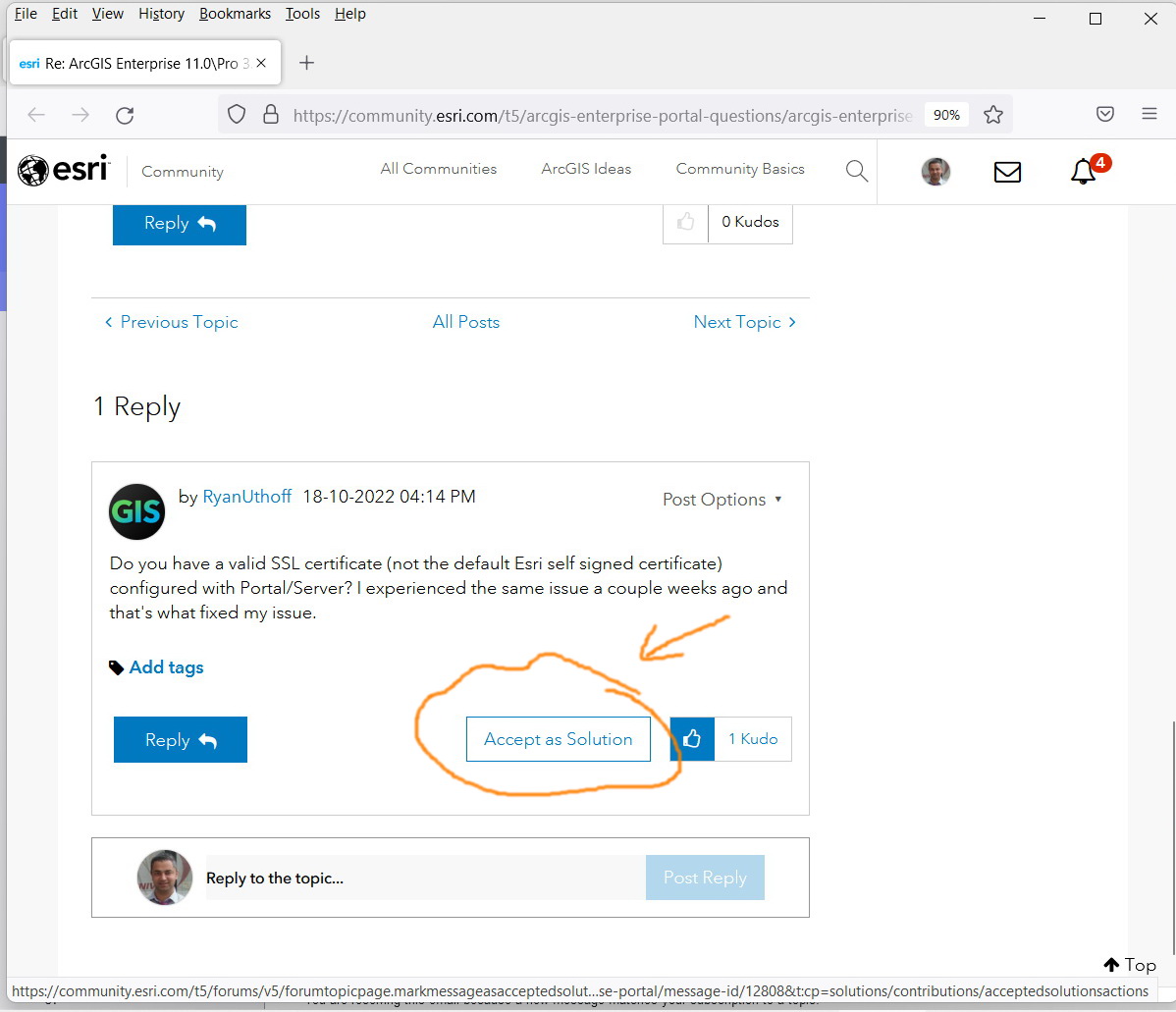
What I meant here is to have a button like the one available in ESRI community as per the screenshot below. It makes it easier for others to get to the solution directly!
 0
0
Bitte melden Sie sich an, um einen Kommentar zu hinterlassen.
Kommentare
14 Kommentare